EasyManua.ls Logo

Silvercrest SSB 40 A1 - User Manual

Silvercrest SSB 40 A1
34 pages
Print Icon
To Next Page IconTo Next Page
Loading...
BLUETOOTH
®
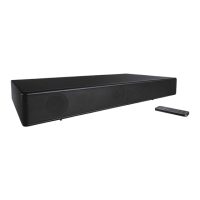
TV STEREO SOUNDBAR SSB 40 A1
BLUETOOTH® TV STEREO
SOUNDBAR
Operating instructions
TV-STEREO-SOUNDBAR MIT
BLUETOOTH
®
Bedienungsanleitung
TV STEREO-SOUNDBAR MET
BLUETOOTH
®
Gebruiksaanwijzing
IAN 285672
Toz285672_Soundbar_Stereo_2x20W_Cover_LB6.indd 2 07.04.17 10:27

Questions and Answers

  • M
    Monica SalazarAug 9, 2025
    What to do if there is no Bluetooth connection with Silvercrest Speakers?
    • A
      Anthony TurnerAug 9, 2025
      If you're unable to establish a Bluetooth connection with your Silvercrest speakers, first make sure that the Bluetooth function of your audio device is activated. Also, check if you accidentally switched off the device. If a Bluetooth connection to another device exists, press the button or the PAIR button until the blue LED starts flashing, then establish the new connection.
  • D
    donald22Aug 16, 2025
    Why is there no music playback on my Silvercrest SSB 40 A1?
    • E
      ericjosephAug 16, 2025
      If your Silvercrest speakers aren't playing music, ensure that the volume isn't set too low on your audio device and that the volume isn't too low or muted. Also, verify that you've selected the correct connection for audio playback.
  • T
    tfernandezAug 25, 2025
    What to do if my Silvercrest Speakers have no function?
    • Z
      Zachary JohnsonAug 25, 2025
      If your Silvercrest speakers aren't functioning, first check if the device is properly connected to the power supply and if the LED is lit. When connected to the HDMI ARC socket, confirm that both the HDMI cable and the connected device (like your television) are ARC-enabled. If your TV lacks an ARC-enabled HDMI connection, try a different connection type or consider replacing your TV. Alternatively, replace the old HDMI cable with a new, ARC-enabled cable. Also, ensure the correct audio signal is selected on your audio device (e.g., television set). Choose PCM 2.0 (or PCM stereo) as the audio output.
  • M
    Michelle PalmerAug 31, 2025
    How to stop interferences during operation of Silvercrest Speakers?
    • D
      deanguzmanAug 31, 2025
      If you're experiencing interference during operation with your Silvercrest speakers, try removing any mobile phones, tablets, or other devices that use radio waves from the vicinity of the soundbar.

Summary

Soundbar Component Identification

Intended Purpose and General Safety

General Safety Warnings

Covers crucial warnings for safe operation and potential hazards, including electrical.

Specific Safety Precautions

Battery and Bluetooth Safety

Details safety guidelines for batteries and Bluetooth usage.

Getting Started: Items and Initial Setup

Setting Up and Wall Mounting Instructions

Steps for placing the soundbar or mounting it securely on a wall.

Operation Basics and Connectivity

Advanced Operation and Connectivity

Bluetooth Connection Procedure

Steps to pair and establish a Bluetooth connection with audio devices.

Maintenance, Disposal, and Troubleshooting

Troubleshooting Common Issues

Solutions for potential faults and operational problems.

Warranty and Service Information

Warranty Terms and Coverage

Details the warranty period, conditions, and exclusions.

Silvercrest SSB 40 A1 Specifications

General IconGeneral
BrandSilverCrest
ModelSSB 40 A1
Frequency Response100 Hz - 20 kHz
Input Voltage5V
TypeBluetooth Speaker
ConnectivityBluetooth
Charging Time3 hours

Related product manuals