23GB/IE/NI
Operation
Charging/storage box
The headphones [1] begin charging automatically when at
least one headphone is inserted into a charging port [8] and
the cover of the charging/storage box [7] is closed.
Checking current battery capacity status of the charging/
storage box [7]:
Open or close the cover of the charging/storage box[7] to
activate the charging status indicator[9].
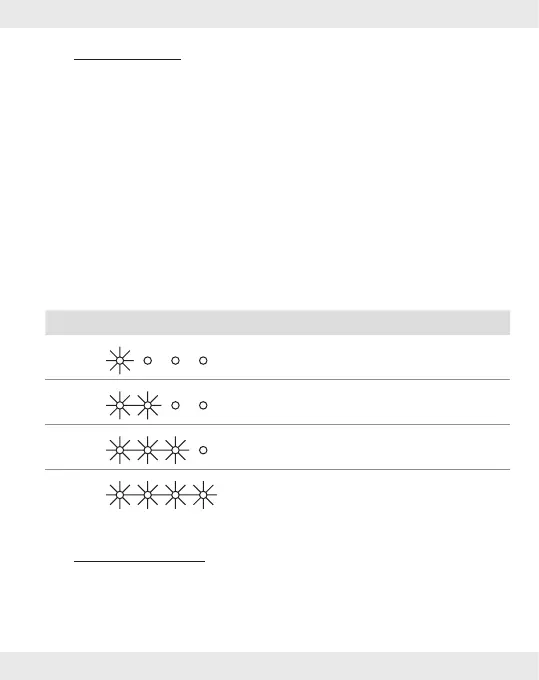
The current battery capacity status is indicated by the charging
status indicator[9] on the charging/storage box:
LED Battery charge status
≤ 25 %
≤ 50 %
≤ 75 %
≤ 100 %
Headphones
Turning on the headphones
To turn on the headphones, remove them from the charging
ports [8].











 To Next Page