EasyManua.ls Logo

Silverline 870944 - User Manual

Silverline 870944
40 pages
Print Icon
To Next Page IconTo Next Page
Loading...
www.silverlinetools.com
S
I
L
V
E
R
L
I
N
E
R
A
N
G
E
DIY
870944
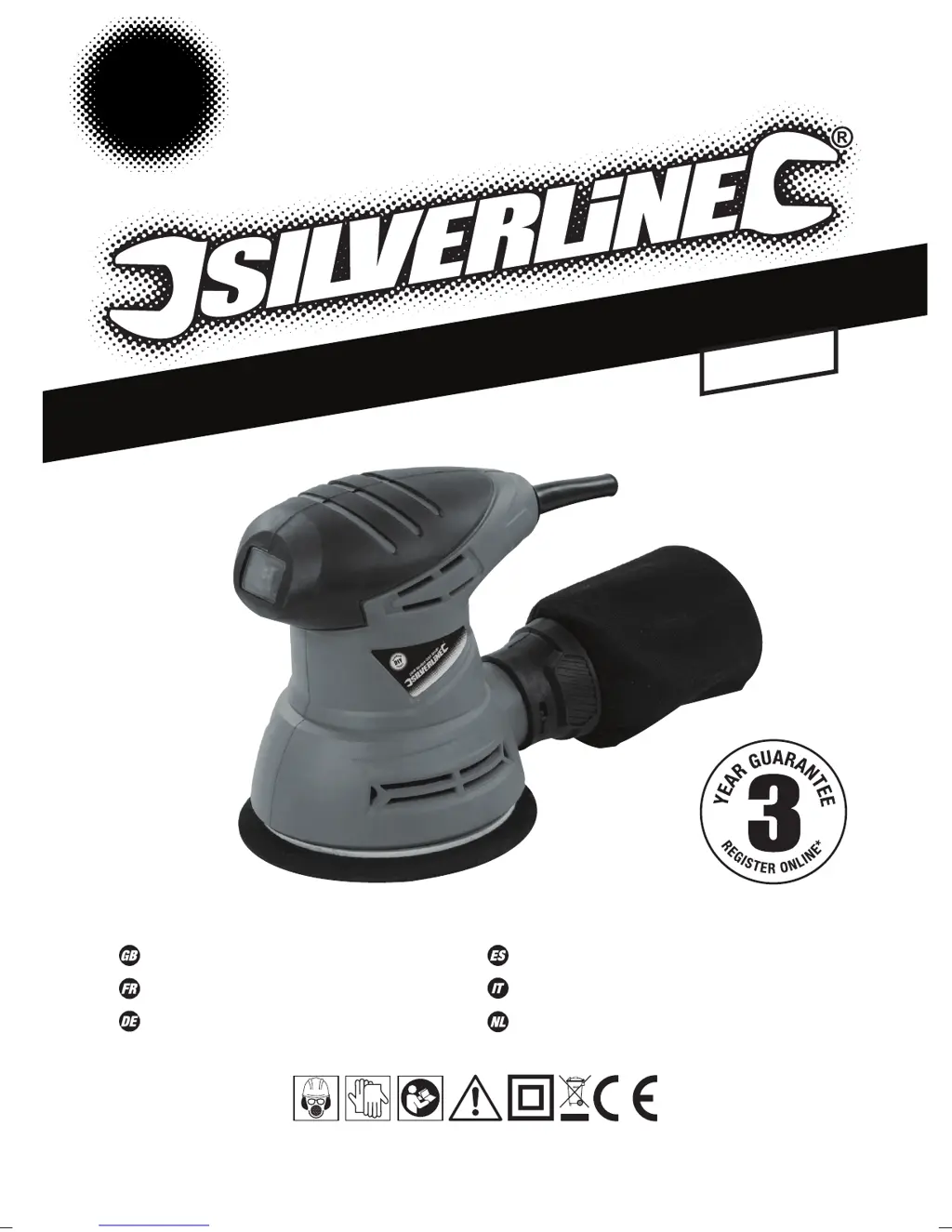
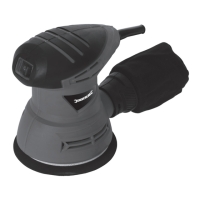
240W Random Orbit Sander
Ponceuse excentrique orbitale 240 W
Exzenterschleifer, 240 W
Lijadora orbital 240 W
Levigatrice orbitale 240W
240 W excentrische schuurmachine
125mm
870944_Z1MANPRO1.indd 2 23/11/2015 11:21

Table of Contents

Other manuals for Silverline 870944

Questions and Answers

  • K
    Kenneth HatfieldJul 27, 2025
    Why is my Silverline Sander emitting so much dust?
    • C
      christinesolomonJul 27, 2025
      Excessive dust emission from your Silverline Sander can occur if the dust extraction isn't working properly, the sanding sheet isn't aligned with the dust extraction holes, or the extraction holes are blocked. Try realigning the sanding sheet and unblocking the dust extraction holes. Also, excessive dust emission can happen if the dust bag is full, so remember to empty it. If the dust bag is insufficient for the task, connect a vacuum dust extraction system.
  • A
    Andrea LeeAug 2, 2025
    What to do if my Silverline 870944 doesn't turn on?
    • M
      Melody ChapmanAug 2, 2025
      If your Silverline Sander isn't working when you use the On/Off switch, first check the power supply. If the power supply is fine, the On/Off switch may be defective and need to be replaced by an authorised Silverline service centre.
  • B
    brianna72Aug 8, 2025
    How to prevent burn marks with my Silverline Sander?
    • J
      Justin JohnsonAug 8, 2025
      Burn marks on your workpiece when using the Silverline Sander may appear if the sanding sheet is incompatible with the material. Ensure you fit the correct sanding sheet for the material you're working with. Also, applying too much pressure can cause burn marks. Use less pressure while moving the sander.
  • R
    Rhonda MathewsAug 14, 2025
    Why does my Silverline 870944 leave scratches?
    • A
      Anthony ReedAug 14, 2025
      Scratches appearing on your workpiece after sanding with the Silverline Sander can be due to a sanding sheet that is too coarse. Try fitting a new sanding sheet with a finer grit. Also, not removing enough material can result in scratches, so continue sanding.
  • R
    Rachel MckinneyAug 20, 2025
    Why is my Silverline 870944 removing material so slowly?
    • C
      Christopher RobertsAug 20, 2025
      Slow material removal with your Silverline Sander often means the sanding sheet is either too fine or worn. You should fit a new sanding sheet with a coarser grit.

Summary

Introduction and Specifications

Description of Symbols

Explains the meaning of various icons and symbols used on the tool and in the manual.

Environmental Protection Guidelines

Provides instructions for the responsible disposal of waste electrical products and recycling.

Technical Abbreviations Key

Lists and defines common technical abbreviations and units used in the manual.

Product Specifications

Details the electrical, performance, and physical characteristics of the sander.

Sound and Vibration Information

Provides data on sound pressure, sound power, and vibration levels for safe operation.

General Safety Instructions

Work Area Safety

Guidelines for maintaining a safe and well-lit work environment.

Electrical Safety Precautions

Ensures safe handling and connection of the power tool to the electrical supply.

Personal Safety Measures

Advises on personal protective equipment and maintaining alertness during operation.

Power Tool Use and Care

Recommendations for proper usage, maintenance, and storage of the power tool.

Sanding Tool Specific Safety

Sanding Safety Precautions

Specific safety warnings and advice for operating sanding tools.

Fitting and Using the Sanding Disc

Sanding Disc Installation

Step-by-step instructions for attaching a sanding disc to the tool.

Product Familiarisation and Preparation

Component Identification

Identifies and lists the main parts of the random orbit sander.

Intended Use of the Tool

Defines the specific applications and purpose for which the sander is designed.

Unpacking and Inspection

Guidance on safely unpacking the tool and checking for completeness.

Pre-Operation Checks

Essential checks and preparations to be made before starting to use the sander.

Sanding Disc Grade Selection

Advice on choosing the correct grit of sandpaper for different finishes.

Dust Extraction and Operation

Dust Extraction System

Information on connecting and using dust extraction methods.

Switching the Sander On and Off

Instructions on how to safely start and stop the operation of the tool.

Sanding Process and Maintenance

Sanding Technique

Guidance on the correct method and pressure for effective sanding.

Accessories and Spare Parts

Information on available accessories and where to obtain spare parts.

General Maintenance Checks

Routine inspections for screws, cords, and brushes to ensure tool integrity.

Emptying the Dust Bag

Procedures for safely removing and disposing of collected dust.

Cleaning the Tool

Instructions for cleaning the sander to maintain performance and longevity.

Troubleshooting Guide

Common Problems and Solutions

Addresses issues like no power, slow removal, scratches, burns, and dust emission.

Guarantee and Compliance Information

Silverline Tools Guarantee Terms

Details the 3-year guarantee, registration process, and terms and conditions.

CE Declaration of Conformity

States compliance with relevant EU directives and safety standards.

Silverline 870944 Specifications

General IconGeneral
Power240W
No Load Speed12000 rpm
Cable length2 m
Dust ExtractionYes
Sanding Pad TypeHook and loop
No-load speed12000 rpm

Related product manuals