EasyManua.ls Logo

Silverline DIY 521333 - User Manual

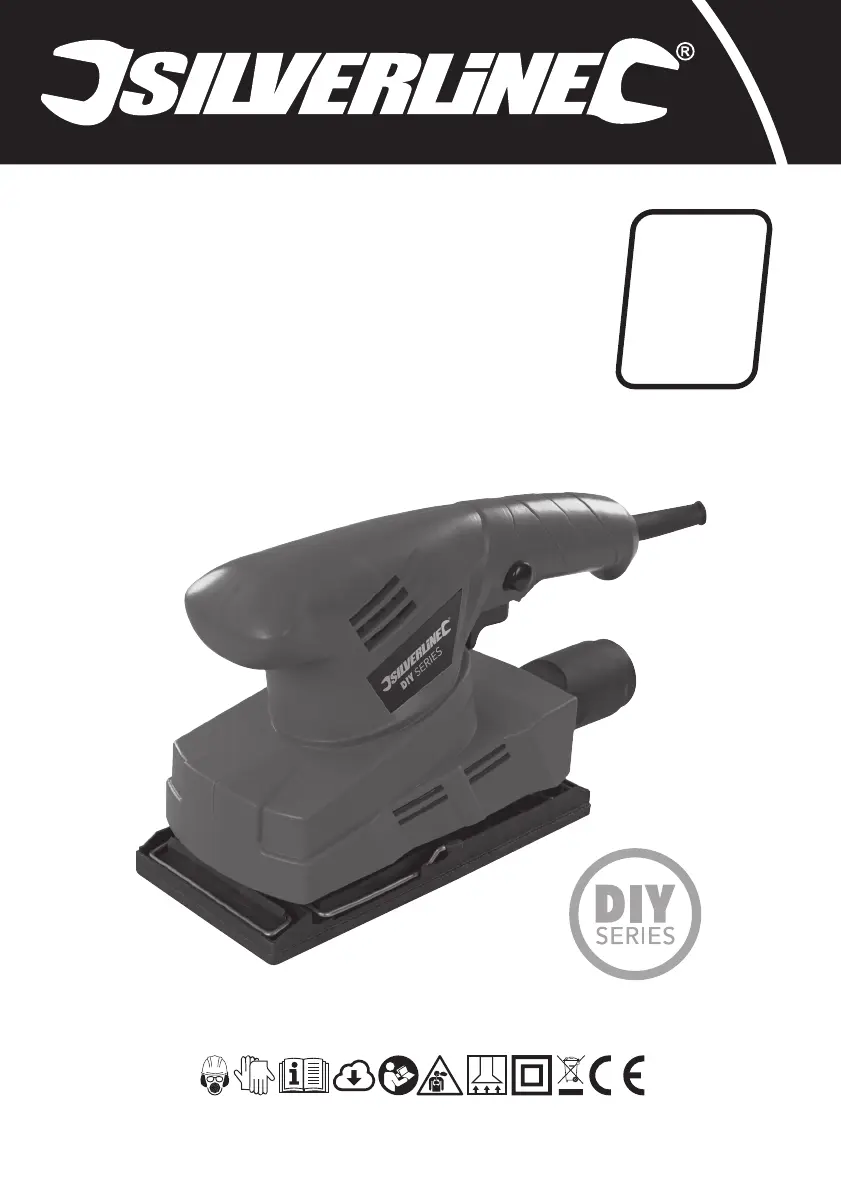
Silverline DIY 521333
48 pages
Print Icon
To Next Page IconTo Next Page
Loading...
Version date: 21.11.17
silverlinetools.com
Register online: silverlinetools.com
3
GUARANTEE
YEAR
ANS DE GARANTIE
JAHRE GARANTIE
AÑOS DE GARANTÍA
ANNI DI GARANZIA
JAAR GARANTIE
LATA GWARANCJI
521333
FR Ponceuse orbitale
1
3, 135 W
DE Schwingschleifer, 135 W, 90 x 230 mm
ES Lijadora orbital
1
3 hoja, 135 W
IT Levigatrice orbitale
1
3 foglio, 135 W
NL 135 W vlakschuurmachine, 90 x 230 mm
PL Szlierkaoscylacyjna135W,90x230mm
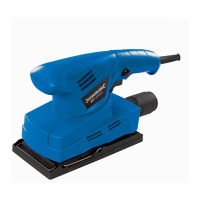
DIY 135W Orbital Sander
1
3 Sheet
521333_Manual.indd 1 21/11/2017 11:23

Questions and Answers

  • L
    Lauren BrownJul 28, 2025
    Why does my Silverline Sander emit excessive dust?
    • Y
      yvonnegibsonJul 28, 2025
      If your Silverline Sander is emitting too much dust, it might be because the dust extraction isn't working properly. Make sure the sanding sheet is aligned with the dust extraction holes in the sanding base plate, and that the extraction holes are not blocked. If they are, realign the sanding sheet and unblock the dust extraction holes.
  • T
    Toni SellersAug 2, 2025
    What to do if my Silverline DIY 521333 doesn't turn on?
    • S
      Stephen FranklinAug 2, 2025
      If your Silverline Sander isn't working when you use the ON/OFF switch, the issue could be due to a lack of power. In this case, check the power supply. Alternatively, the ON/OFF switch may be defective, and you should have it replaced by an authorised Silverline service centre.
  • D
    dillonwyattAug 9, 2025
    Why does my Silverline DIY 521333 Sander leave burn marks?
    • J
      Jennifer SmithAug 9, 2025
      If you notice burn marks on your workpiece while using the Silverline Sander, it could be due to an incompatible sanding sheet. Try fitting the correct sanding sheet for the material you're working with. Also, applying too much pressure can cause burning, so use less pressure and keep the tool moving.
  • T
    thomasnguyenAug 15, 2025
    How to improve material removal rate of my Silverline DIY 521333?
    • A
      Andrew PerezAug 15, 2025
      If your Silverline Sander isn't removing material quickly enough, the sanding sheet may be too fine or worn. Try fitting a new sanding sheet with a coarser grit.
  • M
    Michelle ButlerAug 21, 2025
    What to do if Silverline DIY 521333 Sander leaves scratches?
    • P
      pamela68Aug 21, 2025
      If your Silverline Sander is leaving scratches on the workpiece after sanding, it might be because the sanding sheet is too coarse. Try fitting a new sanding sheet with a finer grit. It could also be that not enough material has been removed yet, so continue sanding.

Summary

Introduction

Description of Symbols

Technical Abbreviations Key

Product Specification

Sound and Vibration Information

General Power Tool Safety Warnings

Work Area Safety

Guidelines for maintaining a safe and clean work environment for tool operation.

Electrical Safety

Precautions related to power supply, cords, and grounding to prevent electric shock.

Personal Safety

Measures to ensure operator safety, including PPE, alertness, and proper attire.

Power Tool Use and Care

Instructions for safe operation, maintenance, and storage of the power tool.

Service

Guidance on qualified repair personnel and using identical replacement parts.

Specific Sanding Tool Safety

Sanding Safety Precautions

Essential safety guidelines for operating the orbital sander, including PPE and material handling.

Product Familiarisation

Intended Use

Before Use

Fitting Sanding Sheets

Step-by-step guide on how to correctly attach sanding sheets to the sander.

Selecting Sanding Sheet Grade

Guidance on choosing the appropriate grit grade of sanding sheets for different tasks.

Fitting Sheets with Pre-punched Holes

Instructions for attaching sanding sheets with pre-punched holes to the sander.

Fitting Sheets without Pre-punched Holes

Procedure for attaching conventional sanding sheets and preparing them for dust extraction.

Dust Extraction

Connecting a Dust Extraction System

Steps to connect a vacuum cleaner or dust extraction system to the sander.

Operation

Switching ON and OFF

Instructions for starting and stopping the sander, including the lock-on function.

Sanding Tips

Best practices for effective sanding, including pressure, movement, and finishing.

Accessories

Maintenance

General Inspection

Regular checks for tightness of screws and condition of the supply cord.

Cleaning

Contact Information

Storage

Disposal

Troubleshooting

Silverline Tools Guarantee

Registering Your Purchase

Instructions on how to register the product online to qualify for the 3-year guarantee.

Terms & Conditions

Details regarding the guarantee period, claims, and what is covered or not covered.

CE Declaration of Conformity

Statement of compliance with relevant EU directives and standards.

Silverline DIY 521333 Specifications

General IconGeneral
Power135W
No Load Speed12000 rpm
Dust ExtractionYes
Cable Length2 m
Sanding Pad TypeHook and loop
Orbit diameter2 mm

Related product manuals