EasyManua.ls Logo

SilverNet MICRO 95 - Device Panel Views and Descriptions; MICRO 95 LED Indicators and Ethernet Port

Default Icon
14 pages
Print Icon
To Next Page IconTo Next Page
To Previous Page IconTo Previous Page
Loading...
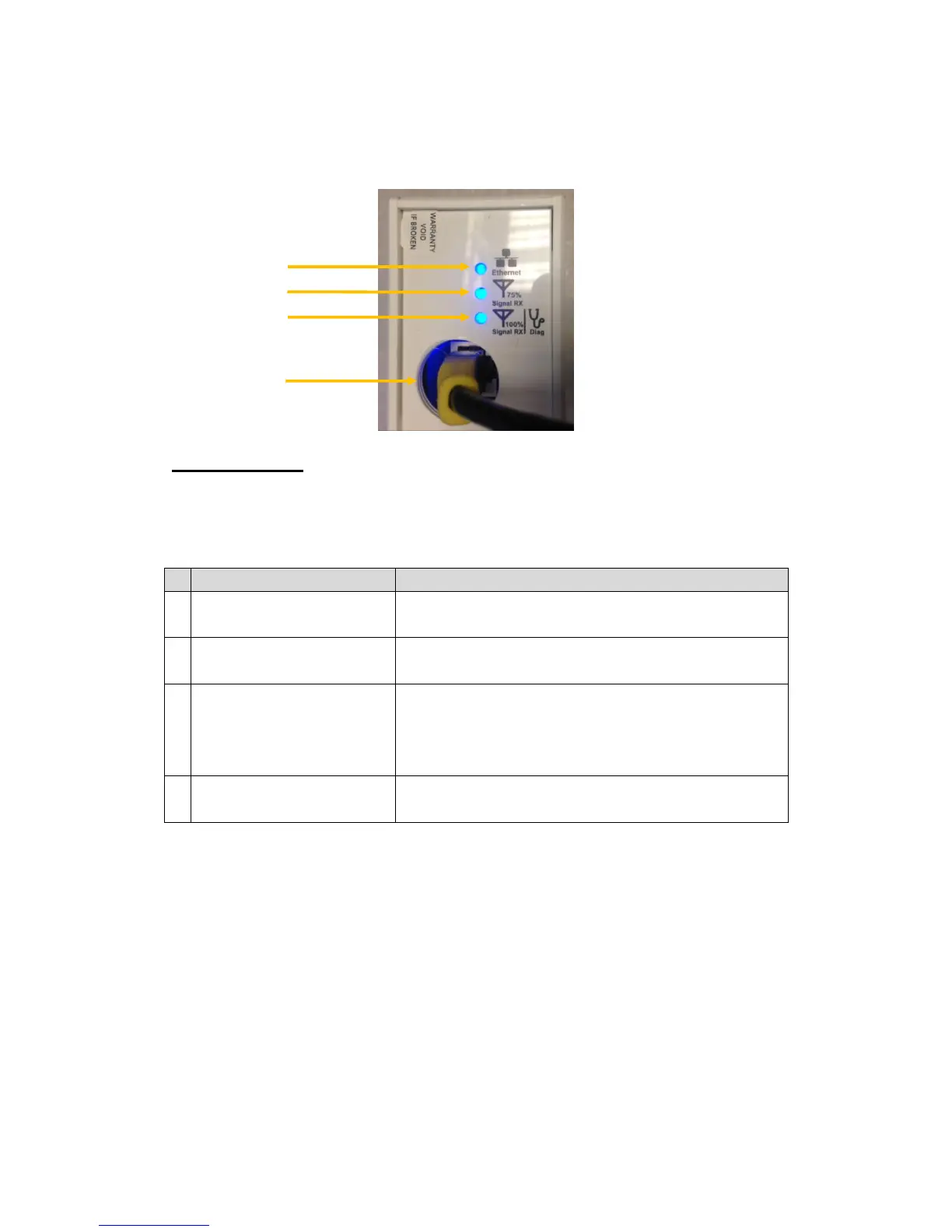
Device Panel Views and Descriptions
MICRO 95
*Note: This is also relevant for all the Pro Range equipment
Features
Status and Indications
1
Ethernet Link LED
ON: A Network connection has been detected
OFF: No Network connection has been detected
2
75% Signal RX LED
ON: Signal Strength is at 75%
OFF: Signal Strength is not at 75%
3
100% Signal RX and
Diagnostic LED
ON: Signal Strength is at 100%
OFF: Signal Strength is not at 100%
Slow constant Flashing: Device is in diagnostic
mode
4
Ethernet Port
10/100Mbps (1000Mbps on 240 & 500 range)
Ethernet port and PoE power input (48V DC)
4
1
2
3