SIM2 DOMINO 20H / DOMINO 30H
RS-232C CONTROL SPECIFICATIONS
3
1. Introduction
This document describes the communication and data formats used to control SIM2 DOMINO 20H /
DOMINO 30H
projectors via RS-232C port.
2. Connection
Switch off your Personal Computer and Projector before connecting RS 232C cable.
Use a standard serial cable with 9 pin female to the Personal Computer and 9 pin male to the Projector: pin
2 connects to pin2, pin 3 to pin 3 and pin 5 to pin 5.
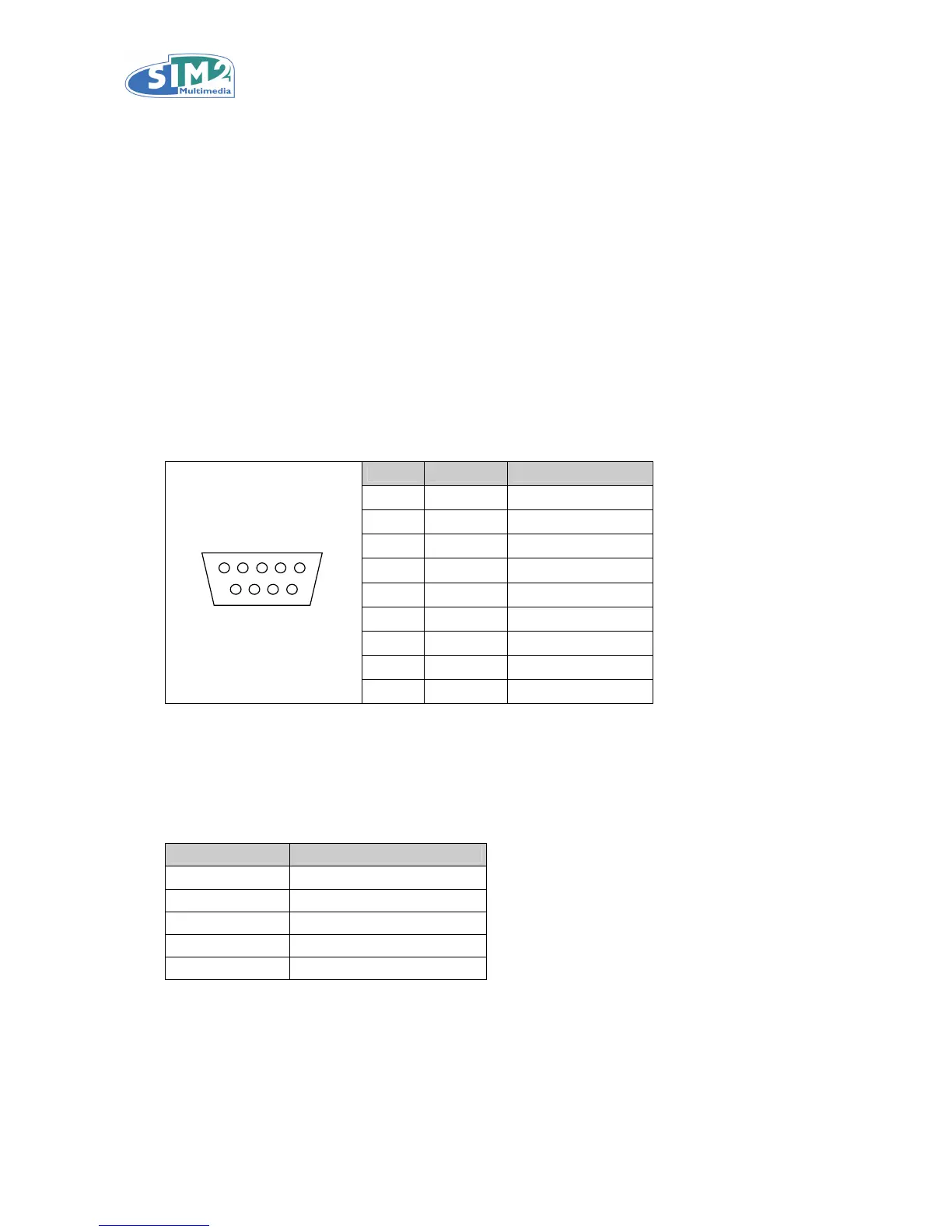
SIM2 DOMINO 20H / DOMINO 30H RS-232C Port is described as follows.
SIM2 DOMINO 20H / DOMINO 30H
RS-232C Control Port:
Pin No Signal Definition
1 N/A Not used
2 TD Transmit data
3 RD Receive data
4 N/A Not used
5 GND Ground
6 N/A Not used
7 N/A Not used
8 N/A Not used
D-SUB 9-pin
(female)
51
96
9 N/A Not used
Switch on the Personal Computer and, after start up, switch on the Projector.
Load a suitable communication software onto your Personal Computer, and set the Serial Port Parameters as
shown below.
Communication Parameters:
Parameter Value
Transfer Rate 19200 bps
Data Bits 8
Parity Bit None
Stop Bit 1
Flow Control None
Set Send Mode and Read Mode to HEX.



 To Next Page