Smart Machine Smart Decision
6.2 Serial Interface
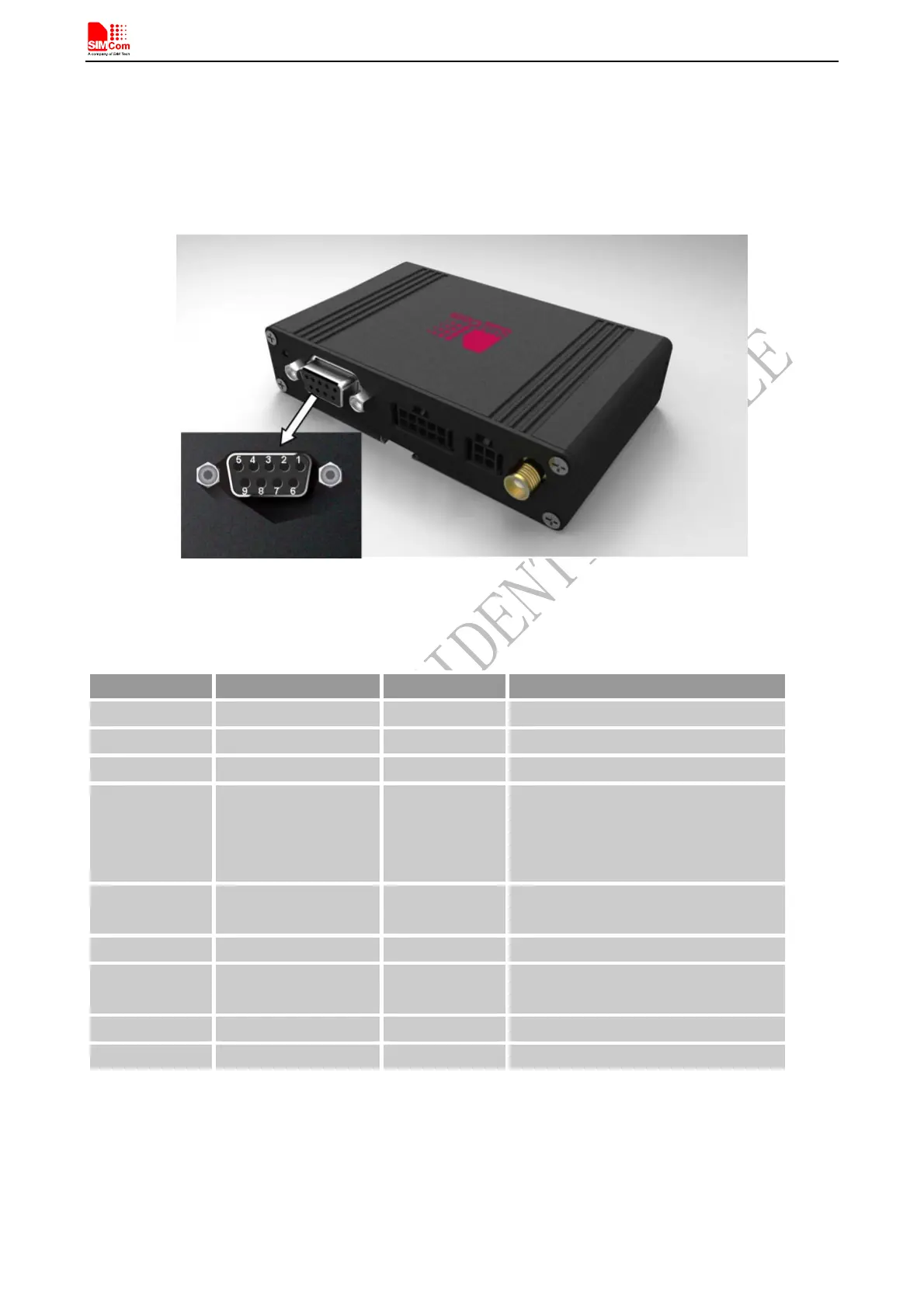
T900 provides one asynchronous RS232 serial port (female).The RS232 standard interface serves to connect a PC,
Data Terminal Equipment (DTE) or other application, which acts as host controller of the T900 Terminal with all
its functions. Through the RS232 interface it can be used as GSM/GPRS modem for sending and receiving of
SMS, Data and Fax calls.
Figure 10: Pin assignment RS-232 (D-Sub 9-pole female)
Table 4: 9-pole D-Sub (female) RS-232
Pin no Signal name I/O Function
1 DCD O Data Carrier Detected
2 RXD O Receive Data
3 TXD I Transmit Data
4 DTR I Data Terminal Ready
Attention: The ignition of T900
Terminal is activated via a rising
edge of high potential (+3 ... +15 V)
5 GND
- Ground
6 DSR O Data Set Ready
7 RTS
I Request To Send
8 CTS O Clear To Send
9 RING O Ring Indication
Note: T900 supports autobauding, Autobauding allows T900 to automatically detect the baud rate of the host
device. User can use AT command “AT+IPR=x” to set a fixed baud rate and the setting will be saved to
non-volatile flash memory automatically. After the configuration is set as fixed baud rate, the URC such as
"RDY", "+CFUN: 1" and "+CPIN: READY” will be reported when T900 is powered on.
T900_User Guide_V1.02 15 2013-05-22



 To Next Page