www.ssimder.com
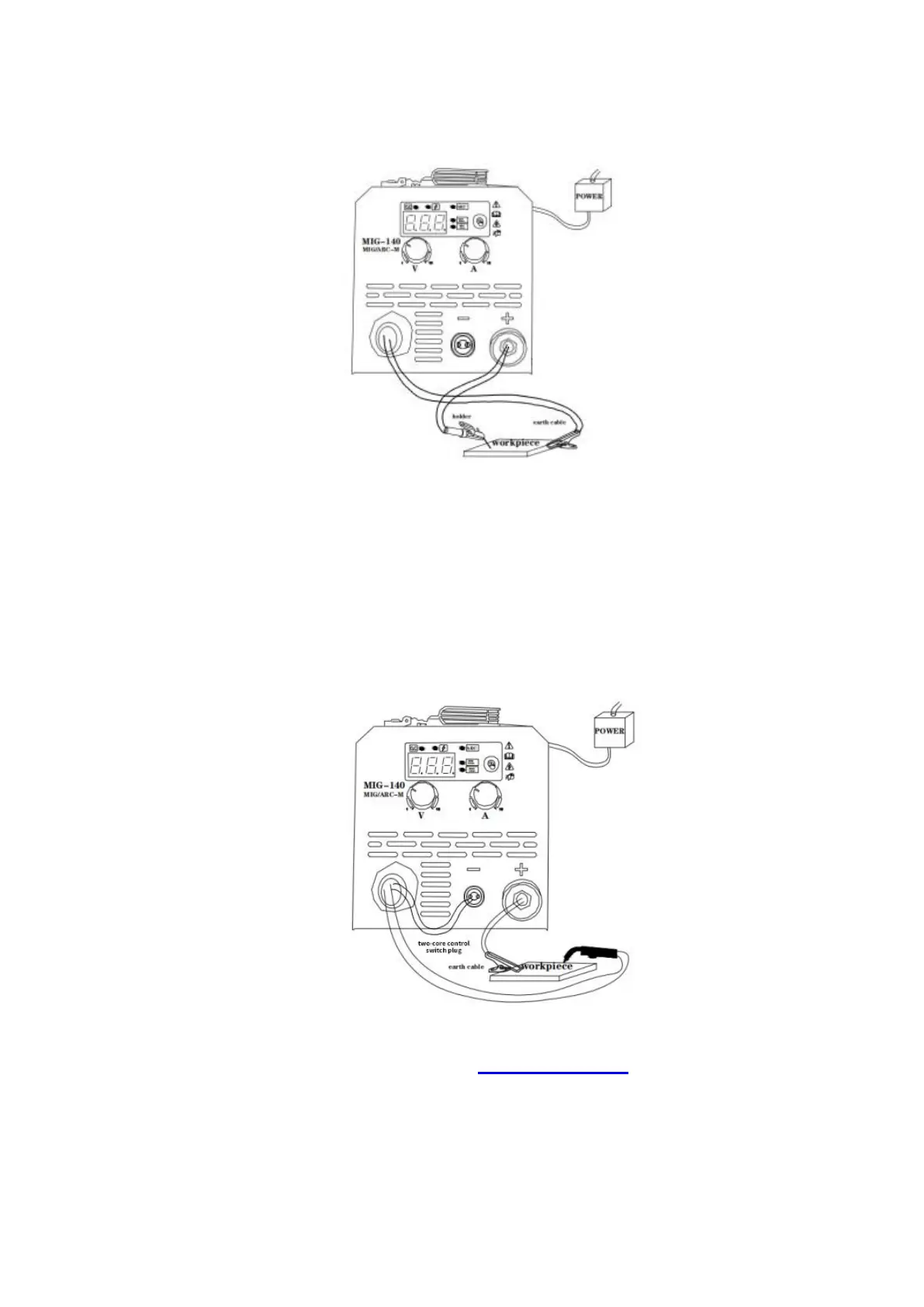
MMA Welding
1. Connect the electrode holder to the “-” negative terminal on the left side of the front panel, and
tighten it clockwise;
2. Connect the ground clamp to the “+” positive terminal on the front panel, and tighten it clockwise,
then clamp the ground clamp to the work-piece. As shown in picture;
3. Connect to power, turn on machine, choose ARC Welding Mode.
MIG Welding
1.
Install the flux core wire on the spindle adapter, As shown in the picture above. If you need
assist on wire setting, please visit our website: www.ssimder.com for videos or contact us;
2. Connect the ground clamp to the “+” positive terminal on the front panel, and tighten it
clockwise, then clamp the ground clamp to the work-piece;
3. Connect the MIG torch to the “-” negative terminal on the left side, Connect the two-core
control switch to the 2-pin connector in the middle, as shown in the picture
4. Connect to power, turn on machine, choose proper MIG Welding Mode.


 To Next Page