31
EN
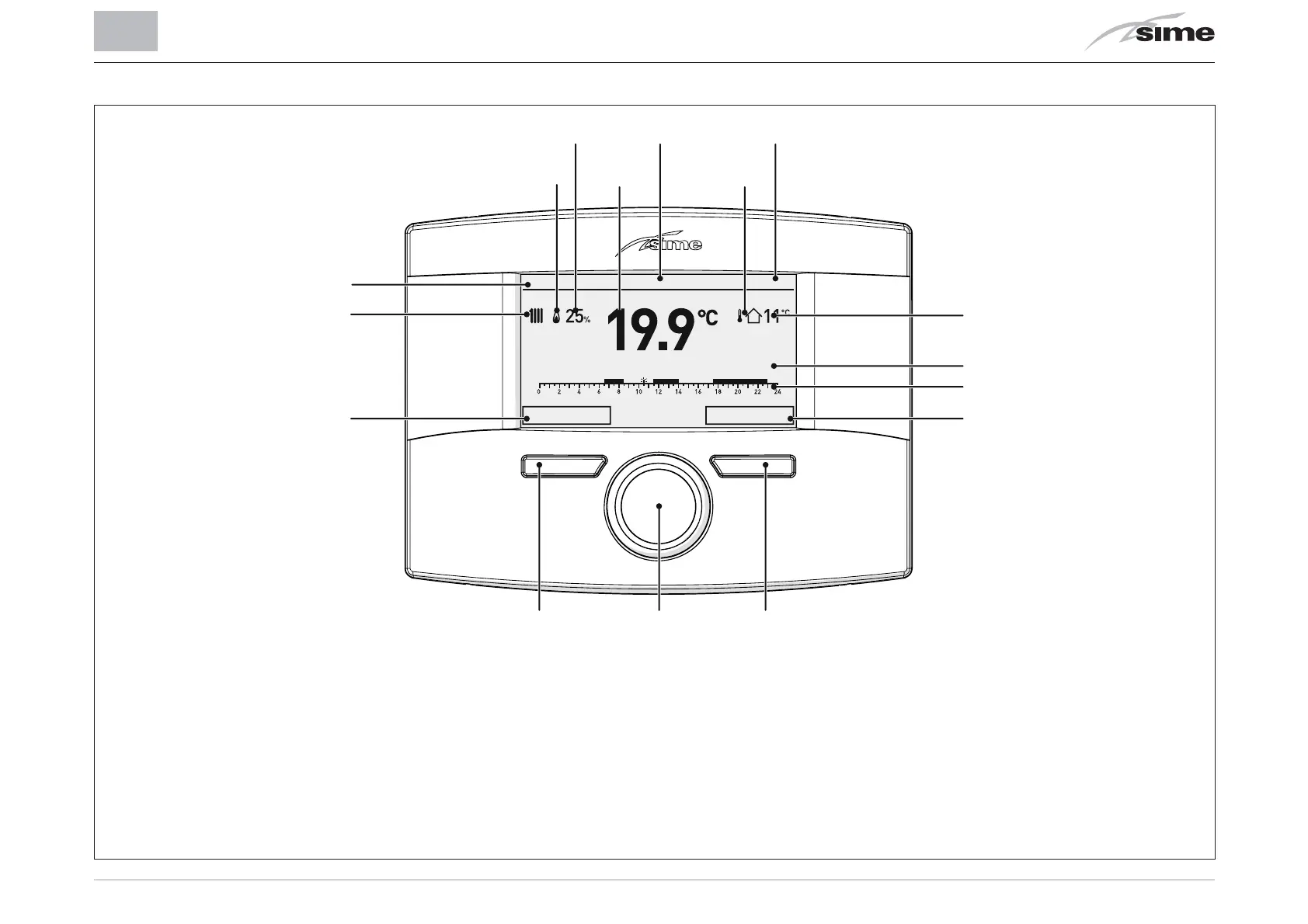
3.3 User interface
1
Button (A)
2
Multifunction encoder
3
Button (B)
4
Action carried out by pressing button (B)
5
Programmed time band
6
Description of adjustments in course
7
Measured external temperature
8
Time
9
Presence of External Sensor (ES)
10
Date
11
Measured room temperature
12
Modulation percentage
13
Presence of flame
14
Controlled area
15
Request for heating (rad) or hot water (tap)
16
Action carried out by pressing button (A)
Th 20 Mar 2014Zone 1 10:30
Mode: Winter Progr. automatic - Set 18,0°C until 11:30
Menu Mode
123
16
15
14
13
12
11 9
10 8
4
5
6
7


 To Next Page