32
EN
4 USE
4.1 Start-up
Once installation of the
Sime HOME
Remote Control has been
completed, proceed as follows:
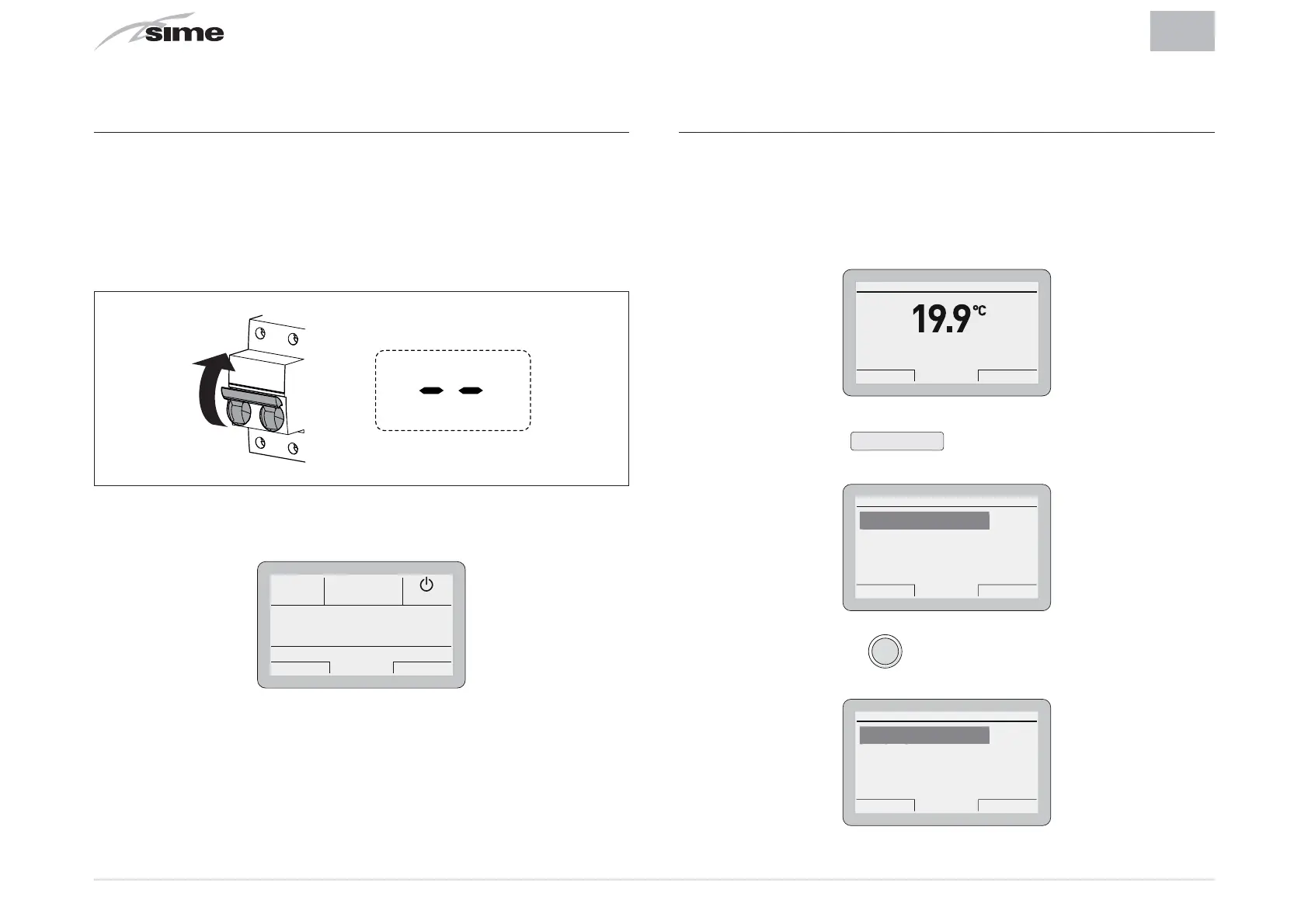
– Set the main system switch to ON (on)
– From the boiler control panel, set "Stand-by" mode
ON
– The following screen appears on the
Sime HOME
Remote
Control.
Esc Back
O
4.2 Settings from the MENU button
4.2.1 GENERAL SETTINGS Menu
From the
“main screen”
of the
Sime HOME
Remote Control, pro-
ceed as follows:
Th 20 Mar 2014Zone 1 10:30
Winter manual - set 20.0°C
Menu Mode
– Press the button
Menu
to go into the screen to select
“Menu”
Esc Back
GENERAL SETTINGS [...]
INFORMATION [...]
TECHNICAL [...]
ENERAL SETTINGS
MENU
– Press the encoder
click
to confirm the Menu highlighted
and go into the submenu
Esc Back
Language ITA
Date and time [...]
Factory settings [...]
an
ua
e
GENERAL SETTINGS


 To Next Page