4
front panel
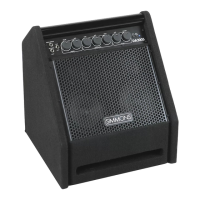
Drum Inputs: These are ¼” input jacks (left and right).
When using a mono signal, plug into the left/mono jack.
1
3
Drum Volume: This controls the volume level of
the Drum Inputs to the power amplifier.
2
Aux Input: This jack is used for connecting any
pre-EQ source such as a click track. The volume of the
Aux Input is controlled by the Aux Volume control.
4
Aux Volume: This controls the volume level of
the Aux Input only.
5
Equalization Section: These control the overall
tone of the DA50 drum amplifier.
10
Headphone Jack: This is a 1/8” stereo output
jack. When used, it turns off the internal speaker.
It combines all inputs from your drums, Aux Input,
and Line In for silent practice.
9
Line In: This is a 1/8” stereo line input.
It bypasses the drum amplifiers EQ tone controls
and feeds straight into the power amplifier. Use the
volume and tone controls on your external device
to control the audio signal.
High: This controls frequencies centered
at 10 kHz with a +/-12 dB sweep.
8
7
Mid: This controls frequencies centered
at 800Hz with a +/-12 dB sweep.
6
Low: This controls frequencies centered
at 60Hz with a +/-12 dB sweep.
1
2
3
4
5
6
7
8
9
10 11
11
Power “On” Indicator


 To Next Page