GSM Fixed Wireless Telephone
User
Manual
10
letter, long presses this key
to delete all
letters
in the information frame.
OK
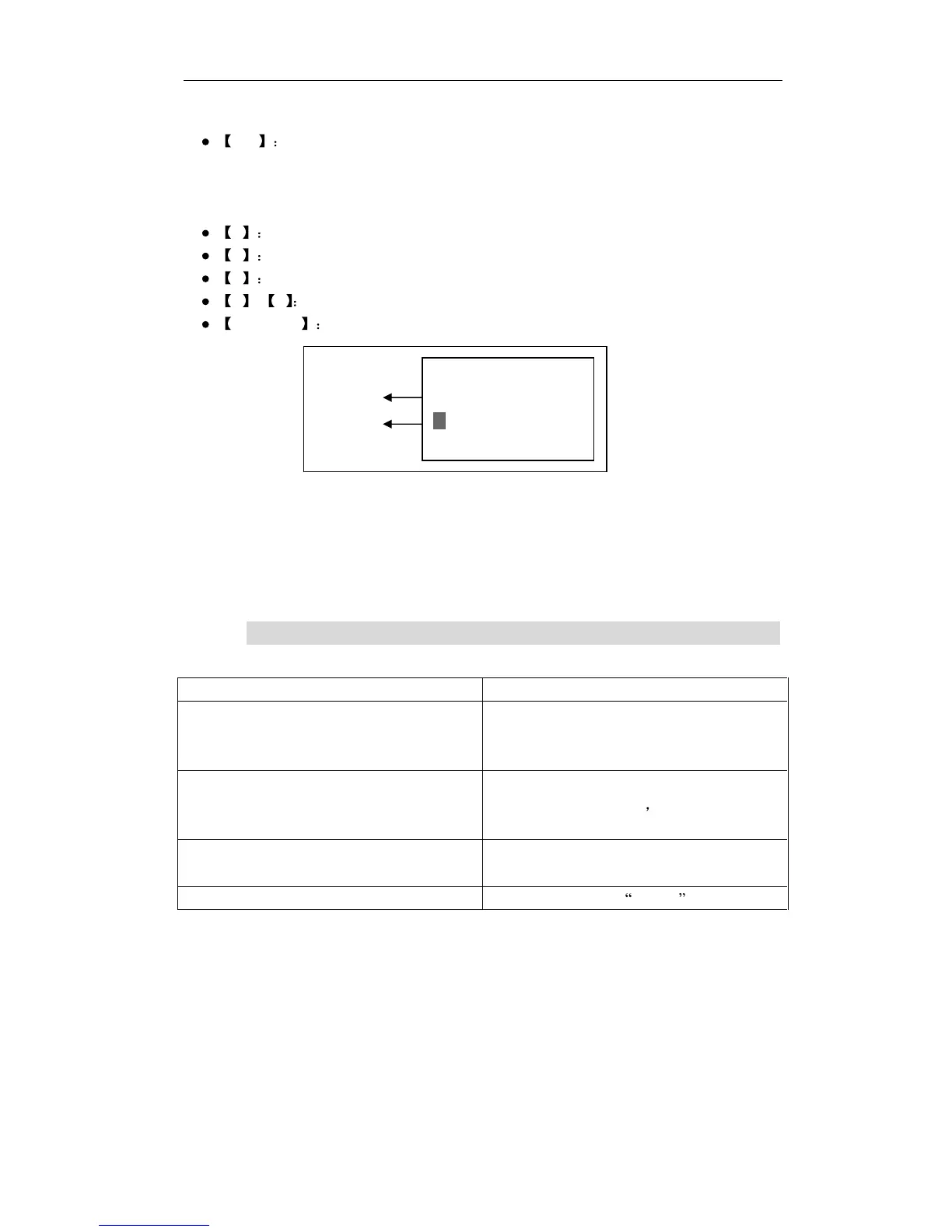
When big cursor (note: Refers to
the
big shadow in the letter frame , similarly
hereinafter) in the letter frame, press this key to confirm English word input and enter in the
information
frame. When no big cursor, press this key to confirm input, and enter the next level
of menus.
#
press this key to input special signs.
*
press this key to switch
among different input methods.
0
input
blank space
.
2 - 9
input
letters
.
HANGUP
return to standby mode surface.
ii
.
iii
.
iii
Application method as well as matters needing attention
The small cursor
point
s
to
the position which is going to insert the
word
in
to
the current
information
frame, this cursor can move only no big cursor in the
letter
frame. The
user
who
want
s to insert a
word
must move this cursor
to
the corresponding position, then input letters,
cho
os
e the word
.
VII.
Trouble Shooting
Trouble
description
Possible cause
The telephon
e can not be started up
1.
T
he power is off
2. Low battery
3. Power adapter has not been connected
PIN
incorrect
1. W
rong
SIM card inserted
2. SIM card is locked and the telephone
should be
initialize
d by professionals
Los
t
connection while talking
1
. Low battery
2. Signal is not strong enough
Volume low
Set the volume in the
setting
s
Information
frame
Letter frame
Edit (160) eng
welcome
to
Ok
Back



 To Previous Page