Assembly instructions for kit #9
All rights reserved. 2013 Simple Motors, LLC ♦ www.simplemotor.com ♦
4
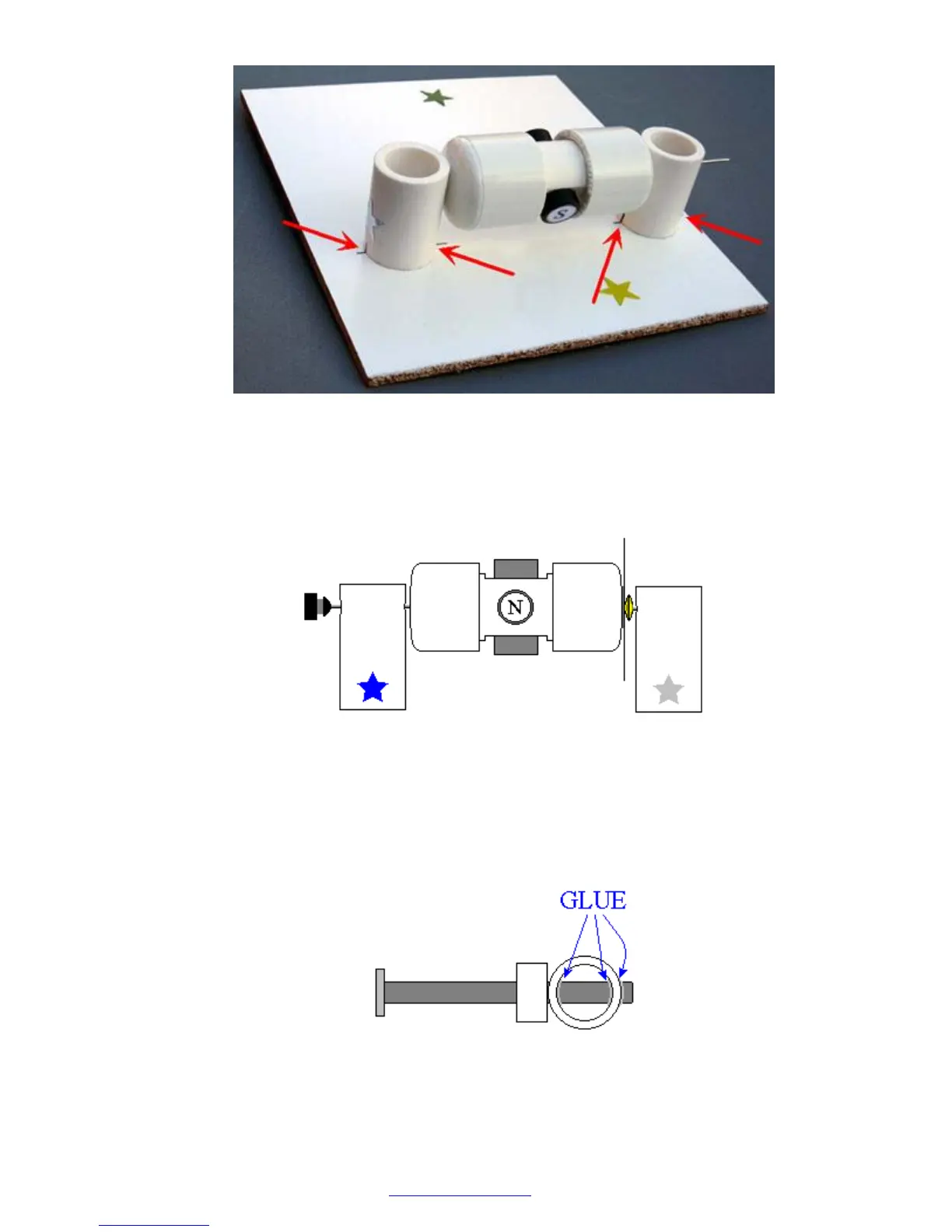
10.Insert the rotor into the stand marked with the blue star. Glue it to the board the same way
as the first stand. Leave a gap of about 1/16" (1/32", or 0.8 mm on each side) between the
rotor and the stands. Test again to see if the rotor spins freely. At this time, or later, you
may take the rubber plug and fix it as shown below. You can glue different things to the
outer flat surface of the plug. Try to be accurate, redo this step if necessary.
11.If you purchased the wire comparison kit, instead of steps 11-13 for this kit, follow
instructions for wire comparison kit. After that, please, continue the assembly instructions
from step 14.
Otherwise, insert the nail into the stand with the green star. If it is loose you may apply
glue as shown below.



 To Next Page