10
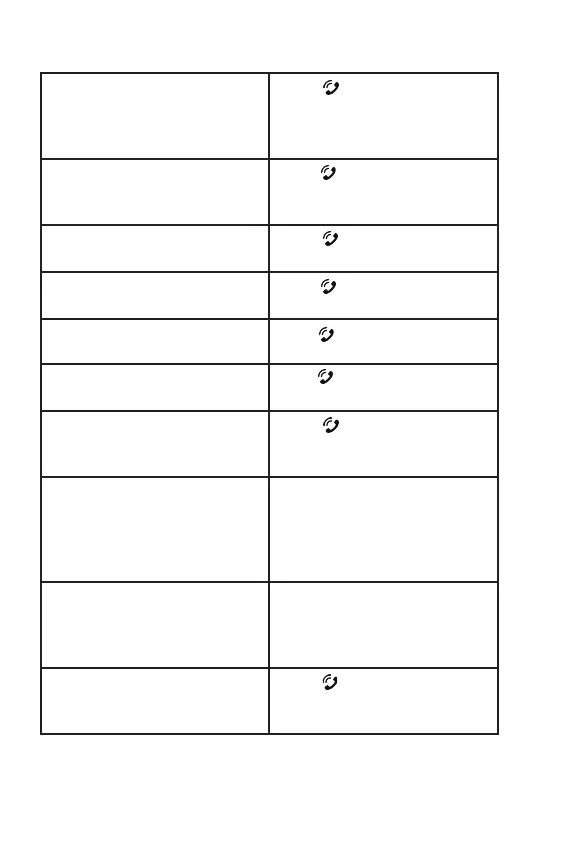
Power on Press and hold for 3
seconds until ashing and
prompting you with “Power
on”
Power off Press and hold for 3
seconds until prompt
“Power off”
Play/Pause music Press once during music
playing
Answer call Press once when there is
incoming call
End call Press once during call
Redial call Press twice while on
standby
Reject call Press and hold for 2
seconds when there is an
incoming call
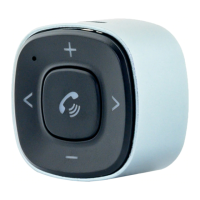
Adjust the volume Press and hold “+” button:
increase volume
Press and hold “-” button:
decrease volume
Choose music Press “<“ button: play the
previous song
Press “>” button: play the
next song
Switch phone calls
between BT32XIS and
Phone
Press and hold for 2
seconds during
conversation
QUICK GUIDE


 To Next Page