HomePlug AV Ethernet Adapter User’s Manual
10
The Set Local Device Only button can be used to change the network name (network
password) of the local device. If a new network password is entered, all the devices seen on
the Main panel prior to this will be no longer present in the new network, effectively making
the local devices not to communicate to the devices who were in the old logical network.
Devices previously set up with the same logical network (same network name) will appear in
the device list afterward selecting this option. The Set All Devices button is used to change
the logical network of all devices that appear on the Main panel whose Device’s Password
had been entered for the same logical network. A dialog window will appear to report the
success of this operation. For devices whose device password’s were not entered, this
operation will fail and will report a failure message.
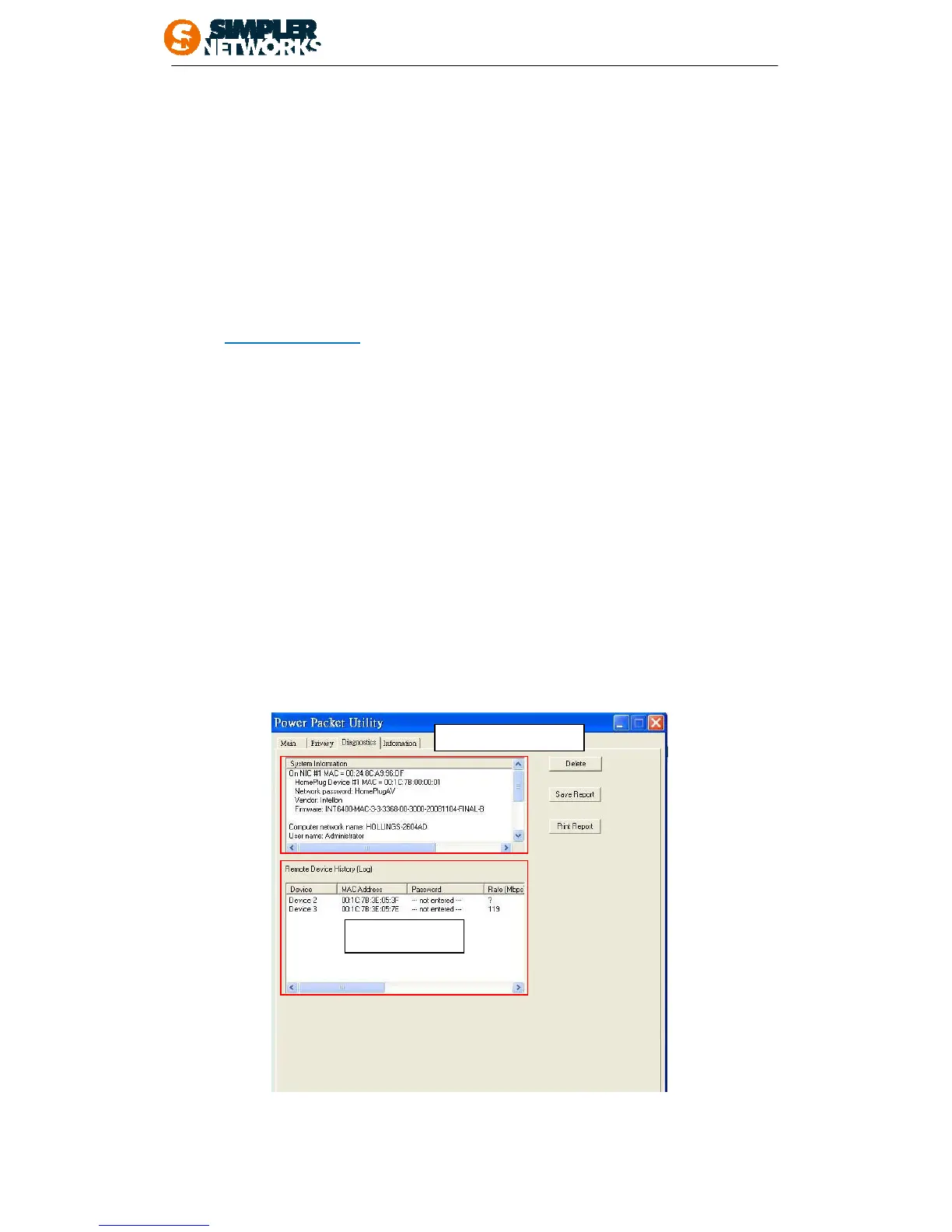
4.1.3 Diagnostics Tab
The Diagnostics screen shows System information and a history of all remote devices seen
over a period of time. The appearance is shown in Figure 8. The Upper panel shows
technical data concerning software and hardware present on the host computer which were
used to communicate over HomePlug on the Powerline network. It shall include the following:
• Operating System Platform/Version
• Host Network Name
• User Name
• MAC Address of all NICs (Network interface card) connected to the host
• Identify versions of all Driver DLLs and Libraries used (NDIS) and optionally
• HomePlug chipset manufacturer name (Turbo Only devices)
• MAC Firmware Version (Turbo Only devices)
• MAC addresses of all devices connected locally to the host
• Version of the Configuration Utility
• Vendor name
Figure8: Diagnostics Tab
The Lower panel contains a history of all remote devices seen on the computer over a



 To Next Page