HomePlug AV Ethernet Adapter User’s Manual
2
2. HomePlug AV Ethernet Adapter Overview
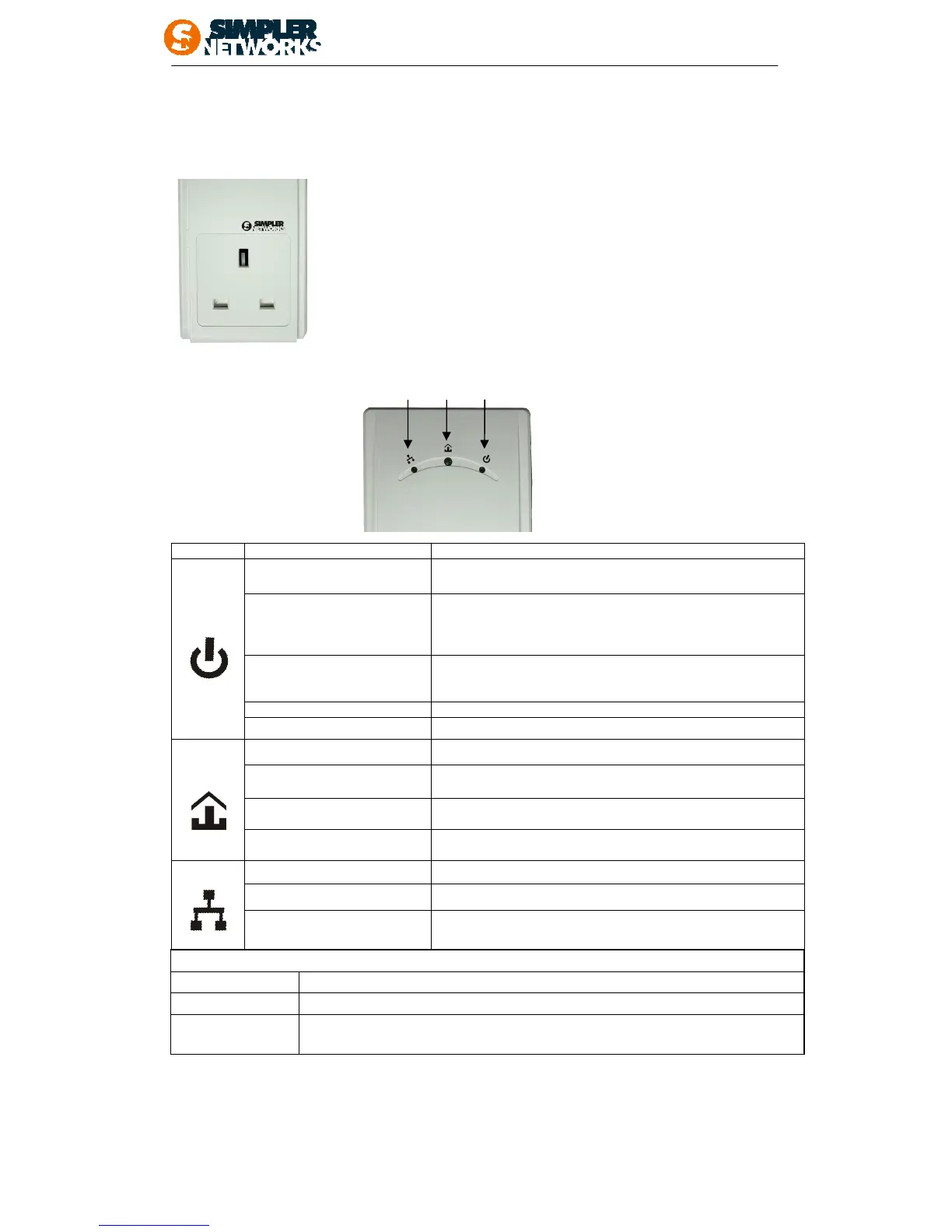
2.1 AC Power Socket
This AC power socket with AC filter built-in design of HP200PT64
enables additional terminal devices or multiple sockets to be
connected to this device just as a normal wall socket and no power
supply is lost. It has two earthing clips on the sides of the plug instead
of a female earth contact and supplies up to 16 Amperes that
connected with other electrically operated power device.
2.2 LED Description
The front bottom side contains 3 lights called LEDs that indicate the status of this device:
Off This Adapter is not connected to power
Flashing evenly at
1 second interval
(Dark Red)
This Adapter is in
mode if there is no link on
Ethernet for 10 seconds.
After the link on Ethernet is active, the adapter wakes up
automatically.
Flashing evenly at
1 second interval (Green)
The adapter is in configuration mode, an AVLN is being
formed (new AVLAN is formed or a new adapter is being
added to an existing AVLN).
Uneven flashing There was error during configuration process
Green The adapter is connected to power
Off There is no link on Powerline interface
Red
If Powerline link present, Estimated application Throughput <
Low Threshold ※
Orange
If Powerline link present, Low Threshold ≤ Estimated
application Throughput < High Threshold
Green
If Powerline link present, Estimated application-Throughput ≥
High Threshold
Off
There is no Ethernet Cable connected to the adapter
Green
There is link on Ethernet interface
Green flash
There is activity on Ethernet interface
Function
※Threshold
default Low Threshold:20Mbps; default High Threshold:40Mbps
Factory Default press RESET button for 3~5 sec
NMK
randomization
Press NMK button for 10 sec. Finish when all LEDs are OFF and ON again.



 To Next Page