EasyManua.ls Logo

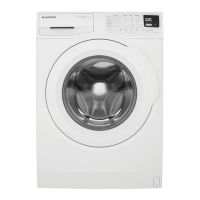
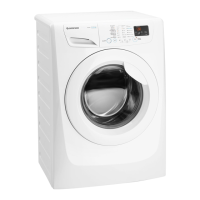
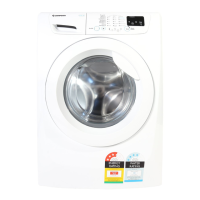
Simpson SWF85562 EZI sensor - User Manual

Simpson SWF85562 EZI sensor
36 pages
Print Icon
To Next Page IconTo Next Page
Loading...
SWF85562
5.5 Kg
Front Load Washer
Instruction
Booklet

Questions and Answers

  • M
    Michael KennedyAug 14, 2025
    Why won't my Simpson SWF85562 EZI sensor start?
    • J
      Jill JonesAug 15, 2025
      Your Simpson Washer might not start because the door isn't fully closed. Ensure the door is firmly shut. Also, check that the plug is correctly inserted into the power socket and that there is power at the socket. The washer may also fail to start if the Start/Pause button hasn't been pressed or if the delay start function is active. If delay start is selected, cancel it to start the wash immediately.
  • B
    brenda98Aug 18, 2025
    Why is my Simpson Washer not filling with water?
    • P
      psweeneyAug 18, 2025
      If your Simpson Washer isn't filling with water, first check that the water tap is fully open. Next, inspect the inlet hose for any squashes or kinks that could be blocking the water flow. Also, the filter in the inlet hose might be blocked, so clean it. Finally, ensure that the door is properly closed.
  • A
    Andrew MiddletonAug 21, 2025
    What to do if the door of my Simpson Washer will not open?
    • E
      Eugene PierceAug 22, 2025
      If the door of your Simpson Washer won't open, it might be because the program is still running; wait until the end of the washing cycle. The door lock may not have been released yet, so wait about 5 minutes. If there is still water in the drum, select the “Spin” or “Drain” program to empty it out.
  • E
    Emily MannAug 25, 2025
    Why does spinning start late, or the machine does not spin in my Simpson SWF85562 EZI sensor?
    • M
      Michael HernandezAug 26, 2025
      If spinning starts late or the machine doesn't spin in your Simpson Washer, it's possible that the electronic unbalance detection device has been activated because the laundry isn't evenly distributed in the drum. To fix this, pause the machine and manually redistribute the laundry.
  • P
    Peter KingAug 28, 2025
    What to do if there is water on the floor near my Simpson Washer?
    • C
      Christopher YoungAug 28, 2025
      If you find water on the floor near your Simpson Washer, it could be due to several reasons. You might be using too much detergent or an unsuitable type that creates excessive foam; try reducing the amount or switching to a different detergent. Also, inspect the inlet hose fittings for leaks, checking for dampness along the hose. A damaged drain hose can also cause leaks, so consider replacing it if necessary.
  • A
    Antonio RhodesAug 31, 2025
    What to do if my Simpson SWF85562 EZI sensor does not empty and/or does not spin?
    • J
      Jessica GregoryAug 31, 2025
      If your Simpson Washer isn't emptying or spinning, start by checking the drain hose for any squashes or kinks that might be blocking it. Also, inspect the drain filter for clogs and clean it if necessary. Make sure that the ‘Rinse Hold’ or ‘No Spin’ option is not selected; disable these options or select a spin program. Finally, if the laundry is unevenly distributed inside the drum, pause the machine and manually redistribute it.
  • I
    ishortSep 4, 2025
    How to reduce vibration and noise in my Simpson SWF85562 EZI sensor Washer?
    • J
      Judy BurgessSep 4, 2025
      Excessive vibration and noise in your Simpson Washer can stem from a few causes. Ensure that the transit bolts and packing have been removed and that the support feet are properly adjusted to level the appliance. Unevenly distributed laundry can also cause this issue, so pause the machine and redistribute the load manually. If there's very little laundry in the drum, add more items. Also, detergent overdose can cause the machine to vibrate.
  • S
    Sarah BishopSep 7, 2025
    Why are the washing results from my Simpson SWF85562 EZI sensor Washer unsatisfactory?
    • V
      vklineSep 7, 2025
      If you're getting unsatisfactory washing results from your Simpson Washer, it could be due to using too little or an unsuitable detergent; try increasing the quantity or switching to a different detergent. Stubborn stains may need pre-treatment with commercial products before washing. Ensure that you've selected the correct temperature for the load, and avoid excessive laundry loads by reducing the amount of laundry per wash.
  • K
    Kevin KochSep 10, 2025
    Why is the cycle time longer than displayed on my Simpson Washer?
    • C
      Cheryl BurchSep 12, 2025
      The cycle time on your Simpson Washer might be longer than displayed due to machine unbalance. To resolve this, manually redistribute the laundry in the drum and start the spin phase again.

Summary

Safety Information

General Safety

General safety precautions for operating the washing machine, including warnings about modifications, hot surfaces, pets, sharp objects, and fabric softener.

Installation Safety

Safety considerations during the installation process, emphasizing careful handling, checking for damage, and removing transit bolts.

Appliance Use Guidelines

Guidelines for the safe and proper domestic use of the appliance, including fabric types, overloading, and handling the power cable.

Child Safety Precautions

Precautions to ensure child safety, including supervision, keeping detergents out of reach, and preventing children from entering the drum.

Child Safety Device

Explanation of the child safety device that prevents the door from being locked, detailing its activation and deactivation.

Product Description

Control Panel

Accessories

Details about included accessories such as plastic caps and a plastic hose guide, and their uses.

Program Selector Knob

Instructions on using the program selector knob to set programs and temperatures, and to switch the machine off.

Spin Selection Button

How to use the spin selection button to adjust spin speed, including 'No Spin' and 'Rinse Hold' options.

Options Button

Explanation of the 'Options' button, detailing the 'Prewash' and 'Eco' functions that can be selected.

Quick Wash Button

Information on using the 'Quick Wash' button for lightly soiled laundry to achieve good results in a short time.

Delay Start Button

How to use the 'Delay Start' button to set a delayed start time for the washing program (3, 6, or 9 hours).

Start;Pause Button

How to start, pause, and restart a washing program using the 'Start/Pause' button.

Working Status Indicators

Explanation of the 'Washing' and 'Door Lock' pilot lights, indicating the machine's operational status and door lock status.

Programs and Options

A table detailing wash programs, load types, temperatures, cycle descriptions, and combinable options.

Before First Use

Daily Use

Four Steps Start Up Guide

A step-by-step guide to setting up and starting a washing program, covering program selection, spin speed, options, and delay start.

Loading The Laundry

Instructions on how to load laundry correctly, including preparing items, checking the drum, and closing the door.

Using Detergent And Additives

Detailed guide on using the detergent dispenser drawer, including compartment usage and adding powder or liquid detergent.

Starting a Program

How to start the selected program by pressing the Start/Pause button and what happens when the program is running.

Interruption Of A Program

How to pause and resume a running washing program using the Start/Pause button.

Changing A Program

How to change a running program by cancelling and restarting with new settings.

Changing The Options

How to modify selected options after a program has started by pausing and reselecting.

Opening The Door

Procedure for safely opening the washing machine door, especially when locked during a program.

At The End Of The Program

What happens when the program finishes, including signals, indicators, and actions to take.

To Drain Water

Steps to drain water from the drum to open the door if it remains locked after program completion.

Stand By Mode

Explanation of the energy-saving stand-by mode and how to exit it by pressing a button.

Washing Hints

Sorting The Laundry

Advice on sorting laundry by colour, fabric type, and care symbols for optimal washing.

Wash Temperatures

Recommended wash temperatures for different types of fabrics, soiling levels, and care instructions.

Before Loading Laundry

Pre-loading checks and preparations for laundry to ensure safety, prevent damage, and ensure clean results.

Maximum Load Capacity

Guidelines on the maximum load capacity for different fabric types to ensure efficient washing and machine longevity.

Removing Stains

Methods for pre-treating common stains before washing for better removal and optimal cleaning results.

Detergents and Additives

Information on choosing and using appropriate detergents and additives for the washing machine for best results.

Detergent Quantity

Guidance on determining correct detergent amount based on water hardness, load size, and degree of soiling.

International Wash Code Symbols

Care and Cleaning

External Cleaning

How to clean the exterior surfaces of the washing machine safely using soap and warm water.

Descaling the Machine

Procedure for descaling the machine to prevent lime deposit buildup and maintain performance.

After Each Wash Actions

Recommended actions after each wash to prevent mould and stagnant smells by leaving the door ajar.

Maintenance Wash

How to perform a maintenance wash using hot water and detergent to clean the drum and remove residues.

Cleaning the Dispenser Drawer

Step-by-step guide to removing and cleaning the detergent dispenser drawer for optimal detergent flow.

Cleaning the Drawer Recess

How to clean the area where the detergent drawer is located using a brush to remove residue.

Cleaning the Drain Filter

Instructions for cleaning the drain filter to prevent pump blockage by lint and small objects.

Cleaning the Water Inlet Filter

Procedure for cleaning the water inlet filter, especially if the water is hard or contains lime deposits.

Dangers Of Freezing

Precautions to take to prevent freezing damage to the appliance, especially in cold temperatures below 0°C.

Troubleshooting

Contacting Service

Guidance on when and how to contact the service centre for unresolved problems, including required information.

Technical Data

Installation

Unpacking

Steps for safely unpacking the appliance and removing all transit packaging and securing devices.

Positioning

Guidance on positioning the washing machine to ensure it is firm and level for correct operation and stability.

Water Inlet Connection

Instructions for connecting the water inlet hose to the water tap securely and correctly.

Water Drainage

Different methods for positioning the drain hose for proper water drainage into a sink or drainpipe.

Electrical Connection

Important information and precautions regarding the electrical connection of the washing machine to an earthed socket.

Environment Concerns

Packaging Materials

Details about the recyclability of packaging materials used for the appliance, marked with recycling symbols.

Old Machine Disposal

Guidance on the proper disposal of old appliances at authorized sites for environmental protection.

Ecological Hints

Tips for using the washing machine in an environmentally friendly manner to save water and energy.

Simpson SWF85562 EZI sensor Specifications

General IconGeneral
BrandSimpson
ModelSWF85562 EZI sensor
CategoryWasher
LanguageEnglish

Related product manuals