Installation | 17
MX521 Connector Conguration
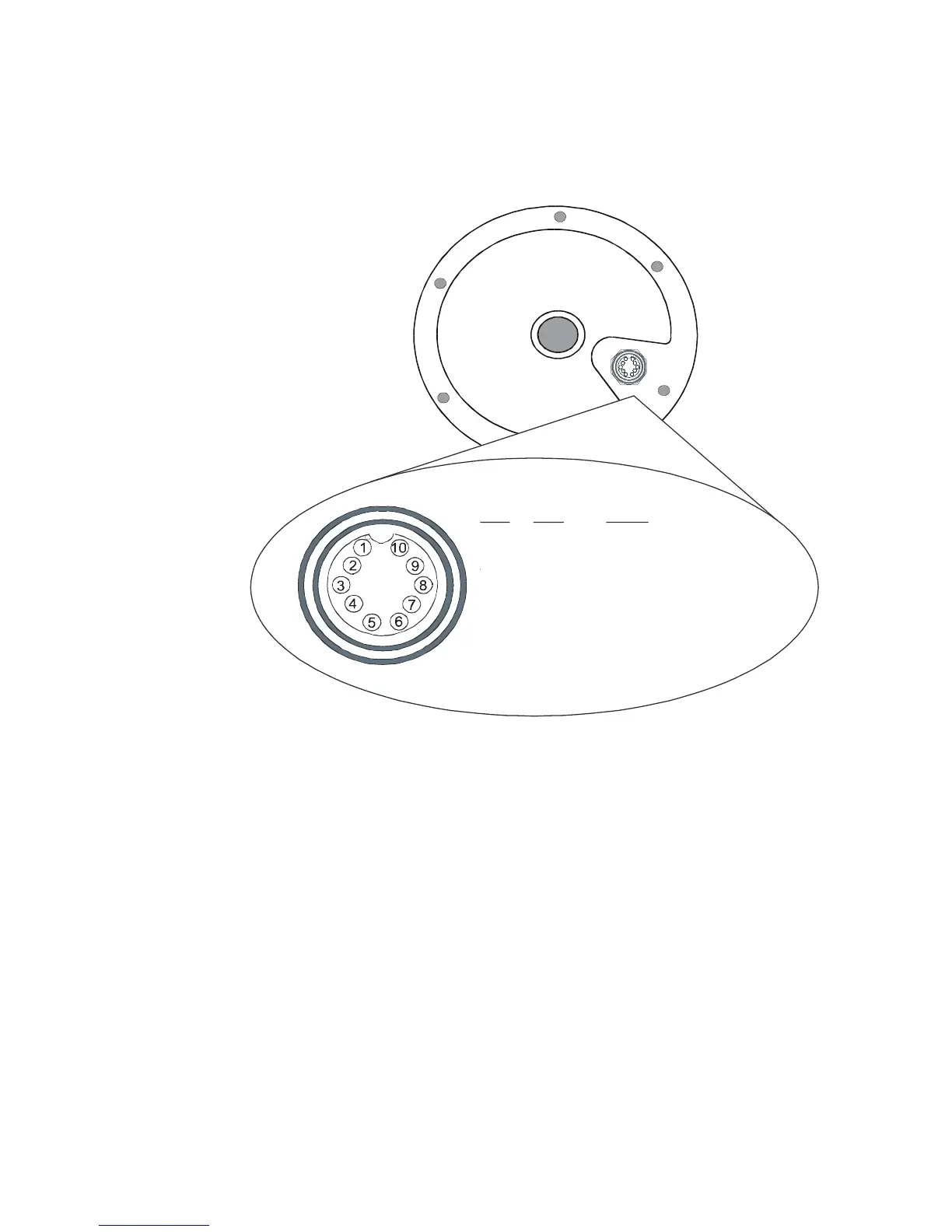
Refer to the diagram below for the POWER-DATA
connector located at the underside of the MX521A:
MX521 POWER-DATA Connector
Where:
Pins 1 & 2: Negative GND and +12 VDC power input.
Pins 3 & 4: MX proprietary message (MPM)
input port.
Pins 5 & 6: GPS output to the MX420 or other NMEA
0183 compatible devices.
Pins 7 & 8: Beacon monitoring signal output. Sends
the SNR, Signal and Frequency to the CDU.
Connects to Cable B of the MX420/8 CDU.
Pins 9 & 10: External RTCM Correction (Input).



 To Next Page