EasyManua.ls Logo

Simtronics TLU 600 - Menu Navigation

Simtronics TLU 600
21 pages
Print Icon
To Next Page IconTo Next Page
To Previous Page IconTo Previous Page
Loading...
TLU 600/610
Page 9/20
NOSP 14540-04 (JULY 2011)
3.3.
3.3.3.3.
3.3.
MENU
MENUMENU
MENU
To go to menus of the remote controller, a pass word has to be entered. Then it is
possible to go to all or a part of the following menus.
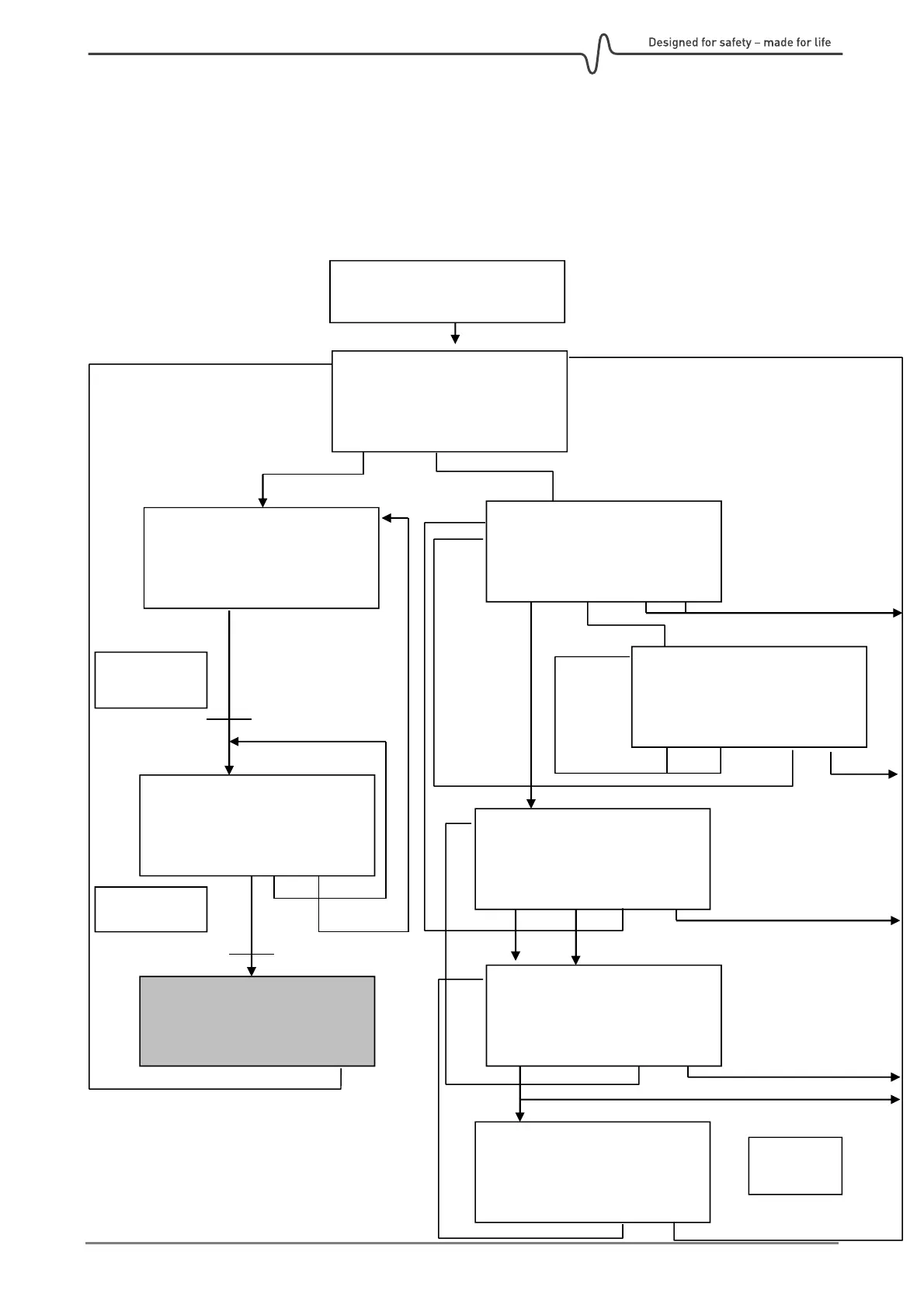
The following figure gives an overview of the various menus:
Autotest Screen
ICARE TLU600 r3.0
Code :______ ENTER
Autotest OK
SCAN | ADJT | |
ICARE TLU600 v3.0
>>>>>>>>>>>>>
Access level
| | |
CONNEXION
1 :SENSOR 1 ZONE 1
2 :SENSOR 2 ZONE 1
SELEC:1..9|FORW|SCAN
In case of
Sensor Answer
In case of 1,2,….
MODE REMOTE
ADJUSTMENT
CODE | LANG| << | ESC
LANGUAGE SELECTION
Current Language
English
FRAN|ENGL| << | ESC
CODE CHANGEMENT
LEV1 | LEV2 | << | ESC
CODE CHANGEMENT
New code
:
>Confirm :
VAL | | << | ESC
CODE CHANGEMENT
Wrong code
| | << | ESC
In case of
correct code