5-11
Maintenance
5
1.6 Resin Cartridge
Managing the Resin Cartridge
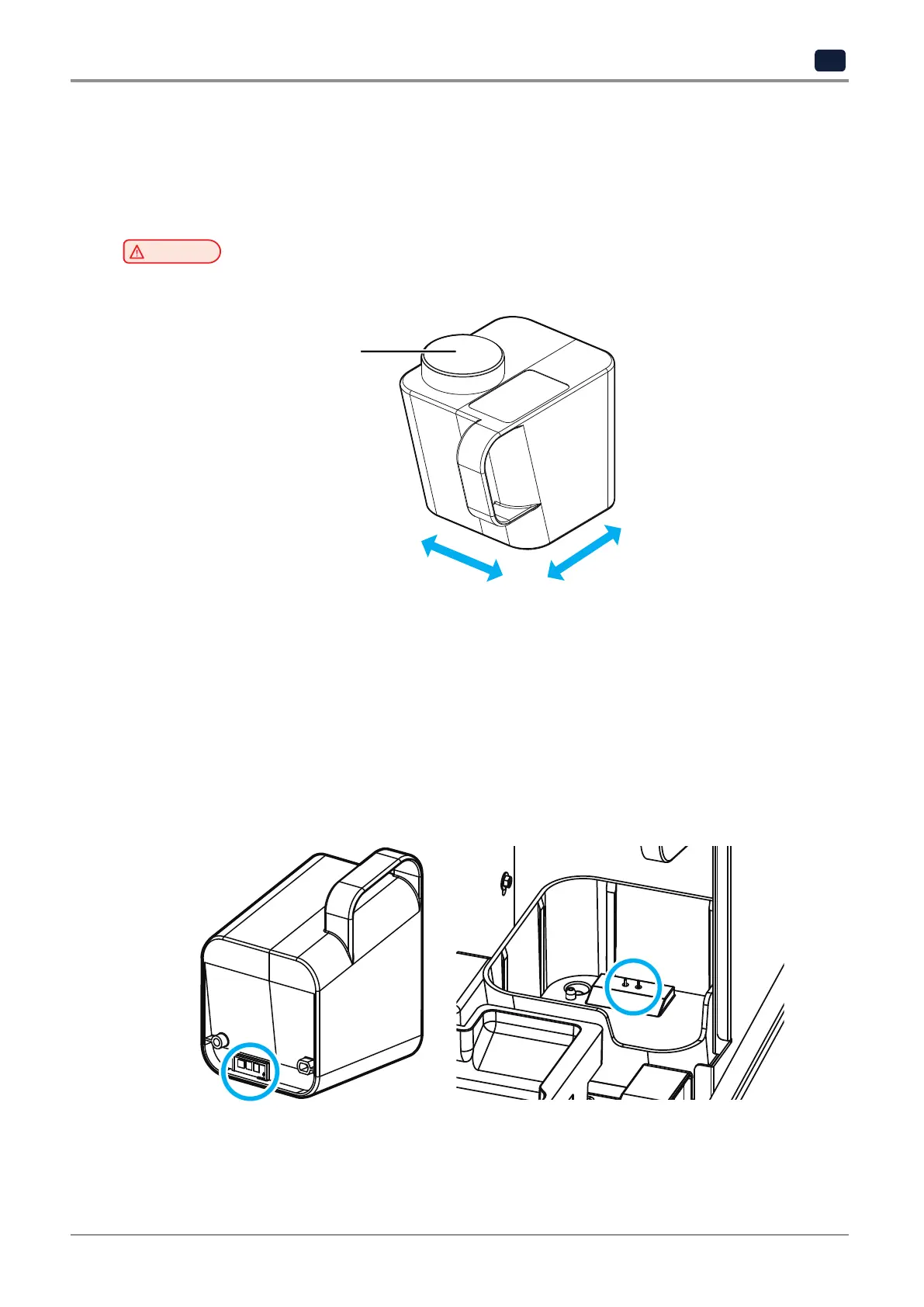
Photocurable resin consists of different chemicals. For the best print quality, shake unused resin cartridge at least
once a week so that the ingredients are well mixed.
Caution
-
Ensure that the sealing cap is firmly closed before shaking.
Sealing Cap
Storing the Resin Cartridge
Store resin cartridges in a dark and well-ventilated place. Avoid locations where the temperature and humidity is
too high or too low.
Cleaning Smart ID Terminals
If the smart ID chip on the bottom of the resin cartridge or the terminals on the cartridge mount are contaminated
with resin and so on, the cartridge may not be properly detected even if the cartridge is mounted.
Make sure that the Smart ID Chip is not contaminated or damaged by resin.
If the smart ID Chip is contaminated with resin and so on, clean them by rubbing a cotton swab with a small
amount of IPA until contaminants are completely removed.



 To Next Page
 Loading...






