User Manual of A90 Series Inverter
244
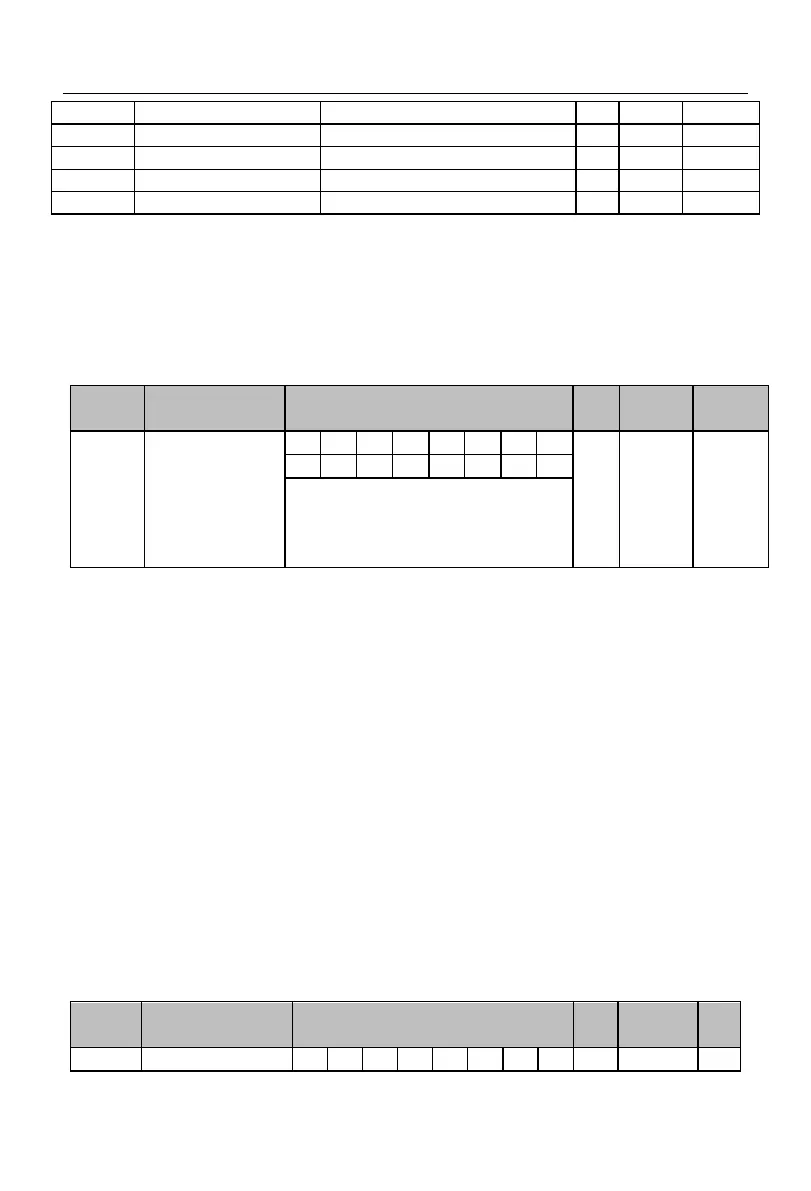
The terminals VY1 to VY8 essentially have the same function, but there are no
corresponding physical terminals actually. They all have the positive and negative logic
functions. The terminals VY1 to VY4 have the delay function, and their statuses can be
confirmed in the same way. They can be set separately. The terminal VY1 is taken as an
example below.
Control options of
virtual output
terminal
0: depending on the statuses of the
terminals X1 to X5 (no VY8)
1: depending on the output function
status
F17.28=xxxxxxx0: the VY1 status is the same as the actual input status of X1.
The status of the virtual output terminal VY1 is synchronized with that of the actual
input terminal X1. This can be applied in programming of multiple functions such as
status confirmation or enabling of one switch.
F17.28=xxxxxxx1: the VY1 status depends on the selected function status of the
function code F17.19.
The status of the virtual output terminal depends on the set function status, and its
main output is for software programming. The PID can be controlled via “reaching the
upper limit of PID feedback” as follows: outputting the signal “19: reach the upper
limit of PID feedback” through the virtual output terminal VY1 (F17.19=19),
collecting it through the virtual input terminal VX1 and then setting the VX1 function
to “41: process PID pause” (F17.00=41).
Note: The D7 bit of the VY8 option must be set to 1. That is, the VY8 function is always
dependent on the output function status.



 To Next Page