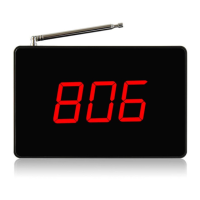
2) Press key (ENT), [001--] appears (it means the first position), use key (UP), (DOWN) to choose
other location (a total of 300 positions, one position can only be registered one number. After the
[001 -] location registration has been finished, the next number should be registered in the [002 -]
position, and so on). ---- Select location.
3) Press key (ENT), [001-01] appears, press key (UP), (MOVE), (DOWN) to choose the register
number. ---- Register number.
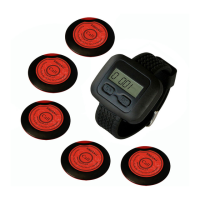
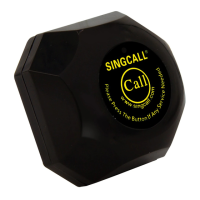
4) Press the call pager to be registered, the register number flashes on the screen with music
prompt and then stops.
5) Press key (ESC), until (F1) appears.
6) Press key (ESC) again, back to standby mode. The registration is finished.
7) Repeated step 2) 3) 4) to register all the call buttons you needed.
After all the pagers are registered, press key (ESC) twice back to standby mode.
Please refer to the receiver manual for other function setting.
Cautions:
1. Please keep the wireless calling products away from the below interference sources
1) Base stations of mobile equipment.
2) Refrigerators, air conditioners and other high-powered electric appliances.
3) Large ultrasonic equipment in hospitals.
2. Installation notes
1) Plug in the adapter first (no wet hands) and connect with the receiver after power light on.
Then, turn on the receiver.
2) Any abnormality founded, please contact with SINGCALL customer service. To avoid
unnecessary troubles, please don’t disassemble the products by yourself.
3) It is recommended to use original accessories.
4) The pagers needed to be registered to the receiver before use. Keep the call pagers at least
30cm away from the receiver and make sure no one else presses the other call pagers during the
registration. It is normal if one or two pagers can not be registered successfully when so many
pagers are registered at a time. Register the failed ones again. Check the receiving distance
before fixing the registered pagers.
5) Draw out the antenna of the registered receiver before use.
6) Please adjust the frequency of the walkie-talkie out of the range 433.92±10MHZ to avoid
disturbance if the wireless calling system and the walkie-talkie are using in the same place.
7) Pagers cannot direct contact with metal bases
8) Pasting the pagers on smooth surface for pasting on rough surface, such as wallpaper, is likely
to drop.
9) Please keep dry to avoid circuit oxidation.
10) The weather (Weather conditions will influence) influences the receive distance.


 To Next Page
 Loading...