19
Stitch Selection
START SEWING
Choosing Utility and Decorative stitch
patterns:
The machine is automatically set to stitch 00
(Straight Stitch) when turned on.
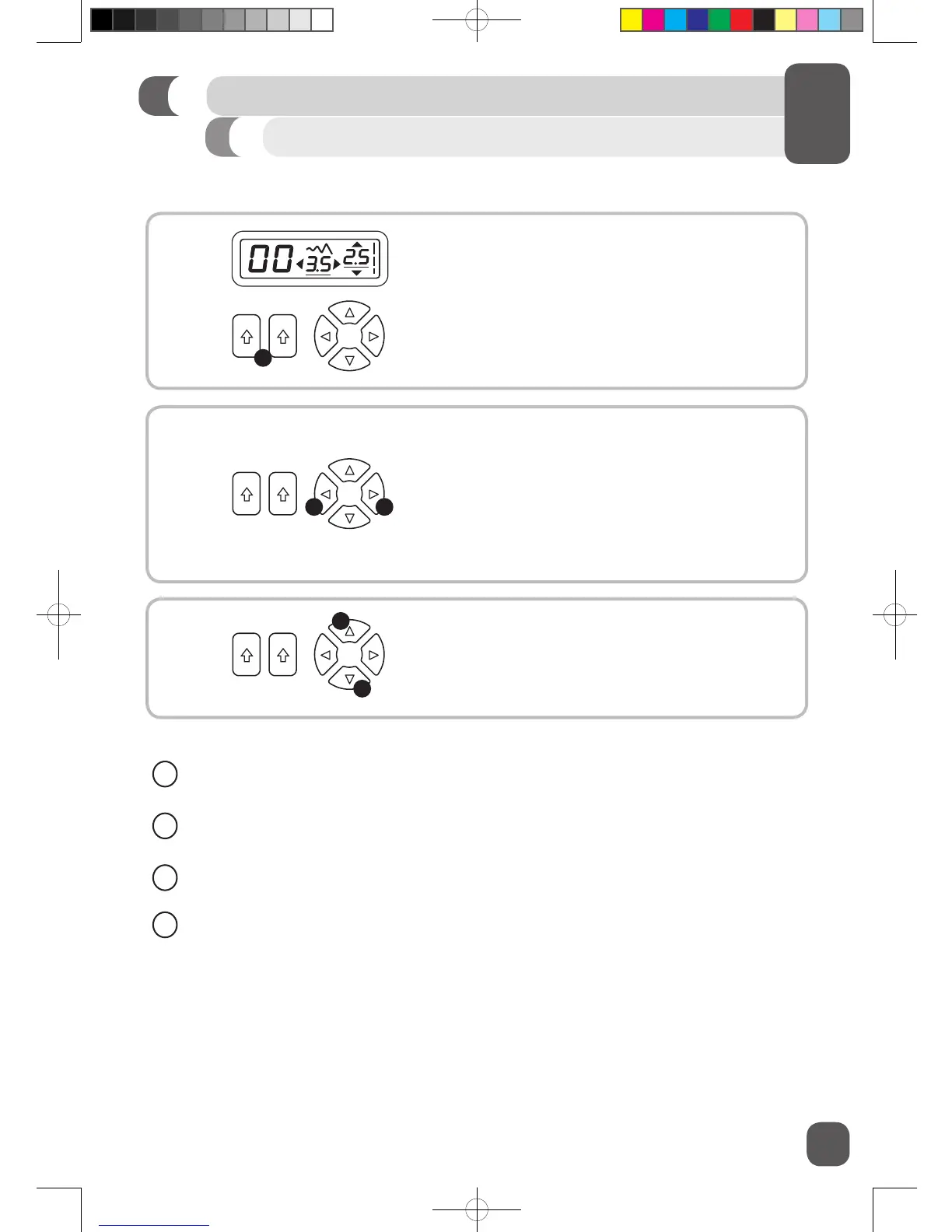
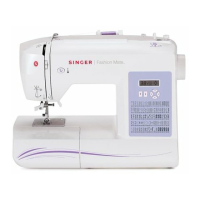
Press the stitch selection buttons (A) to set
desired stitch number. Left button sets the left digit
on the LCD display, right button sets the right digit.
Adjusting the width/needle position of the
stitch:
To adjust stitch width for selected stitch/needle
position for Straight Stitch, press the stitch width/
needle position adjustment buttons (B). Left button
decreases the width/moves the needle position to
the left. Right button increases the width/moves
the needle position to the right.
Adjusting the length of the stitch:
To adjust the stitch length for selected stitch, press
the stitch length adjustment buttons (C).
Up button increases the length. Down button
decreases the length.
A
B B
C
C
✓
The stitch width can be adjusted from 1.0 to 6.5. Some stitches have a limited stitch width.
✓
The stitch length can be adjusted from 0.3 to 4.5. Some stitches have a limited stitch length.
✓
There are 13 needle positions. 0.5 is far left, 3.5 is center, 6.5 is far right.
✓
Default settings are underlined on the LCD display.


 To Next Page