27
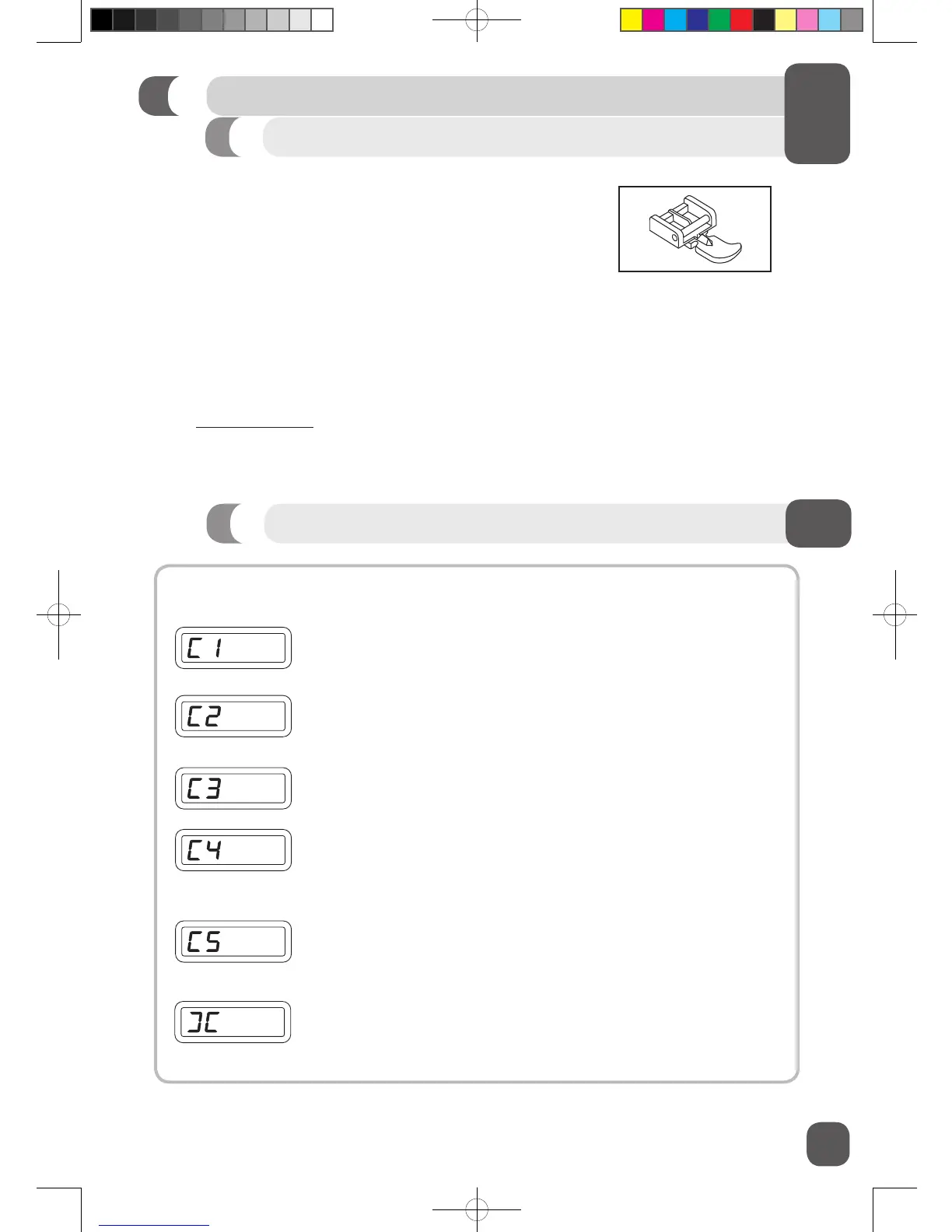
If an incorrect operation is made, a helpful message will be displayed. When a helpful message is
displayed, x the problem following the instructions below.
Bobbin winder is moved to right (operating position) during sewing.
Solution: Check bobbin winder and move it to left.
Buttonhole lever is not lowered or raised.
Solution: Lower buttonhole lever when sewing buttonholes. Raise buttonhole
lever when sewing stitch patterns.
Foot control plug is pulled out, while operating foot control.
Solution: Push in foot control plug.
Machine is locked up due to thread entangled with bobbin case or
rotation interrupted forcibly.
Solution: Turn off power switch and eliminate the problem that caused the
machine to stop.
Reverse/tacking stitch button is pushed, while buttonhole stitch is
selected.
Solution: Tacking stitch is made automatically after buttonhole stitch is
completed. It is not necessary to push the reverse/tacking stitch button.
Bobbin winder is in operation.
Solution: Move bobbin winder to left when it is not used.
Zipper Foot
START SEWING
Your machine may include a Zipper Foot. It is used with a straight stitch to apply centered and lapped
zippers.
1. Attach the Zipper Foot.
2. Attach the left side of the zipper foot when sewing the right side of the zipper.
3. Attach the right side of the zipper foot when sewing the left side of the zipper.
Go to www.singerco.com for more information on zipper applications.
Helpful LCD Display Messages


 To Next Page