EasyManua.ls Logo

Singer 650 - Monograms and Motifs; Monogram and Motif Settings; Finding Pattern Unit Start for Monograms

Singer 650
89 pages
Print Icon
To Next Page IconTo Next Page
To Previous Page IconTo Previous Page
Loading...
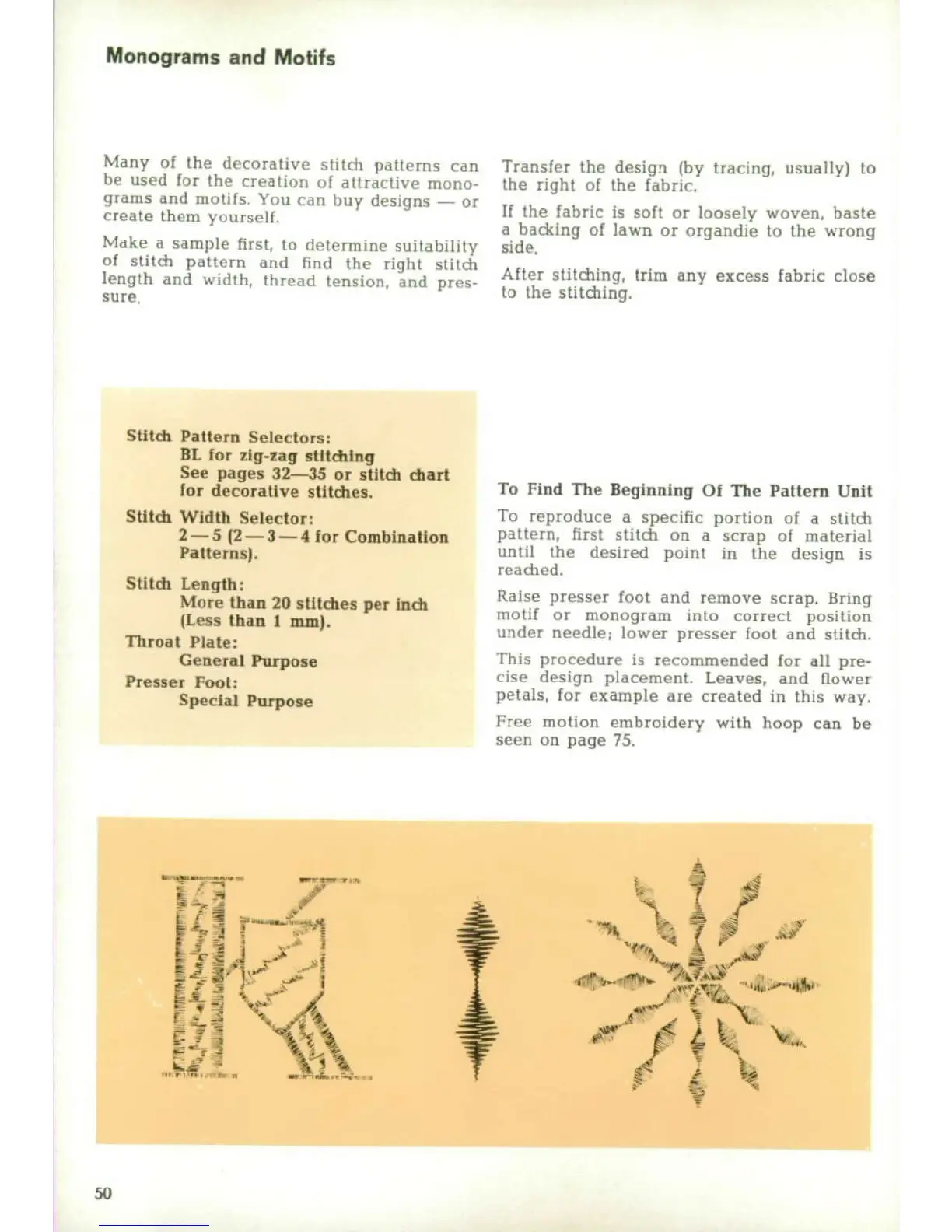
Monograms
and
Motifs
Many
of
the
decorative
stitCh
patterns
(cn
Transfer
the
design
(by
tracing,
usually)
to
be
used
for
tihe
creation
of
attractive
mono-
the
right
of
the
fabric.
grams
and
motifs.
You
can
buy
designs
--
or
create
them
yoursell
If
the fabric
is
soft
or
loosely
woven,
baste
a
backing
of
lawn
or
organdie
to
the
wrong
Make
a
sample
first,
to
determine
suitability
side.
of
stitch
pattern
and
hnd
the
right
stitch
After
stitching,
trim
any
excess
fabric
close
length
and
width,
thread
tension,
and
pres-
to
the
stitchng.
sure.
Stitch
Pattern
Selectors:
BL
for
zig-zag
stlthtlng
See
pages
32--35
or
stitch
chart
for
decorative
stitches.
To
Find
The
Beginning
Of
The
Pattern
Unit
Sttch
Width
Selector:
To
reproduce
a
specific
portion
of
a
stitch
2-5
(2--3--4
for
Combination
pattern,
first
stitch
on
a
scrap
of
material
Patterns).
until
the
desired
point
in
the
design
is
readied.
Stitdi
Length:
More
than
20
st:tdhes
per
Inch
Raise
presser
foot
and
remove
scrap.
Bring
(Less
than
I
pIm)h
motif
or
monogram
into
correct
position
Throa
Plat
Inoneunder
needle;
lower
presser
foot
and
stitch.
Throat
Plate-
General
Purpose
This
procedure
is
recommended
for
all
pre-
Presser
Foot:
cise
design
placement.
Leaves,
and
flower
Special
Purpose
petals,
for
example
are
created
in
this
way.
Free
motion
embroidery
with
hoop
can
be
seen
on
page
75.
50

Other manuals for Singer 650

Related product manuals