31
91
92
93
MANUAL BUTTONHOLE
* Use the automatic buttonhole stitches (#94-99) and automatic
buttonhole foot for buttons up to 1 3/4 ”
(45mm) in length.
For larger buttons use the satin foot and the manual
buttonhole stitches (#91-93).
* Use the satin foot to create larger buttonholes.
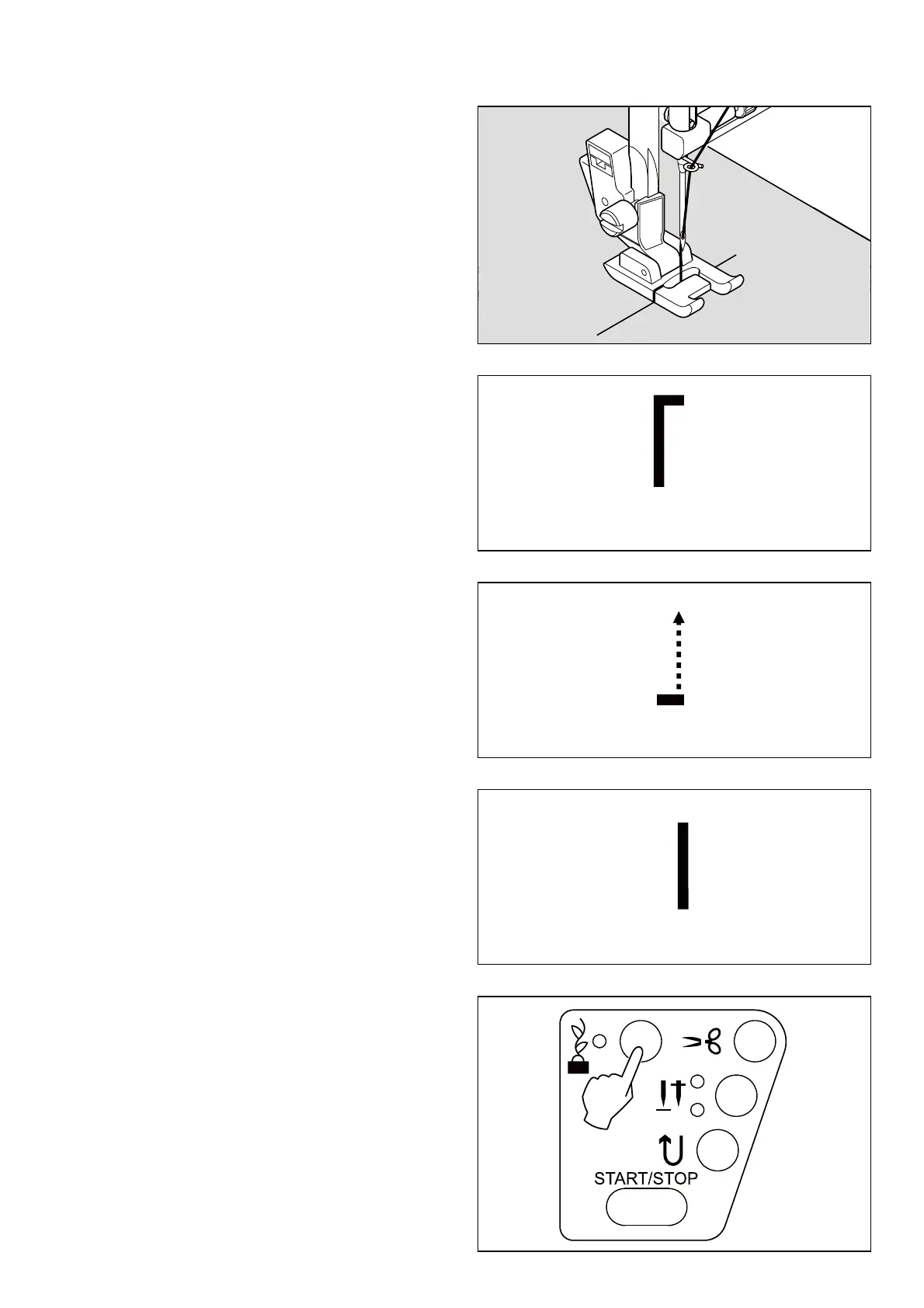
1. Carefully mark the buttonhole length on your garment.
Place the fabric with the buttonhole marking under the
satin foot so that the foot is positioned at the top of the
buttonhole mark.
6WDUWWKHPDFKLQHWRIRUP¿UVWEDUWDFNDQGOHIWVLGHRI
buttonhole.
3. Sew second bartack and stitch backward until needle
reaches beginning of buttonhole.
4. Stitch forward to the end of buttonhole mark to
complete buttonhole.
5. Stop sewing when you have completed the buttonhole
and press Tacking Stitch button to tie off.
1
2
3
4
5








 To Next Page