41
INSTALLATION OF SOFTWARE
,QRUGHUWRVWDUWXVLQJWKHVRIWZDUHRQ\RXU3&\RXPXVW¿UVW
install the contents of the CD to your PC. This procedure is
refered to as ³LQVWDOODWLRQSURFHGXUH´3OHDVHIROORZWKH
instructions below in order to successfully install the
software for your FUTURA sewing & embroidery machine
on your personal computer.
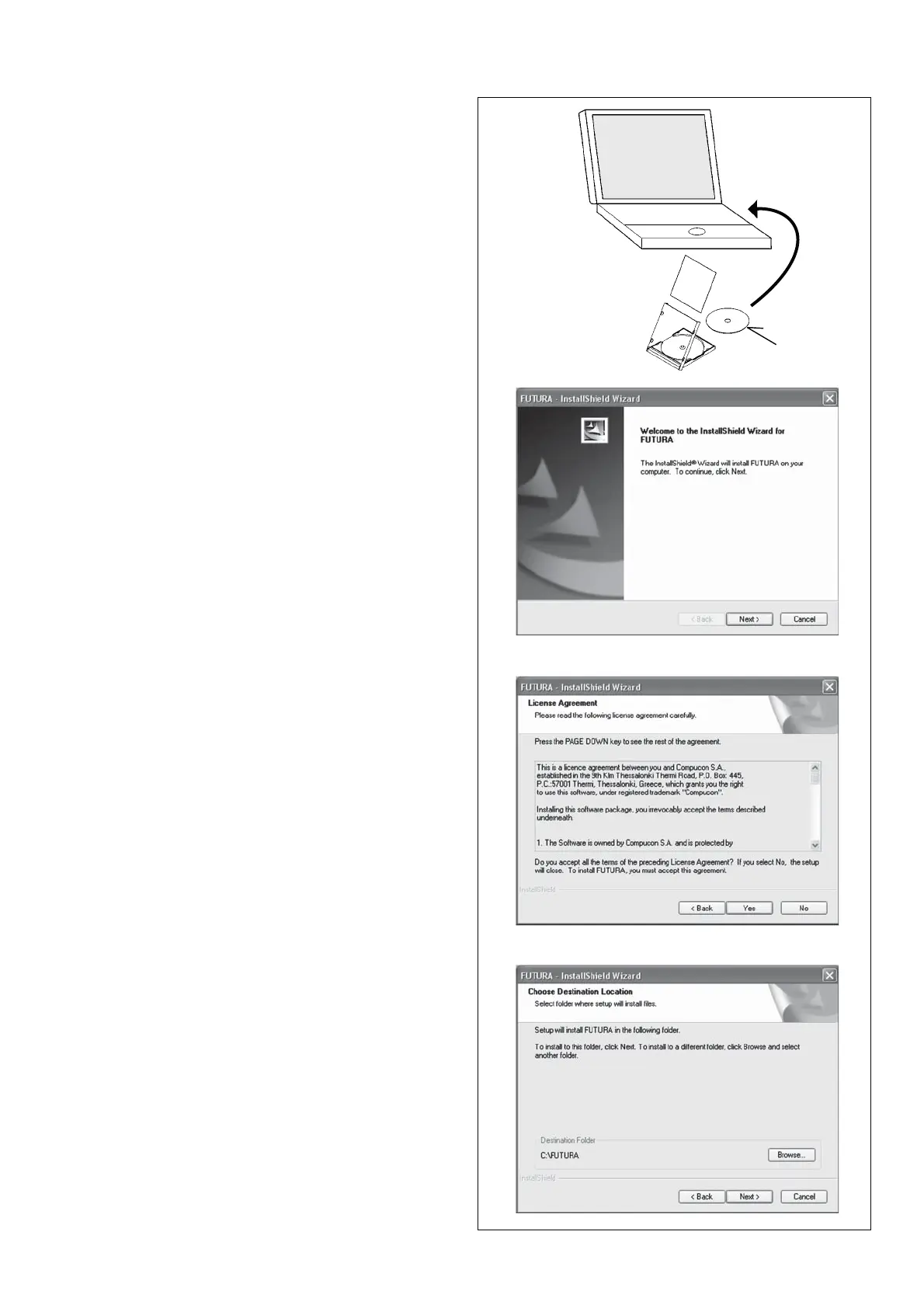
The software for your FUTURA sewing & embroidery machine
comes on a CD-ROM disc.
In most personal computers the default drive setting for a
CD-ROM drive is “D:”
Please insert the installation software for your FUTURA
sewing & embroidery machine into the CD-ROM disc receiver
in your PC.
After some seconds, the Installation Procedure of the software
will start automatically.
If after a short while, the software doesn’t automatically
start the installation process, you may start the installation
procedure manually by going to the “Start” option of Windows,
select “Run”, type “D:\FuturaStart.exe” and click on OK.
After some seconds the step-by-step installation of the
software begins with the Welcome window.
Click on “Next” to move on to the next screen.
After reading and agreeing with terms given in the
/LFHQVH$JUHHPHQWSOHDVHFOLFNRQ³<HV´ and again click
on Next, and then select the directory where the software
should be installed. It is highly recommended to use the
selected default directory.
Simply click on ³1H[W´ to continue.
CD-ROM








 To Next Page