11
How to use the BeatBuddy
BeatBuddy Manual
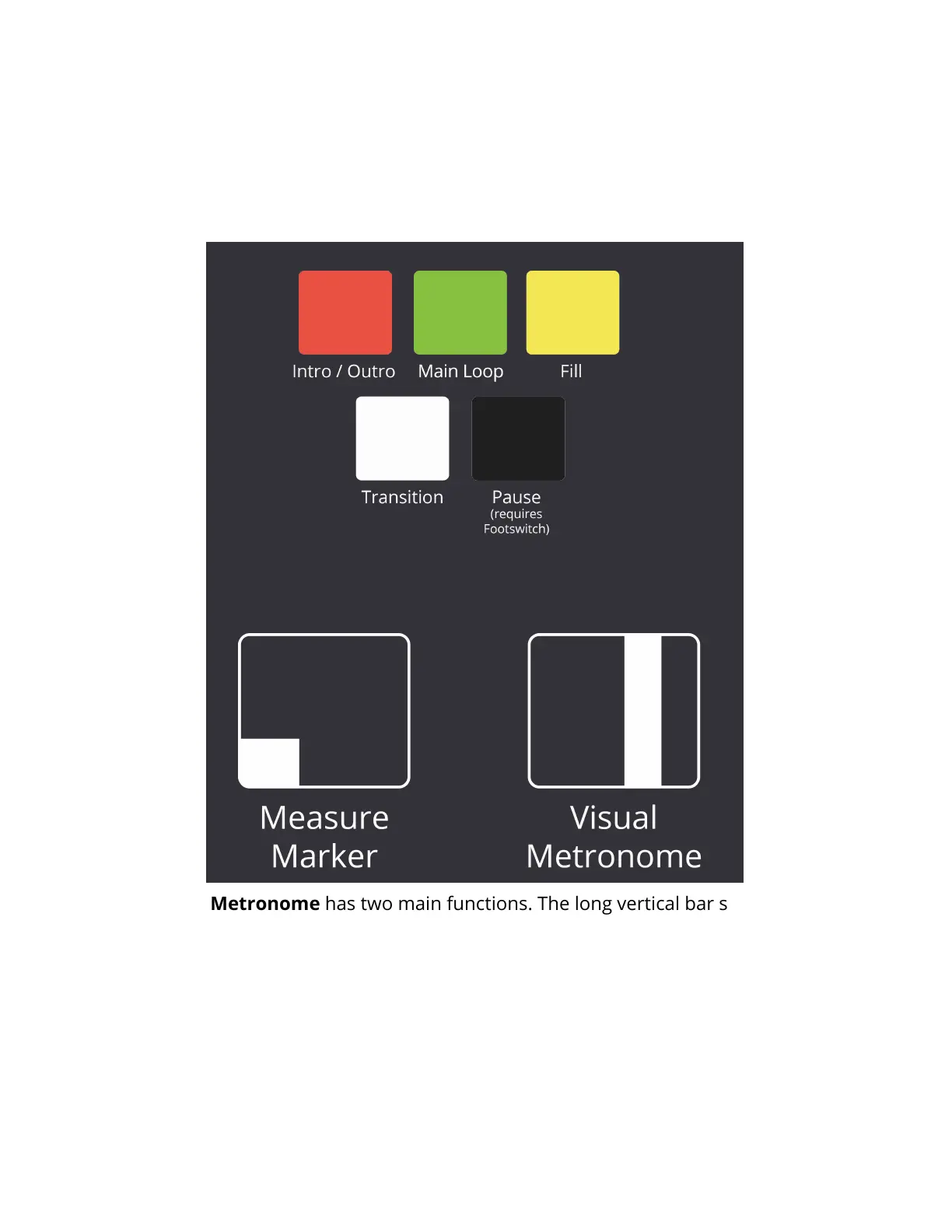
The Visual Metronome has two main functions. The long vertical bar shows
where the beat is within the measure. How many movements it takes to cross the
BeatBuddy’s screen depends on the time signature of the beat. If the time
signature is 4/4, there are 4 beats in the measure and so there are 4 movements to
cross the screen. If the time signature is 5/4, then there are 5 movements, etc. A
small dark square in the bottom of the screen tells you what measure within a
drum phrase you’re in. Just like when a real drummer plays, each measure won’t
sound exactly the same.
Visual Display: The BeatBuddy uses a first of its kind visual display to show you
what is going on with the beat. The screen changes color depending on what the
BeatBuddy is doing.


 To Next Page