8
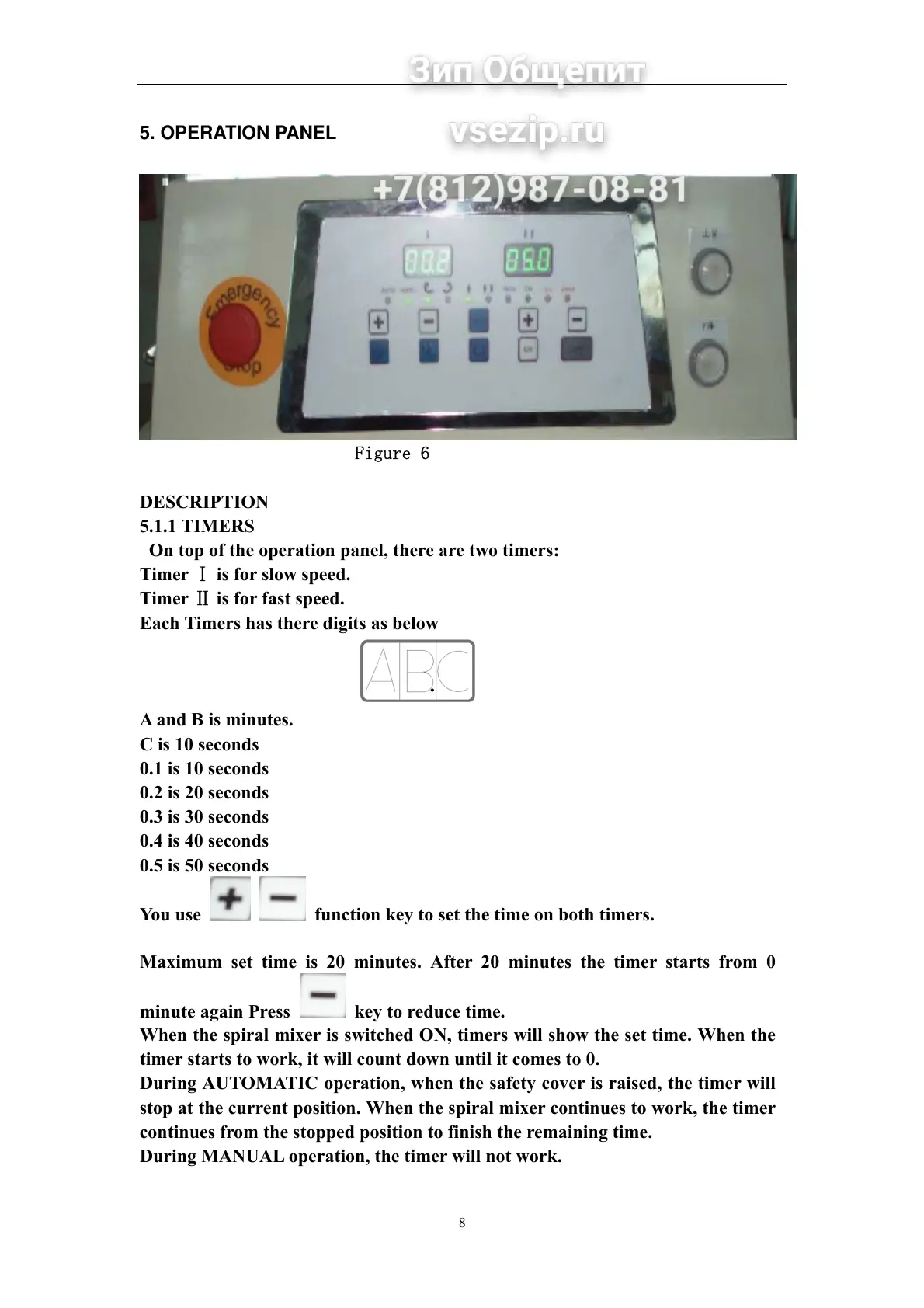
5. OPERATION PANEL
Figure 6
DESCRIPTION
5.1.1 TIMERS
On top of the operation panel, there are two timers:
Timer Ⅰ is for slow speed.
Timer Ⅱ is for fast speed.
Each Timers has there digits as below
A and B is minutes.
C is 10 seconds
0.1 is 10 seconds
0.2 is 20 seconds
0.3 is 30 seconds
0.4 is 40 seconds
0.5 is 50 seconds
You use function key to set the time on both timers.
Maximum set time is 20 minutes. After 20 minutes the timer starts from 0
minute again Press key to reduce time.
When the spiral mixer is switched ON, timers will show the set time. When the
timer starts to work, it will count down until it comes to 0.
During AUTOMATIC operation, when the safety cover is raised, the timer will
stop at the current position. When the spiral mixer continues to work, the timer
continues from the stopped position to finish the remaining time.
During MANUAL operation, the timer will not work.


 To Next Page