17
Table 1 - User controls
# Control Function
1
Menu monitor and menu exit
2 +
Adjusts the increasing value of the selected OSD control option.
3 -
Adjusts the decreasing value of the selected OSD control option
4 AUTO
Auto-Adjust
5 POWER
Auto-Adjust
Controls and Adjustment
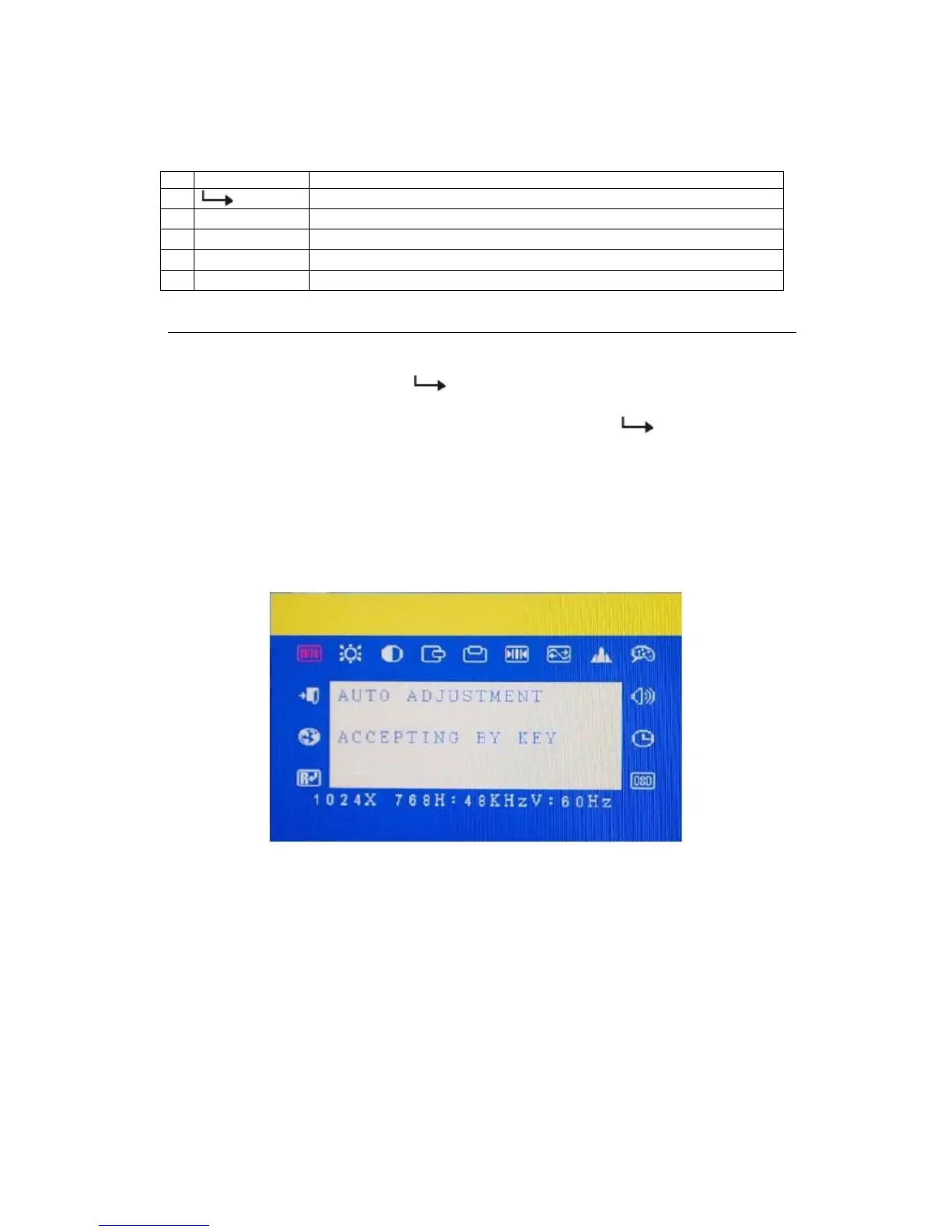
OSD Menu Functions
To monitor the OSD Menu, press the button.
1 Press the + button or the - button to select the different OSD control option.
2 When the function you want to change is monitored, press the
button.
To adjust the Value of the function:
1 Press the + button to increase the value of the selected OSD control option.
2 Press the - button to decrease the value of the selected OSD control option.
After adjusting the values, the monitor will automatically save the changes.
NOTE: The OSD screen will disappear if no input activities are detected for 45 seconds.
OSD Control Options (Clockwise)
Contrast
• Adjusts the contrast or the values of color gain (RED, GREEN or BLUE).
Brightness
• Background luminance of the LCD panel is adjusted.
Vertical Position
• Adjusts vertical position of image.
Horizontal Position
• Adjusts horizontal position of image.
Recall Defaults



 To Next Page