EasyManua.ls Logo

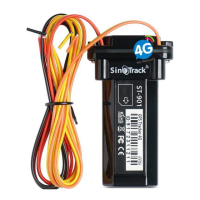
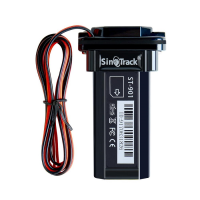
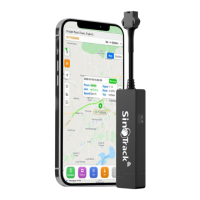
Sinotrack ST-901L 4G - User Manual

Sinotrack ST-901L 4G
24 pages
Print Icon
To Next Page IconTo Next Page
Loading...
1
/
24
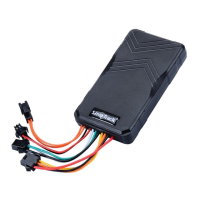
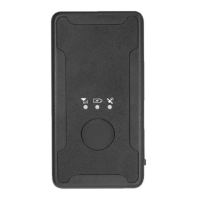
GPS Tracker ST-901L
(ST-901L 4G)
User Manual
Quick Start
Thank you for purchasing our GPS tracker.
This Quick User shows how to operate the device smoothly and correctly.
WEBSITE Tracking (PC Version):
Question and Answer IconNeed help?

Do you have a question about the Sinotrack ST-901L 4G and is the answer not in the manual?

Summary

Quick Start Guide

Platform and Mobile App Access

Initial Setup and SIM Card Installation

SIM Card Requirements

Specifies the type of SIM card needed for the tracker.

Tracker Preparation and Testing

Steps for opening the tracker, inserting the SIM, and initial power-on.

Setting APN via SMS

Guide to configuring the Access Point Name (APN) using SMS commands.

Online Tracking and Device Status

Troubleshooting Online Connectivity

Steps to check and resolve issues preventing online tracking.

Physical Installation and Wiring

Wiring Connections

Diagram and instructions for connecting the tracker's wires.

Core Device Functions

Setting Control Numbers

How to set primary and secondary control phone numbers via SMS.

Working Mode Selection

Switching between SMS-only and real-time GPRS tracking modes.

Security and Tracking Features

Geofencing Setup

Defining virtual boundaries and receiving alerts when crossed.

Remote Control and Communication

ACC Alarm and Engine Control

Managing ACC alarms via SMS/call and remotely cutting the engine.

Network and Interval Settings

Sinotrack ST-901L 4G Specifications

General IconGeneral
BrandSinotrack
ModelST-901L 4G
CategoryGPS
LanguageEnglish

Related product manuals