
 Need help?
Do you have a question about the Sinotrack ST-906 and is the answer not in the manual?
Guidelines for positioning the GPS antenna for optimal reception.
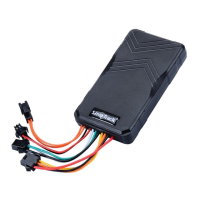
Diagram and instructions for connecting the device wires.
Change password and get location via Google link.
Obtain location via phone call or scheduled reports.
Remotely disable or enable the vehicle's engine.
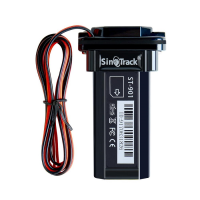
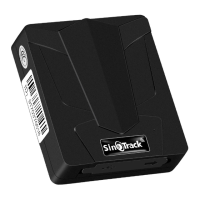
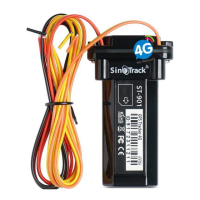
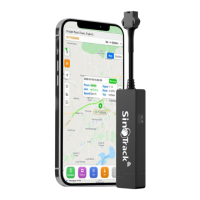
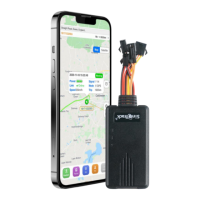
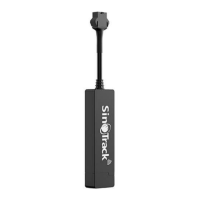
The ST-906 GPS Tracker is a compact and versatile device designed for real-time tracking and monitoring, offering a range of features for personal and vehicle security. Measuring approximately 10cm by 5cm, it is designed for discreet installation, with the GPS antenna side requiring a clear view of the sky for optimal performance. While it can be placed under glass or plastic, metal obstructions should be avoided. Typical installation locations include under the front or rear windshield, or around the dashboard.
The ST-906 operates in two primary modes: SMS mode and GPRS mode. In SMS mode, users can control the tracker via mobile phone and receive Google location links directly to their device. This mode is ideal for basic tracking and control without requiring continuous online monitoring. For real-time online monitoring and historical data storage for extended periods, the GPRS mode is recommended. Users can switch between these modes using simple SMS commands.
The device supports up to three control numbers, allowing multiple authorized users to manage and receive alerts from the tracker. The default password for all commands is "0000," which can be changed for enhanced security.
The ST-906 offers a comprehensive suite of features accessible via SMS commands:
Number+pass+blank+serial (e.g., 139504434650000 1) are used for this purpose. Control numbers can also be deleted using D101#, D102#, or D103#.66 to the tracker from a control number will make the tracker call back the control number.700+Password (e.g., 7000000). In this mode, the tracker sends Google location links via SMS.710+Password (e.g., 7100000). This mode enables real-time online tracking and data logging.777+New Password+Old password (e.g., 77712340000).669+password (e.g., 6690000) to receive a Google Maps link via SMS.896+password+Blank+E/W+HH (e.g., 8960000 E00). 'E' for East, 'W' for West, and 'HH' for the hour offset.665+password+HHMM (e.g., 66500001219). This feature can be turned off with 665+password+OFF.211+password (e.g., 2110000).210+password (e.g., 2100000).0050000 XXXX (e.g., 0050000 1000 for 1000 meters). A radius greater than 1000 meters is recommended.122+Blank+XXX (e.g., 1220000 120 for 120 KM/H). Setting XXX to 0 disables the alarm.142+Password<+M+X> (e.g., 1420000M1000 for 1000 meters).143+password (e.g., 1430000).181+password+T (e.g., 1810000T10).180+password (e.g., 1800000).150+password (e.g., 1500000). When active, alarms will trigger both calls and SMS to control numbers.151+password (e.g., 1510000). When off, alarms only send SMS.940+password (e.g., 9400000).941+password (e.g., 9410000).803+password+Blank+APN (e.g., 8030000 CMNET).803+password+Blank+ APN+Blank+ APN user+Blank+ APN pass (e.g., 8030000 CMNET CMNET CMNET).804+password+Blank+IP+Blank+Port (e.g., 8040000 103.243.182.54 8090).805+password+Blank+T (e.g., 8050000 20).809+password+Blank+T (e.g., 8090000 300).The ST-906 GPS Tracker is a robust solution for vehicle tracking, offering both basic SMS control and advanced online monitoring capabilities, making it suitable for a wide range of security and fleet management applications.


 To Next Page
 General