EasyManua.ls Logo

Sinotrack ST-901L - User Manual

Sinotrack ST-901L
24 pages
Print Icon
To Next Page IconTo Next Page
Loading...
1
/
24
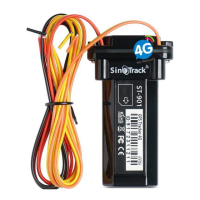
GPS Tracker ST-901L
(ST-901L 4G)
User Manual
Quick Start
Thank you for purchasing our GPS tracker.
This Quick User shows how to operate the device smoothly and correctly.
WEBSITE Tracking (PC Version):
Question and Answer IconNeed help?

Do you have a question about the Sinotrack ST-901L and is the answer not in the manual?

Summary

Quick Start Guide

Website Tracking

Instructions for tracking the device using the web platform.

Mobile Application Tracking

Instructions for tracking the device using the mobile application.

Installation and Initial Setup

SIM Card and Device Preparation

Guidance on selecting and inserting the SIM card and basic device setup.

Network and Server Configuration

Setting up APN, IP, Port, and server details for device connectivity.

Wiring and Antenna Placement

Diagram and instructions for connecting the device's wires and antenna.

Device Functions and Commands

Control Numbers and Working Modes

Setting control phone numbers and selecting working modes (SMS/GPRS).

Location and Time Zone Settings

Commands to get location, set time zone, and schedule reports.

Safety and Security Alarms

Configuring Geo Fence, Over Speed, Shock, and Low Battery alarms.

Advanced Control and Connectivity

Remote engine control, call mode, and APN/IP/Port settings.

Online Tracking and Other Functions

Accessing Online Tracking Platform

Instructions for logging into the web-based tracking platform.

Tracker Control Commands

Commands for restarting the device and reading its configuration.
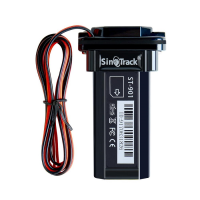
Sinotrack ST-901L Specifications

General IconGeneral
BrandSinotrack
ModelST-901L
CategoryGPS
LanguageEnglish

Related product manuals