7/24
5. Get location by phone call.
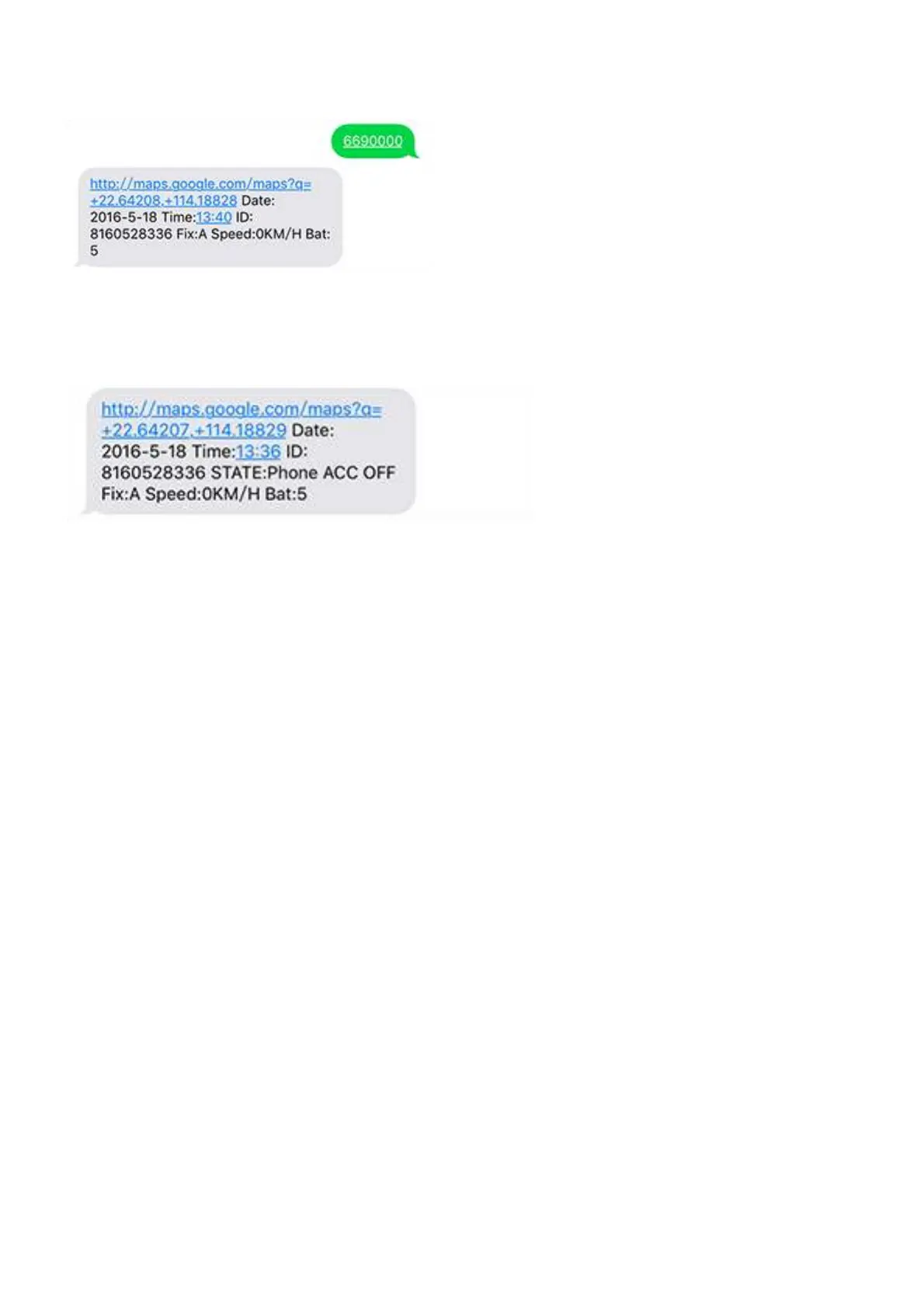
You can use any mobile to call the SIM Card in tracker, it will reply the location
with Google link; you can open the link to check the tracker location on maps.
When you call the tracker when it is in invalid location, it will reply the last
valid location to you, after it get new location again, it will send the seconds
SMS to you with new location.
6. Change Time Zone
Command: 896+password+E/W+HH
Sample: 8960000E00 (default)
E means East, W means west, 00 mean time zone.
Reply: SET OK
0 time zone is 8960000E00
7. Send location in defined time every day.
It will send to the first control number.
Command: 665+password+HHMM
HH mean hour, it from 00 to 23,
MM means minutes, it from 00 to 59.
Sample: 66500001219
Reply: SET OK
Close the function command: 665+password+OFF (default)
Sample: 6650000OFF
Reply: SET OK



 To Next Page