60 90 570 D 3485
30 D 3485.201.04.09.02 09.2007
5 Operating Instructions
5.2 Switching the laser unit on and off
Once you have completed the installation procedure, press the “ENTER” key
to switch on the laser unit.
After 2 minutes of inactivity, the SIROLaser enters the standby mode.
You can leave the unit in standby mode with the power cord connected.
5.3 Key panel
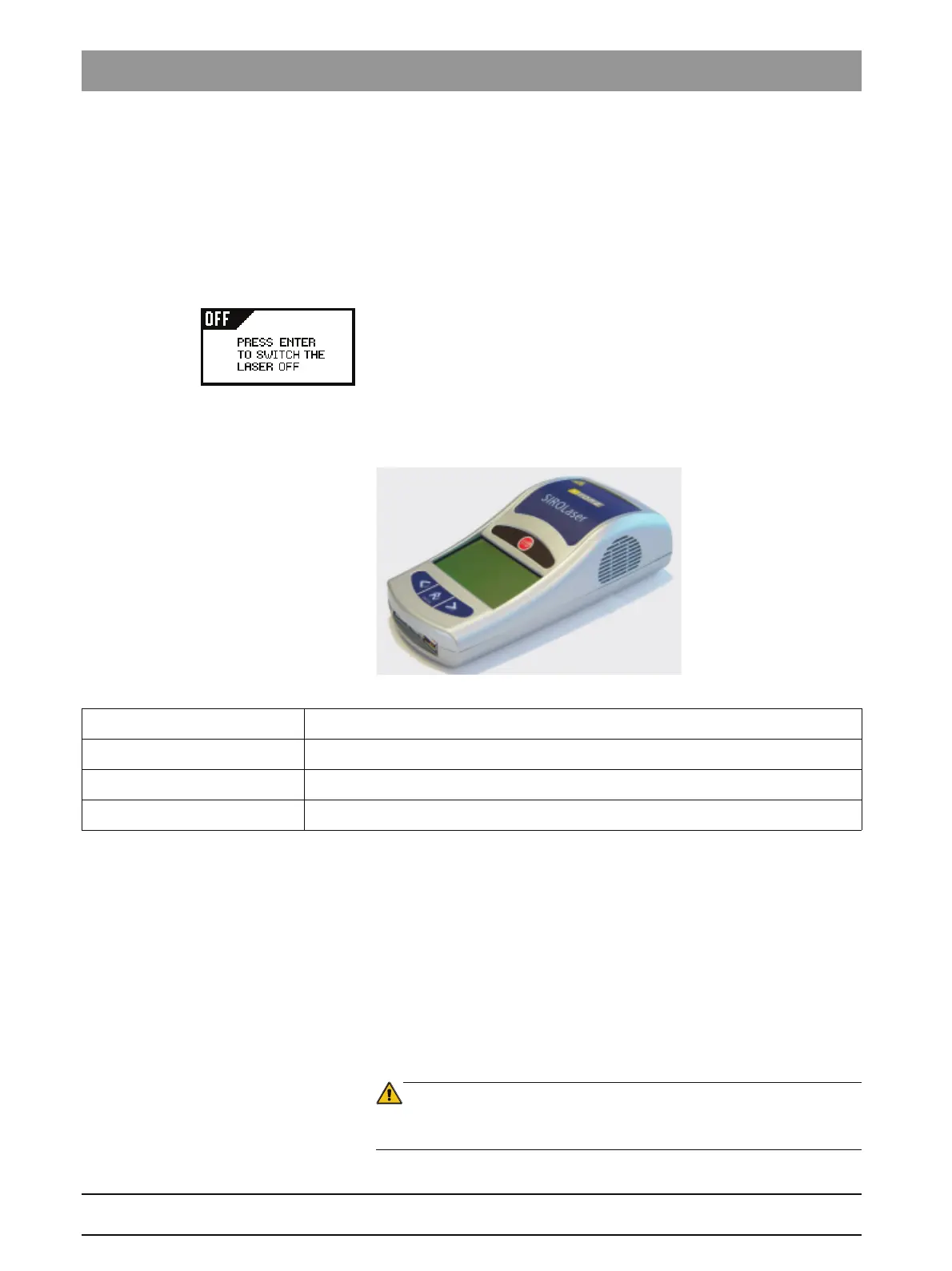
Figure 23: Key panel
5.4 Electronic access key
Only authorized personnel is allowed to operate the SIROLaser. Therefore,
once the unit has completed its power-up and self-test routines, you will be
prompted to enter an access code which works as an electronic key.
The access code consists of a sequence of four keys.
The code is:
6 2 5 1
To enter the access code, press the following keys consecutively:
¾ Scroll to the given number by pressing the "RIGHT ARROW" key.
¾ Change from one number to the next by pressing the "ENTER" key.
WARNING
Do not give the access code to non authorized users. Risk of misuse of the la-
ser by unqualified persons!
¾ To switch off the laser unit, select “OFF AREA”, press the “ENTER” key
and unplug the power cord.
“LEFT ARROW” key Navigate to the left. Decrease parameter values. Quit certain menus.
“ENTER” key Confirms, starts or stops a selected action following setup.
“RIGHT ARROW” key Navigate to the right (in all menus). Increase parameter values.
“LASER STOP” button The “LASER STOP” button acts as emergency stop for the laser.











 To Next Page