60 90 570 D 3485
D 3485.201.04.09.02 09.2007
33
5 Operating Instructions
båÖäáëÜ
båÖäáëÜ
After you have selected the desired indication with the “ENTER” key, the fol-
lowing happens:
ª You are prompted to connect the specified fiber (200 µm/320 µm)!
¾ Confirm with "ENTER" once you have connected the right fiber.
ª The green LEDs start flashing, indicating that the laser is in standby mode
now.
ª After a delay of 2 seconds, the aiming beam is switched on.
ª The laser is now ready for operation.
ª If aiming beam is on, please wear protective goggles.
WARNING
The operator, assistant and patient all must wear the special protective laser
goggles supplied when the green LEDs are active!
WARNING
Any actuation of the foot switch or finger switch activates the laser unit!
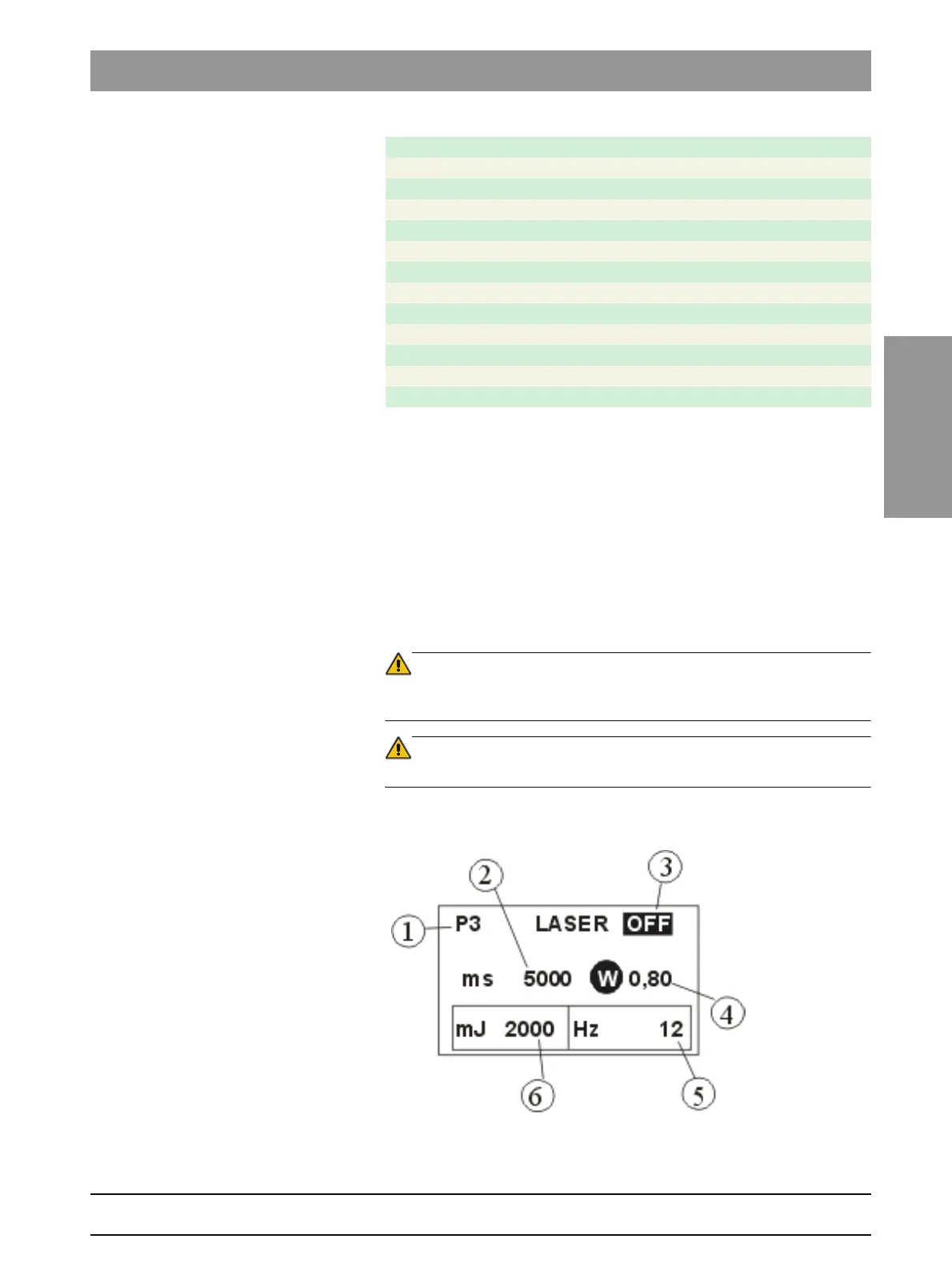
Below you will find an example of a typical treatment submenu.
Figure 24: Example of a treatment submenu
1. Selected program: in our example P3:
S3 Operculectomy
S4 Frenulectomy
S5 Hemostasis
S6 Gingival incisions
S7 Aphthae
S8 Herpes
PERIODONTICS AREAPERIODONTICS
P1 Periodont. lesions
P2 Periodont. pockets
P3 Peri-implantitis
ENDODONTICS AREA
E1 Endodont. germ reduction
E2 Gangrene germ reduction











 To Next Page