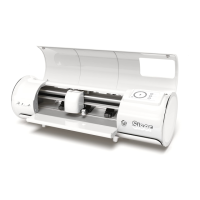
TOUCH SCREEN
SETTINGS
CUT SETTINGS
TEST CUT
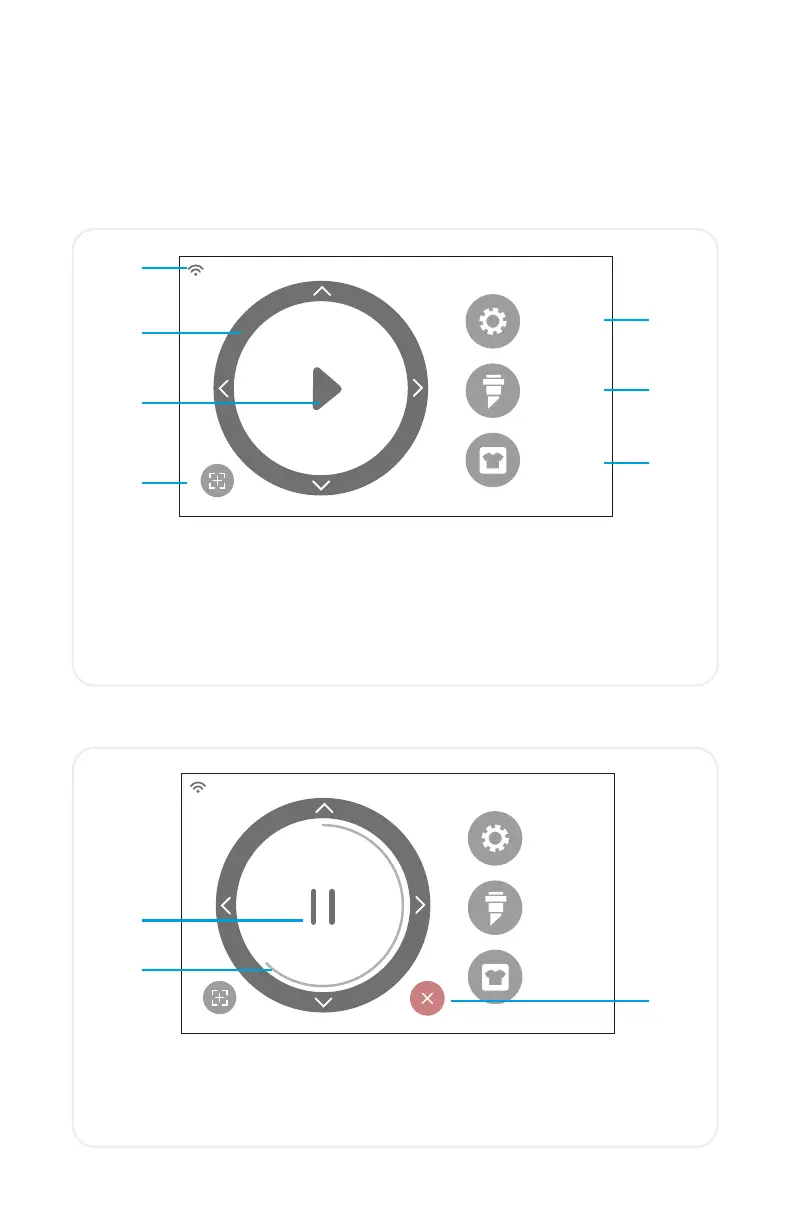
HOME SCREEN
SETTINGS
CUT SETTINGS
TEST CUT
Navigate by tapping the touch screen to select an option or slide along a
bar to adjust values.
1.
2.
3.
4.
5.
6.
7.
1. WiFi Indicator - Displays WiFi connection status
2.
Directional Arrows - Moves material and machine head
3.
Play Button - Resumes cut or recuts the last known design
4. Tool Reorientation - Moves tool holder back to starting position
5. Settings - Opens cutter settings menu
6. Cut Settings - Opens presets menu with adjustable cut settings
7. Test Cut - Performs a test cut at the tool holder’s current position
HOME SCREEN JOB IN PROGRESS
1.
1.
Pause Button - Pauses job at current position
2.
Job Progress Bar - Displays progress of current job based on how
far the circle is completed
3. Cancel Button - Cancels current job
2.
3.
9


 To Next Page