CAMERA
OK
CAMERA
1.
2.
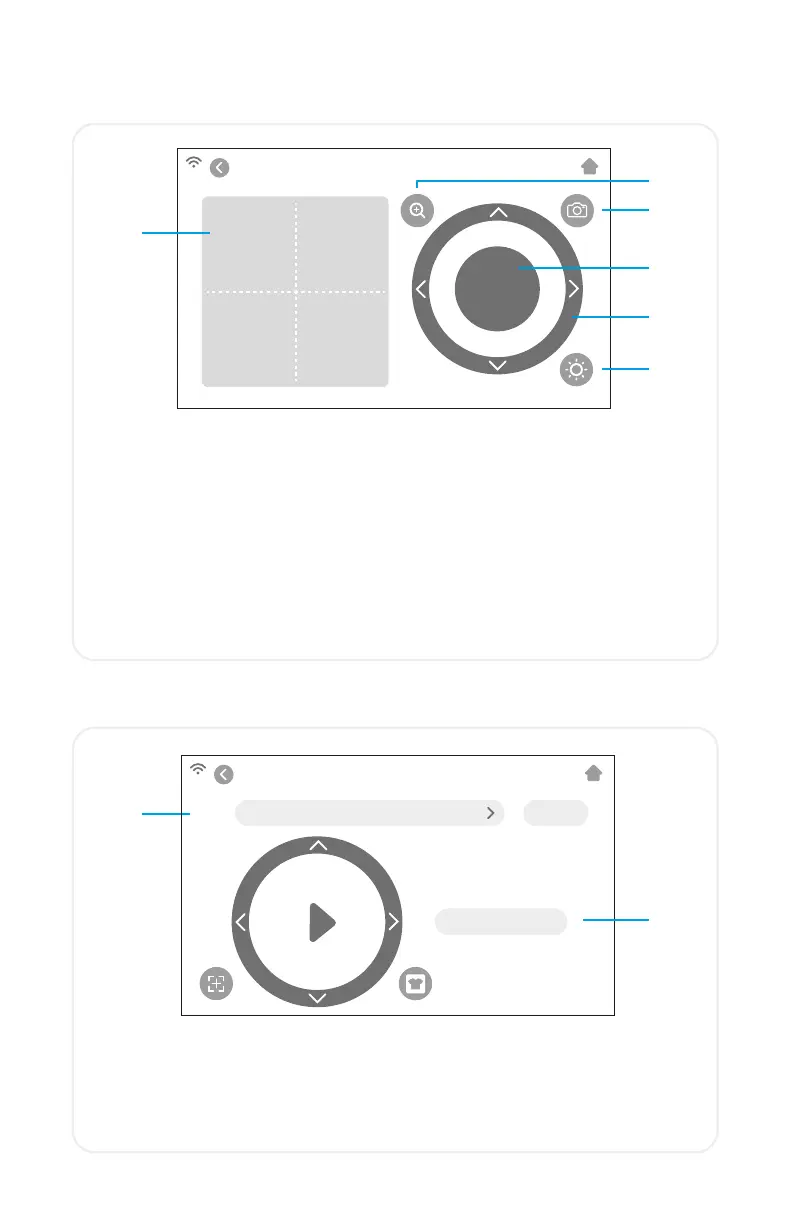
Use the camera for accurate tool registration
1. Registration Snapshot - Crosshair overlay offers a visual preview
of the tool orientation
2. Zoom - Zooms in or out on the current snapshot
3. Camera Snapshot - Takes a snapshot at the tool’s current
position
4. OK - Sets tool position
5. Directional Arrows - Moves the machine head and material for
a different camera view
6. Camera Light - Changes the brightness of the camera light
3.
6.
4.
5.
USB DRIVE
1.
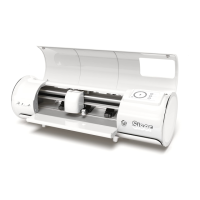
Access cut files from a connected USB drive
1. File selection - Displays folders and files on connected USB flash
drive so the desired cut file can be opened
2. Start cut - Starts job using current settings
USB DRIVE
FILE
FOLDER NAME OPEN
START CUT
2.
12


 To Next Page