Sitecom Multi Functional USB server LN-308/309, WL-203
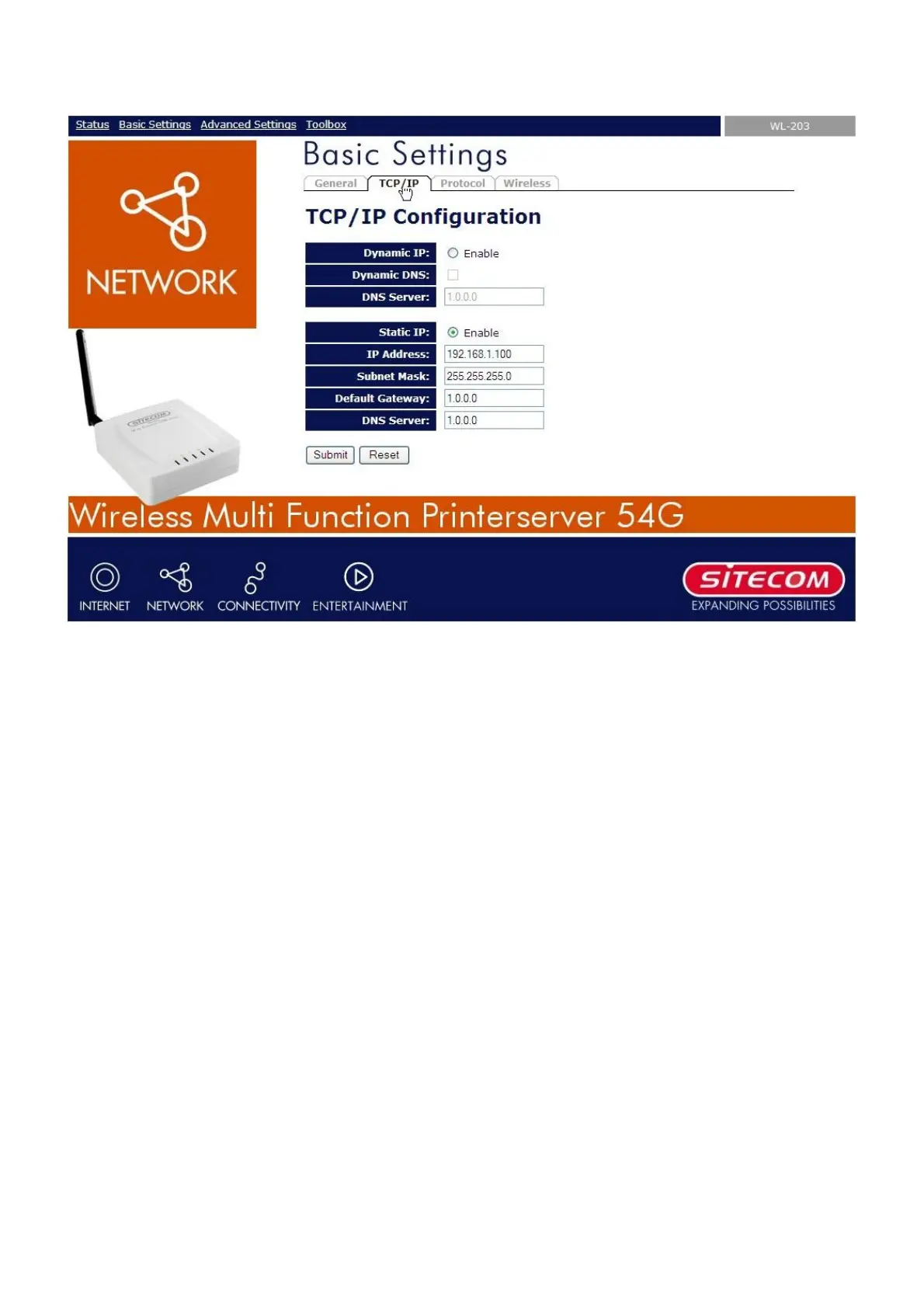
• Select the button which corresponds with your choice of IP settings (static or dynamic using
DHCP). When assigning a static IP address you also have to define Subnet Mask and Default
Gateway.
• Click Submit to save your settings. The Server will then reboot. You have now finished the
procedure of setting up the IP address.


 To Next Page