Sitecom Multi Functional USB server LN-308/309, WL-203
• Permission: select Read-Only or Read-Write permission to access File servers.
• Add: click Add button, after entering the user name, corresponding password, and
Permission selection. The account will take effect once shown in the blank below.
• Delete: delete the existing user account.
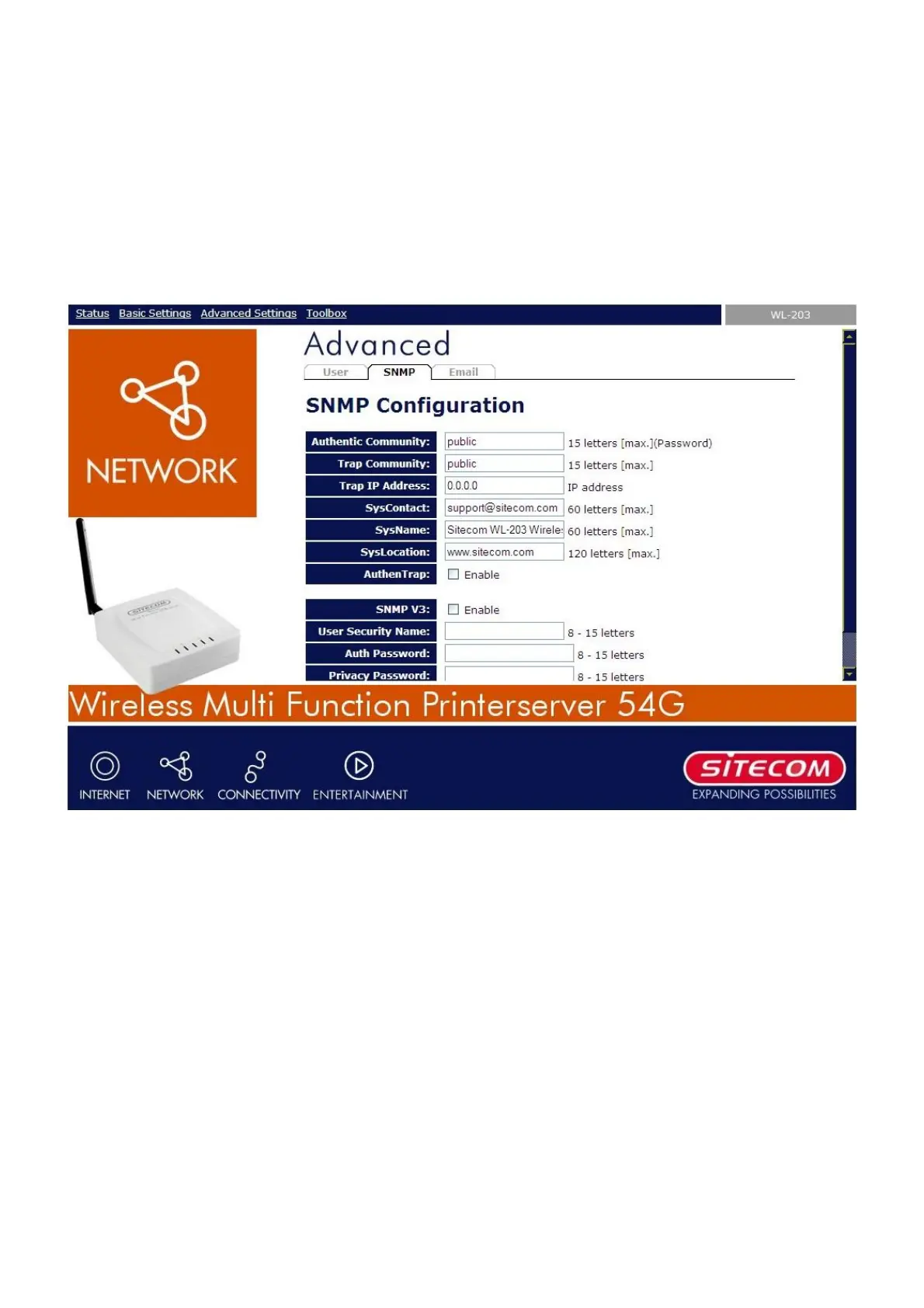
9.4.2 SNMP
• Authentic Community: set Community name of SNMP server.
• Trap Community: set Trap Community name for SNMP server to send trap packets.
• Trap Address: enter an IP address to send the Trap packet.
• SysContact: enter some letters for variable of SysContact that represents the name of
system contact.
• SysName: enter some letters for variable of SysName that represents the name of system.
• SysLocation: enter some letters for variable of SysLocation that represents the location of
system.
• AuthenTrap: To enable or disable to send Trap packets receiving the wrong Community
name.
• SNMP V3: select or clear SnmpV3 support.
• User Security name: set user security name of SNMP v3
• Auth Password: set authentication password of SNMP v3.
• Privacy Password: set privacy password of SNMP v3


 To Next Page