Please check www.sitecom.com for up to date drivers & utilities, manuals and support
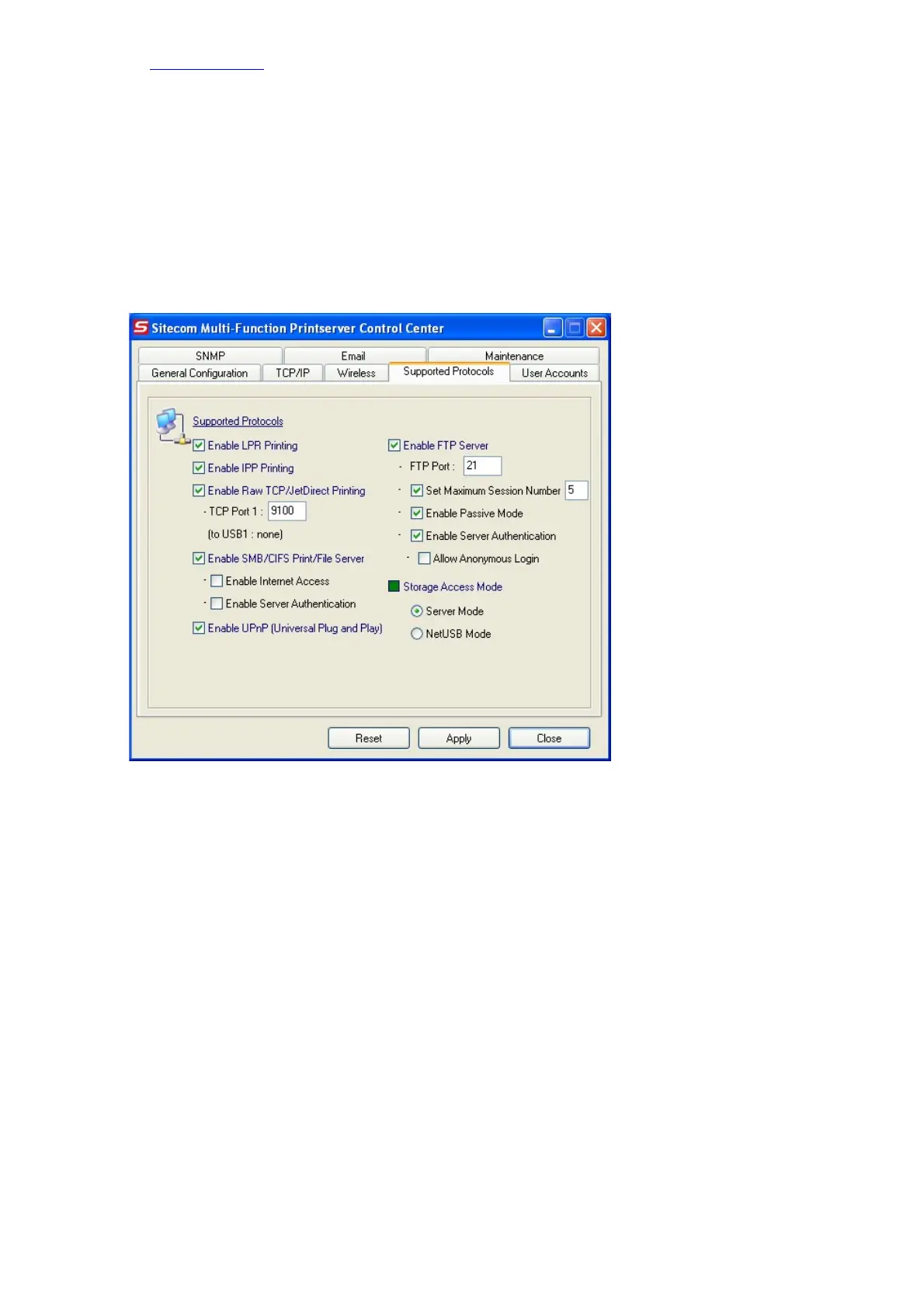
6.4.1 Setting up File Server Using the Control Center
• Open the Control Center
• Select the MFP Server from the Server List.
• Double click the highlighted option in the list or click Configure Server, and enter the
Server’s interface using administrator username (default: admin) and password (default:
admin).
• After you have logged in successfully, click Supported Protocols.
6.4.2 Setting up File Server Using Web Pages
• Open the Control Center
• Select the MFP Server from the Server List.
• Click Goto Homepage, and enter the Server’s interface using the administrator username
(default: admin) and password (default: admin).
• After you have logged in successfully, Select Basic Settings.
• And click Protocol.


 To Next Page