Sitecom Multi Functional USB server LN-308/309, WL-203
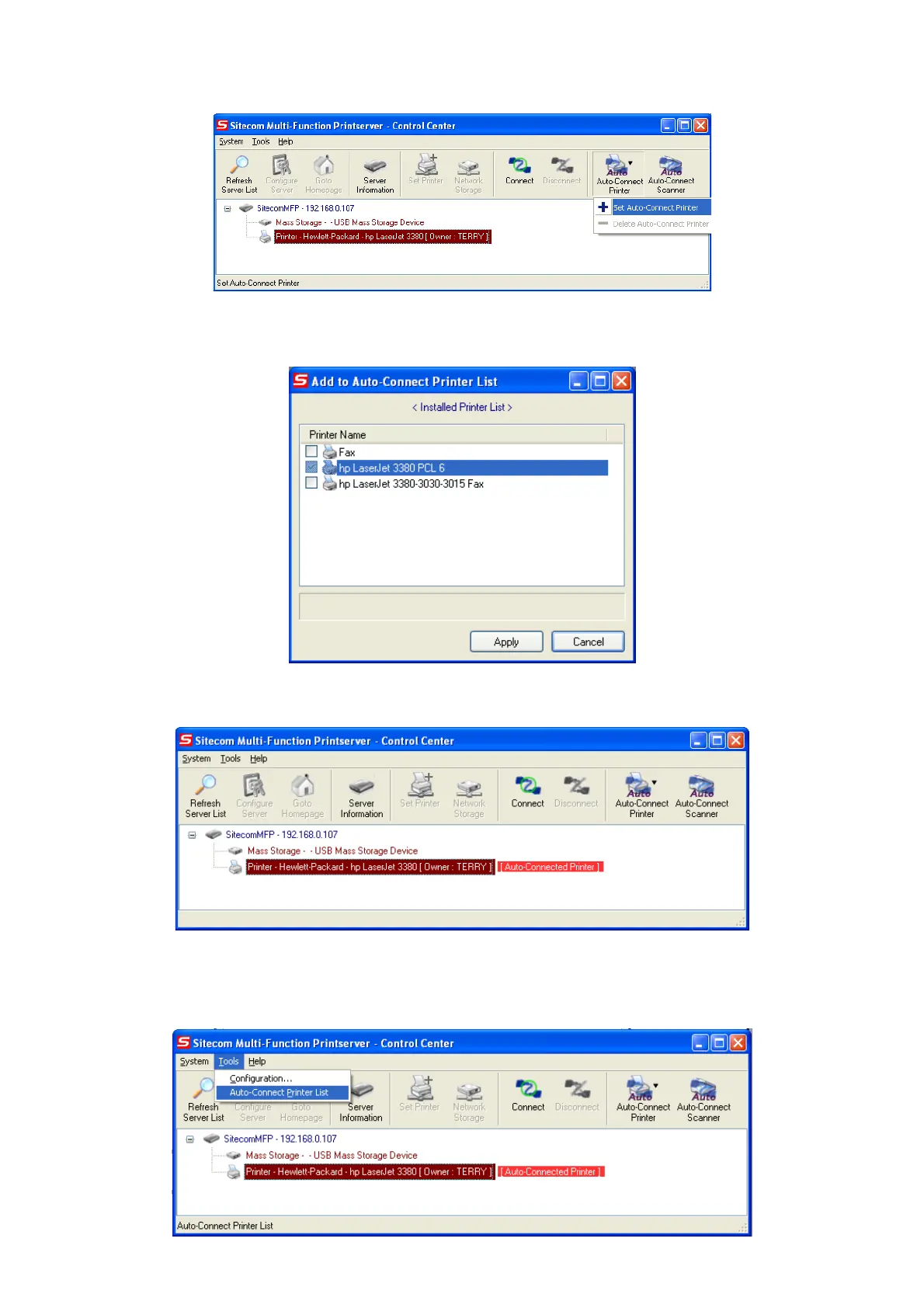
• Choose the desired printer. The desired printer must be the Windows printer (this is a logical
printer) that matches the printer attached on the MFP server (this is a physical printer).
Then click the “Apply” button.
• Then, the printer will be marked as an “Auto-Connected Printer” in red.
• If you choose “Auto-Connected Printer List” in the “Tools” menu, you can see a newly
created item that describes the association between the Windows printer and the physical
printer on the server.


 To Next Page