14
A
GE
14
Add a Wireless Device
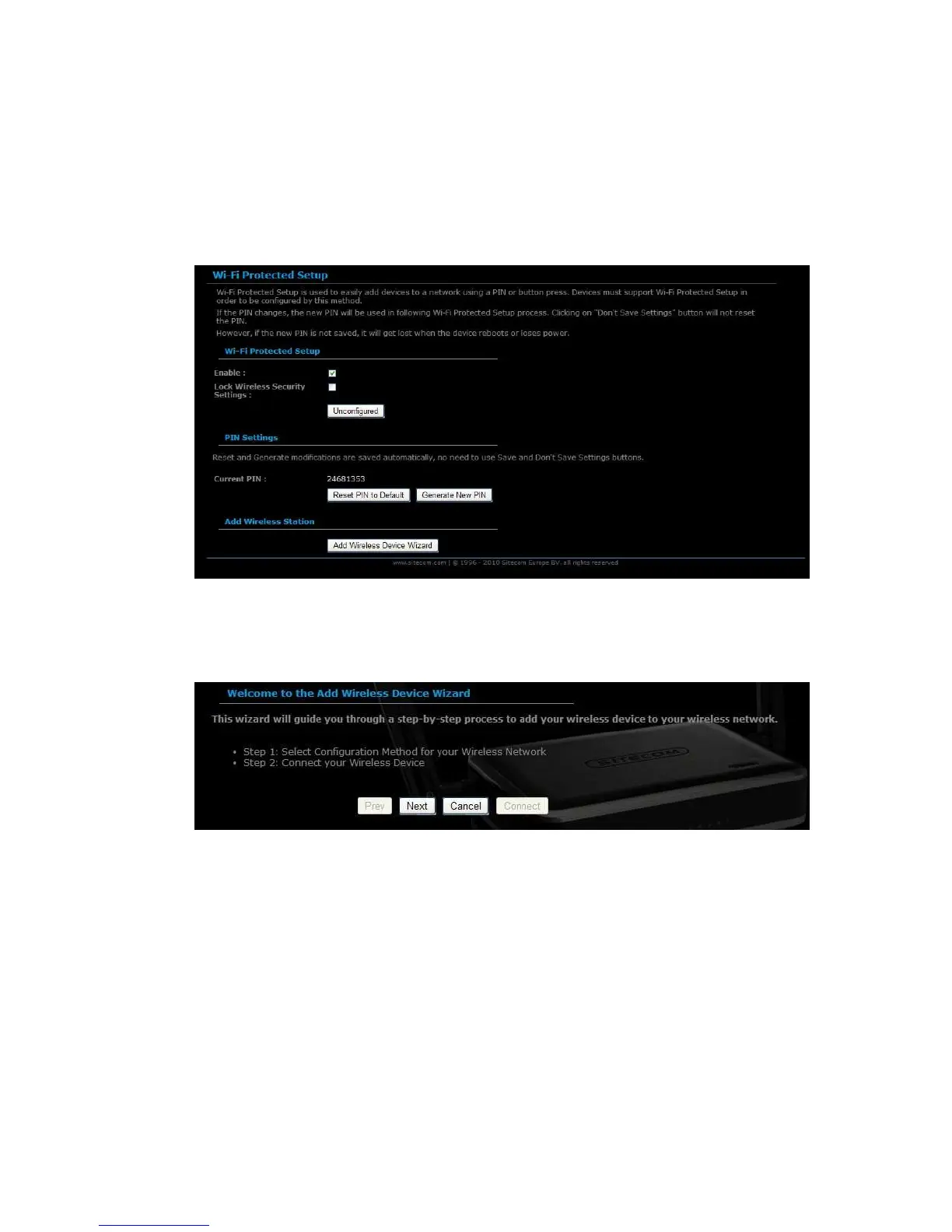
Click on Basic -> Wireless and click on the Add Wireless Device Wizard
button.
The wireless wizard will inform you that there are two major steps in the process.
o Select the configuration method for your wireless network
o Connect your wireless device
Click on the Next button to continue.
You may select from three available options:
o PIN: Select this radio button if your wireless device supports PIN
o Push Button: Select this radio button if your wireless device supports
push button.
o Manual: Select the radio button if you would like to setup your
wireless device manually. Refer to chapter 5 in order to manually
configure the device.
The wizard will either display the wireless network settings to guide you through
manual configuration, prompt you to enter the PIN for the device, or ask you to
press the configuration button on the device. If the device supports Wi-Fi



 To Next Page