15
A
GE
15
Protected Setup and has a configuration button, you can add it to the network by
pressing the configuration button on the device and then the on the router within
60 seconds. The status LED on the router will flash three times if the device has
been successfully added to the network.
There are several ways to add a wireless device to your network. Access to the
wireless network is controlled by a registrar. A registrar only allows devices onto
the wireless network if you have entered the PIN, or pressed a special Wi-Fi
Protected Setup button on the device. The router acts as a registrar for the
network, although other devices may act as a registrar as well.
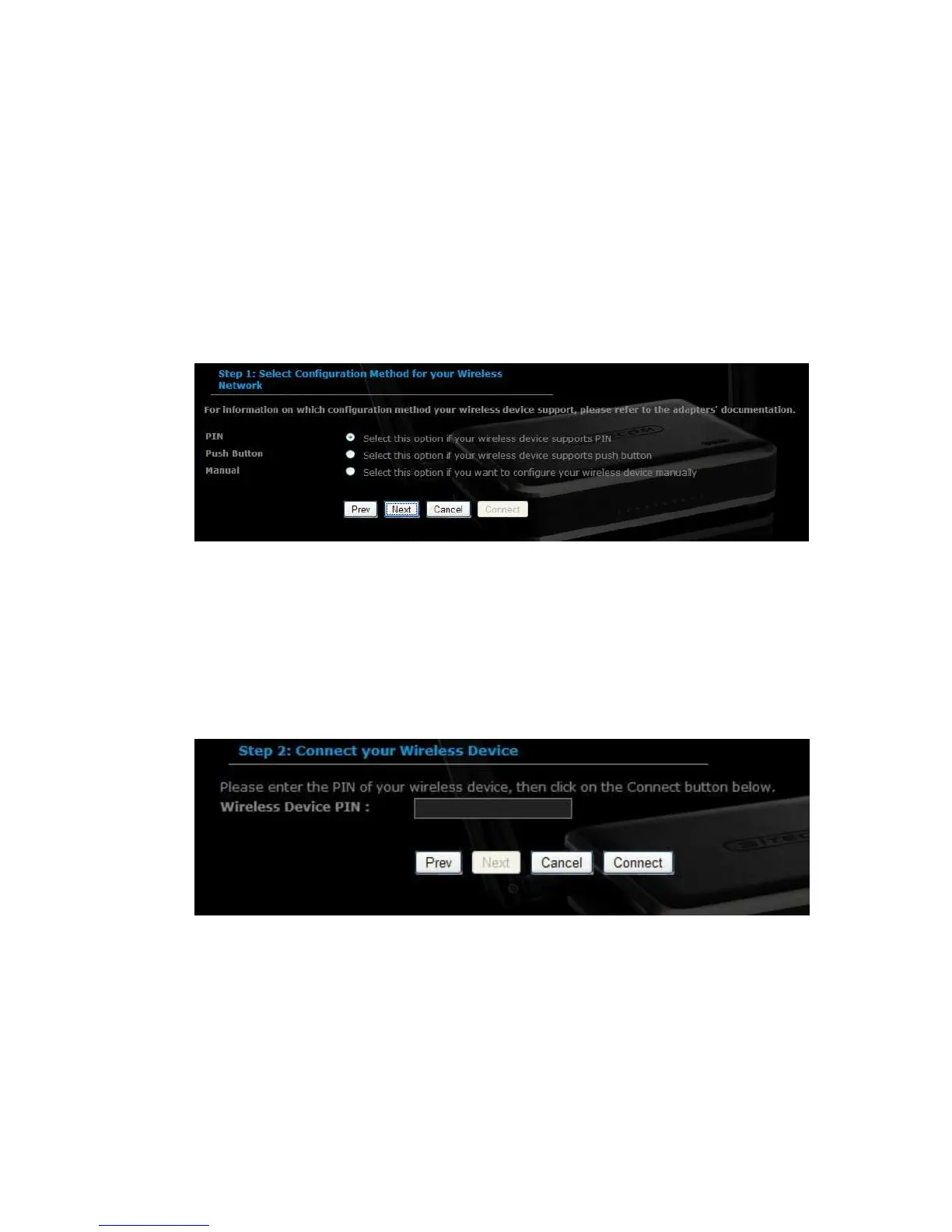
Using the PIN
A PIN is a unique number that can be used to add the router to an existing
network or to create a new network. The default PIN may be printed on the
bottom of the router. For extra security, a new PIN can be generated. You can
restore the default PIN at any time. Only the Administrator ("admin" account) can
change or reset the PIN.
Select the PIN radio button and then click on the Next button.
Specify the PIN and then click on the Connect button.
The wireless device configuration is now complete.



 To Next Page