20
A
GE
20
o LA: Last ACK -- Waiting for a short time while a connection that was in
Close Wait is fully closed.
o CL: Closed -- The connection is no longer active but the session is
being tracked in case there are any retransmitted packets still pending.
- Priority: The priority given to packets sent wirelessly over this
conversation by the WISH logic. The priorities are:
o BK: Background (least urgent).
o BE: Best Effort.
o VI: Video.
o VO: Voice (most urgent).
- Time Out: The number of seconds of idle time until the router considers
the session terminated. The initial value of Time Out depends on the type
and state of the connection.
o 300 seconds - UDP connections.
o 240 seconds - Reset or closed TCP connections. The connection does
not close instantly so that lingering packets can pass or the connection
can be re-established.
o 7800 seconds - Established or closing TCP connections.
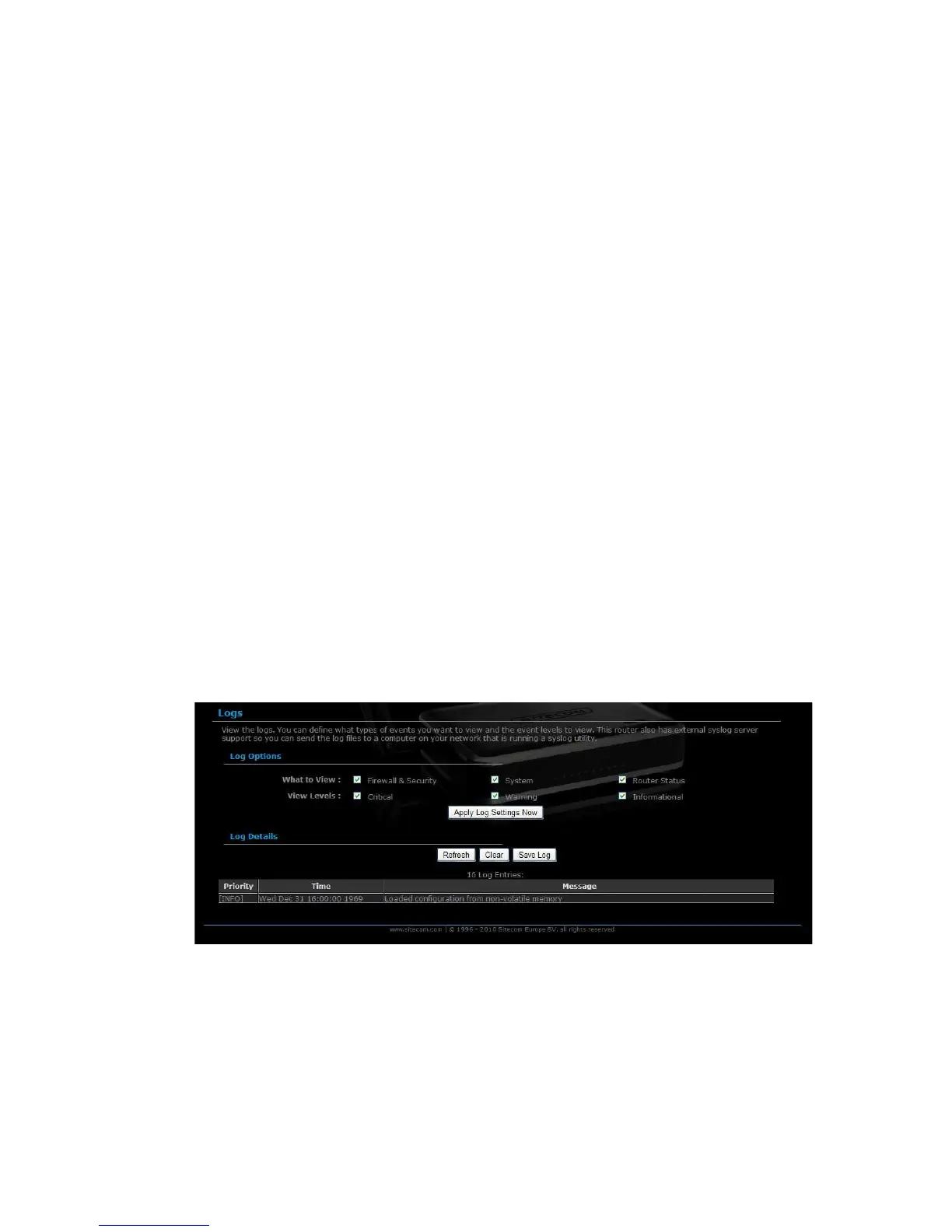
Logs
Click on the Logs link in the navigation menu. The router automatically logs
(records) events of possible interest in its internal memory. If there is not enough
internal memory for all events, logs of older events are deleted, but logs of the
latest events are retained. The Logs option allows you to view the router logs.
You can define what types of events you want to view and the level of events to
view. This router also has external Syslog Server support so you can send the log
files to a computer on your network that is running a Syslog utility.
- What to View: Select the features of which you would like to view the
logs: Firewall & Security, System, or Router Status.
- View Levels: Select the warning levels for the logs: Critical, Warning, or
Informational.
- Click on the Apply Log Settings Now to make the new log effective.



 To Next Page