49
A
GE
49
Schedules
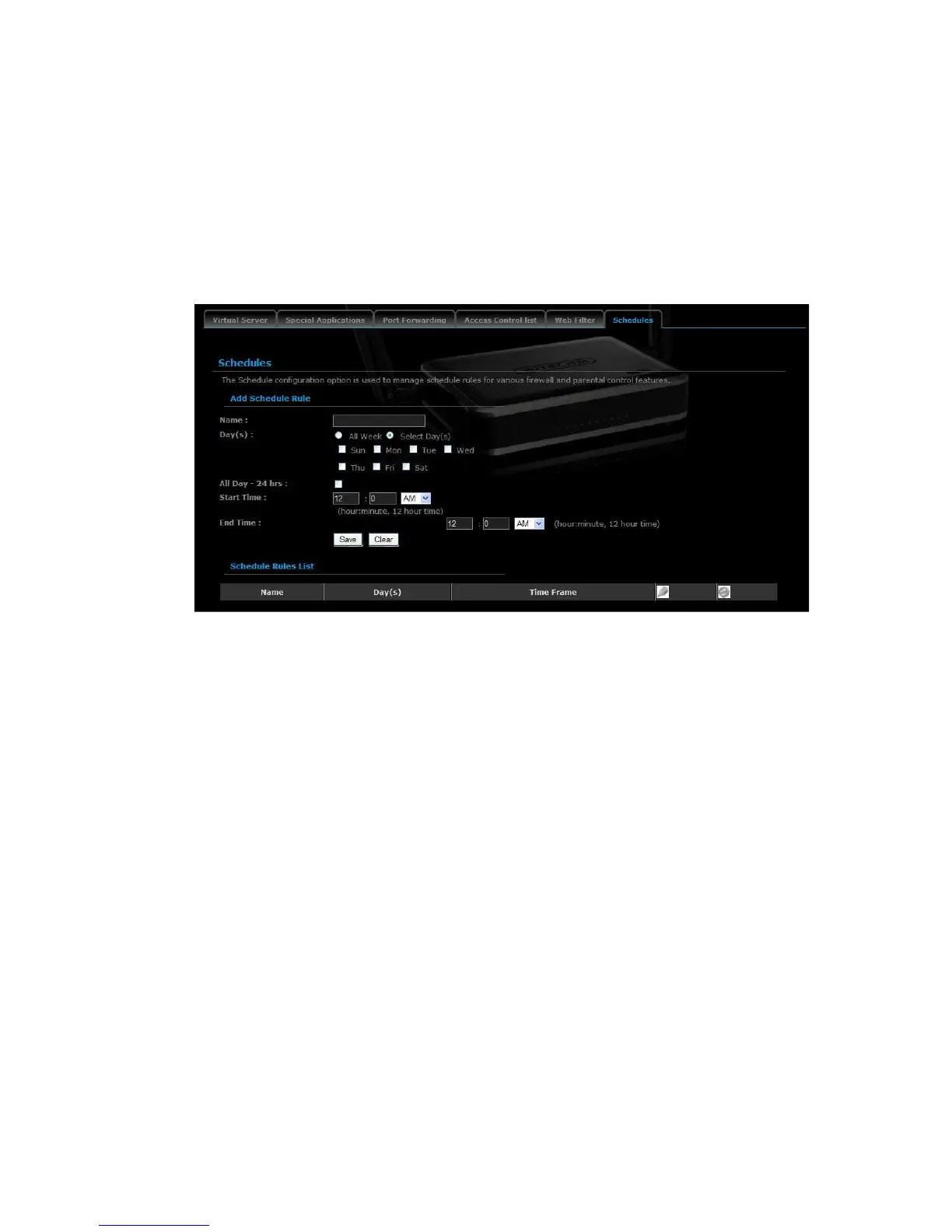
Click on the Schedules link in the navigation menu. Schedules can be created for
use with enforcing rules. For example, if you want to restrict web access to Mon-
Fri from 3pm to 8pm, you could create a schedule selecting Mon, Tue, Wed, Thu,
and Fri and enter a Start Time of 3pm and End Time of 8pm.
Name: Specify a name for the schedule.
Day(s): Select the days at which you would like the schedule to be effective.
All Day – 24 hrs: Place a check in this box if you would like the schedule to
be active for 24 hours.
Start Time: If you do not use the 24 hours option, you may specify a start
time.
End Time: If you do not use the 24 hours option, you may specify an end
time.
Click on the Save button to add this schedule into the list.



 To Next Page