A
GE
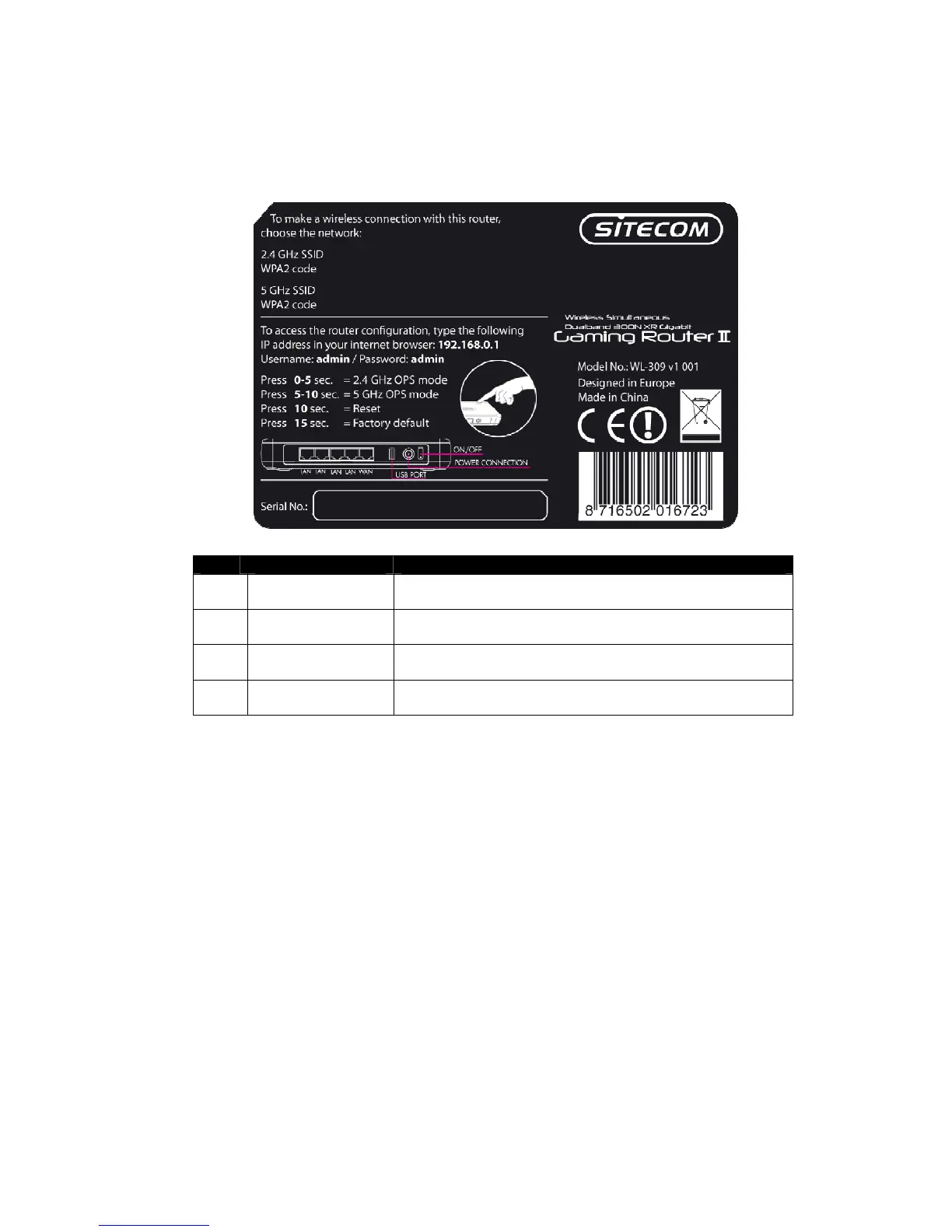
Back label
Item Label Description
1 LAN LED This LED will light up once an Ethernet cable is
connected to one of the LAN ports.
2 WAN LED This LED will light up once an Ethernet cable is
connected to WAN (Internet) port.
3 WLAN LED This LED will light up once the RF (wireless LAN)
feature is enabled
4 Power LED This LED will light up once the power cable is
connected to the DC connector.
System Requirements
The following are the minimum system requirements in order configure the
device:
- PC/Notebook
- Operating System – Microsoft Windows XP/2000/Vista/Seven
- 1 Free Ethernet port
- Wi-Fi card/USB dongle (802.11 b/g/n) – optional
- External xDSL (ADSL) or Cable modem with an Ethernet port (RJ-45)
- PC with a web-browser (Internet Explorer, Safari, Firefox, Opera)
- Ethernet compatible CAT5 cables



 To Next Page