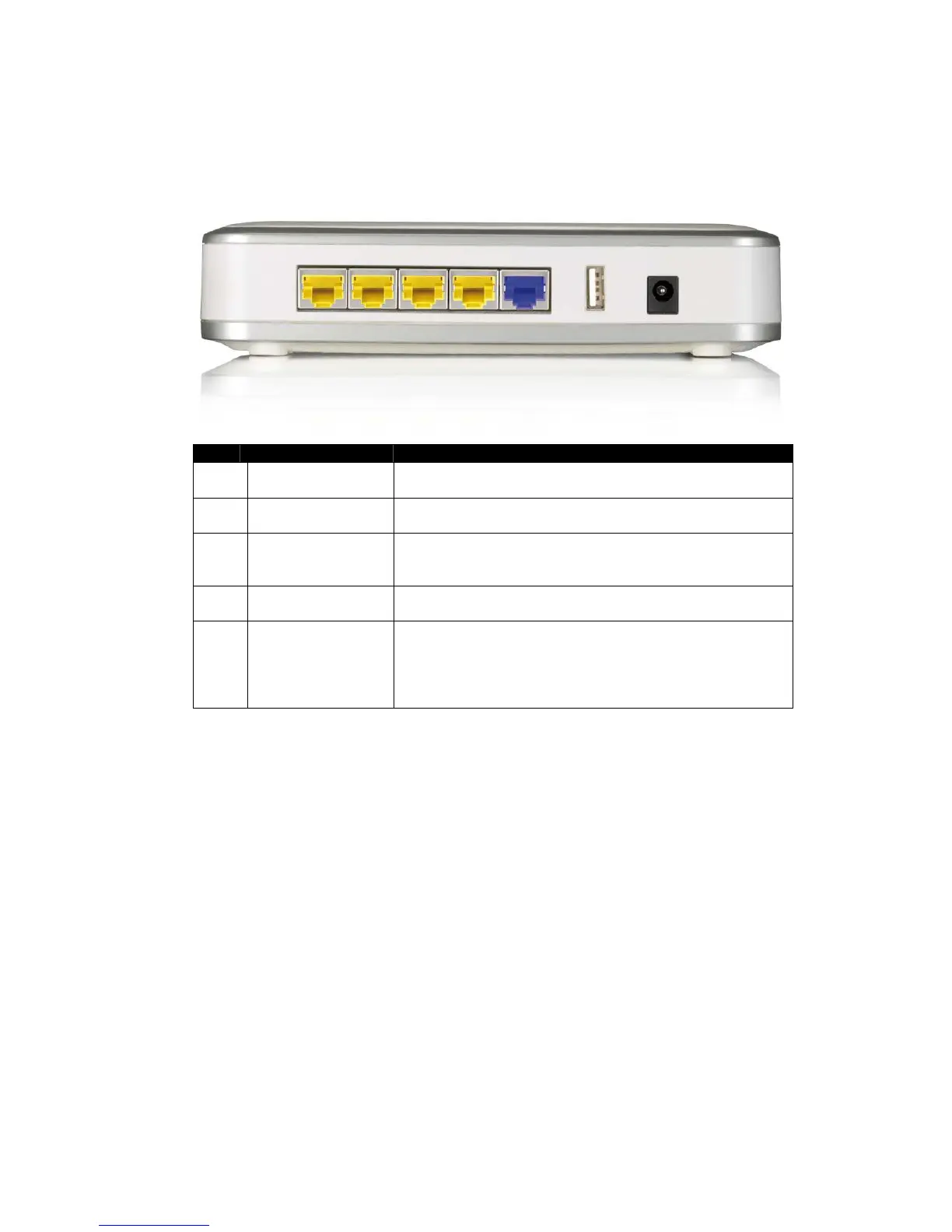
Product Layout
Item Label Description
1 LAN Ports
(yellow)
Use an Ethernet cable to connect each port to a
computer on your Local Area Network (LAN).
2 WAN Port (blue) Use an Ethernet cable to connect this port to your
WAN router/modem.
3 DC Connector Use the power cable and connect the adapter to the
power socket on the wall, and the DC inlet into the
DC connector.
4 USB port The USB port can be used to connect a USB memory
stick or hard disk.
5 WPS (on the top
of the router)
WPS (Wireless Push Button) is used for Wi-Fi
Protected Setup. By pressing this button, the
security settings of the device will automatically
synchronize with other wireless devices on your
network that support Wi-Fi Protected Setup.



 To Next Page