Start IP/End IP You can select a particular IP address range for your DHCP
server to issue IP addresses to your LAN Clients.
Note: default IP range 192.168.0.100
192.168.0.199. If you want
your PC(s) to have a static/fixed IP address, then you’ll have to choose
an IP address outside this IP address Pool
Domain Name You can specify a Domain Name for your LAN. Or just keep the
default (SitecomWLxxx).
Click <Apply> at the bottom of this screen to save any changes.
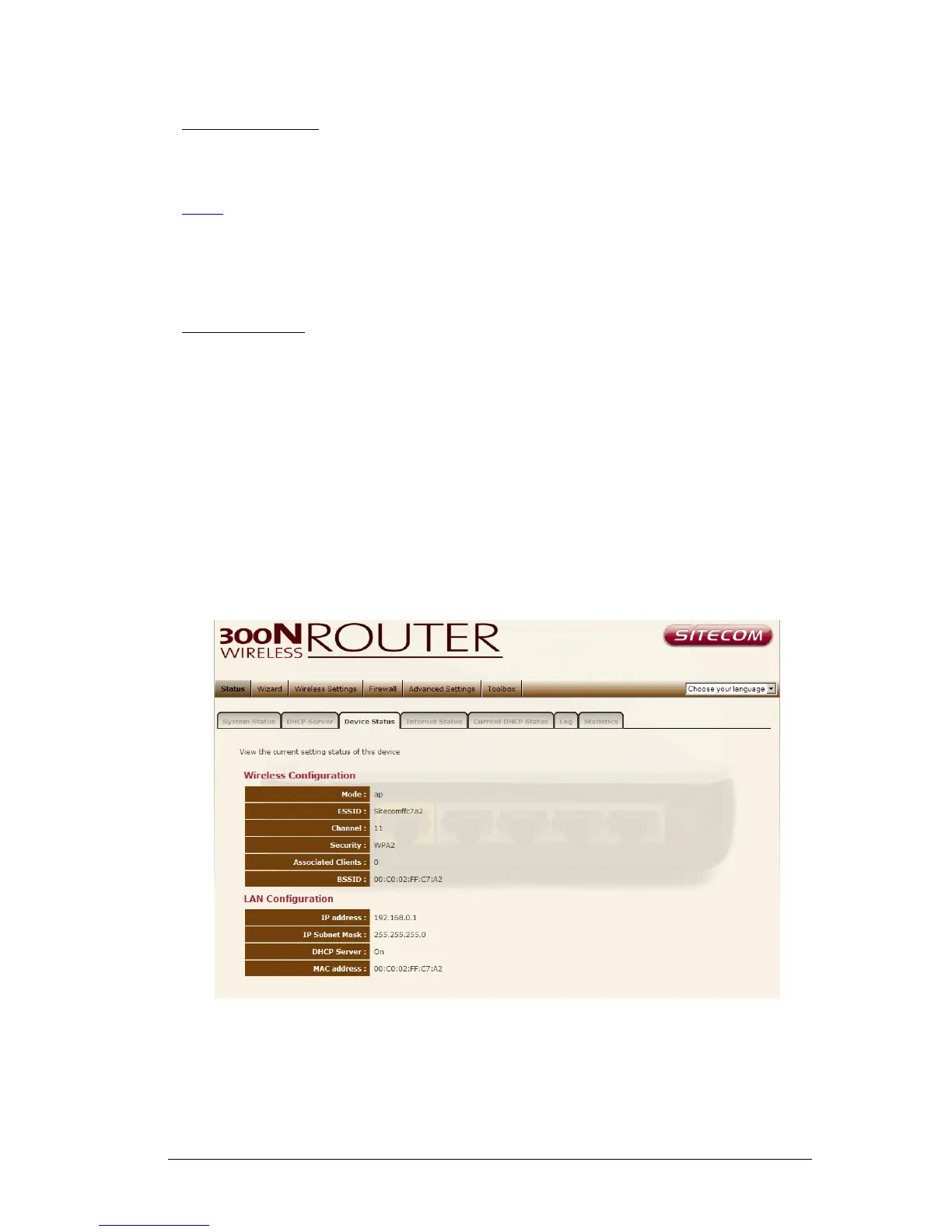
Device Status
View the Broadband router’s current configuration settings. Device Status
displays the configuration settings you’ve configured in the Wizard / Basic
Settings / Wireless Settings section.
18



 To Next Page