10
Pinch/Spread: Place the fingers of one hand
on the screen surface and draw them apart or
together to scale an element on the screen.
Rotate: Automatically change the screen
orientation from portrait to landscape by turning
the phone sideways to have a better screen view.
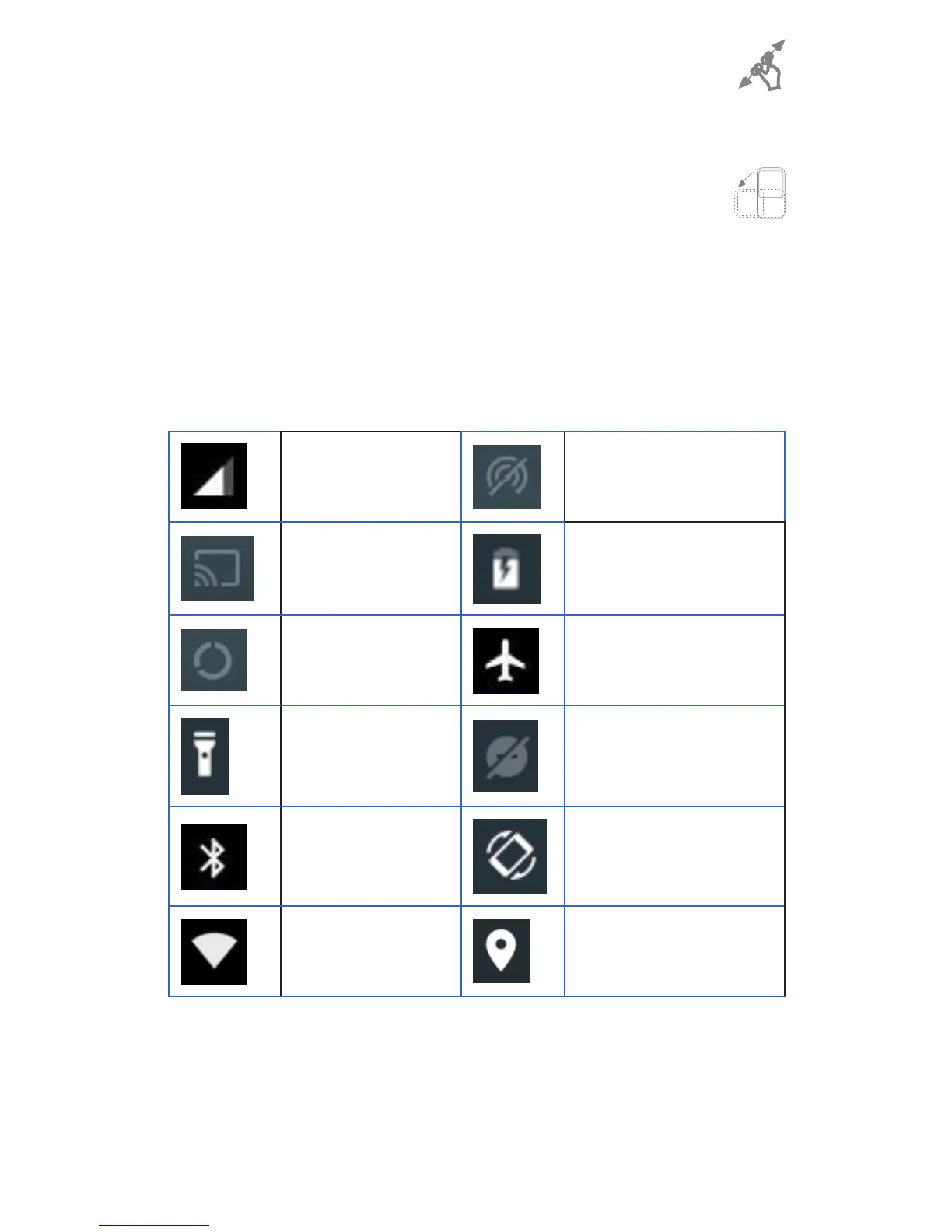
1.3.3 Status bar
From the status bar you can view the time, battery
status, Network and notifications.
Cellular data Hotspot
Cast Battery
Data Saver Airplane mode
Flashlight Do not disturb
Bluetooth Auto-rotate
WLAN /
Wi-Fi
Location
Notification panel
Touch and drag down the status bar to open the
notifications panel. Touch and drag up to close it.


 To Next Page